Application Label Types
BBP
®
35/37 User’s Manual 156 Rev A
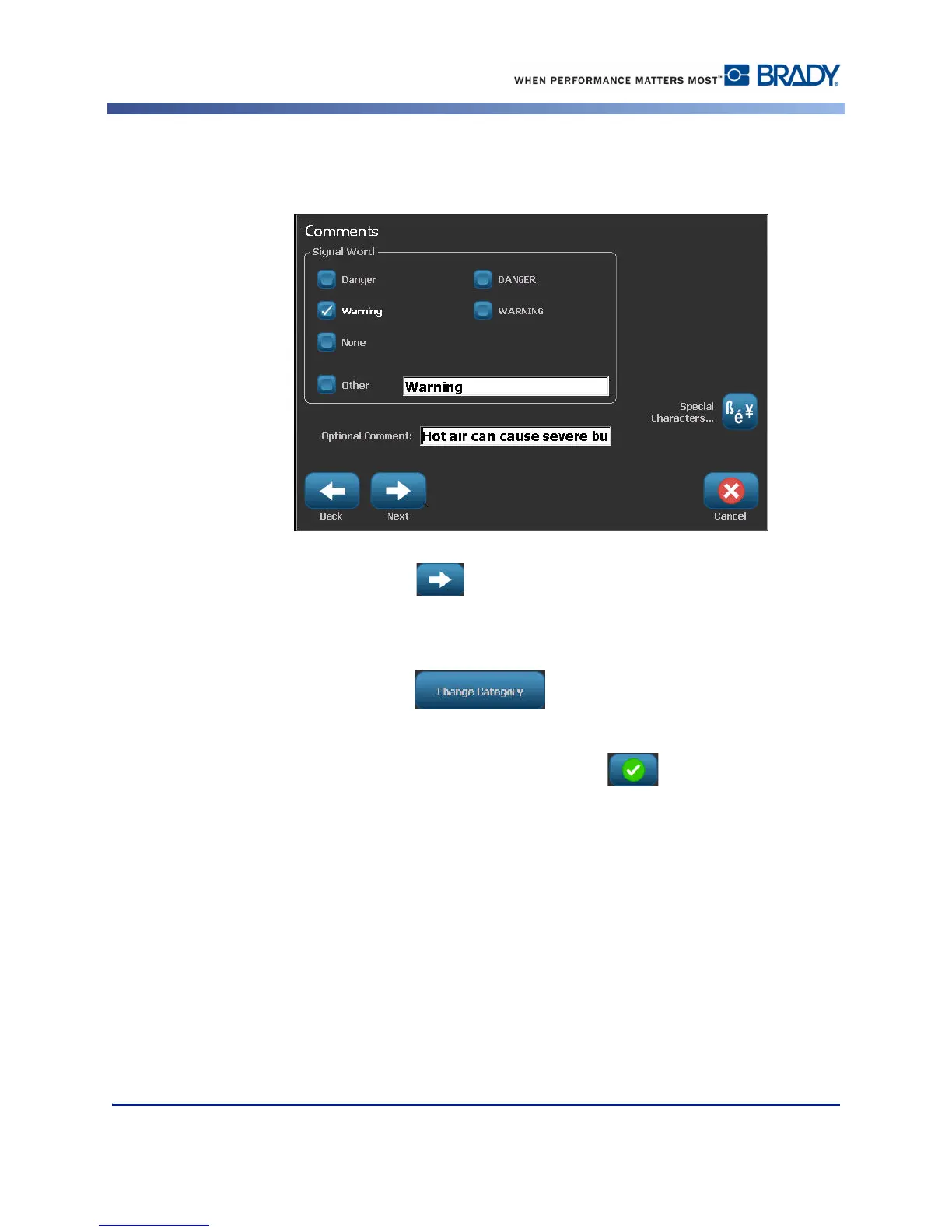
13. Touch the Optional Comment: field and enter additional comments to display on the pipe
marker label, if desired.
14. When ready, touch Next .
You can add up to four graphics to the pipe marker label. The available graphics are divided
into categories. To change to another category:
15. Touch Change Category .
16. Under Categories, touch the up/down arrows to view more categories in the list.
17. Touch the desired category to select it, then touch OK .



 To Next Page