Printer Maintenance
BBP
®
35/37 User’s Manual 180 Rev A
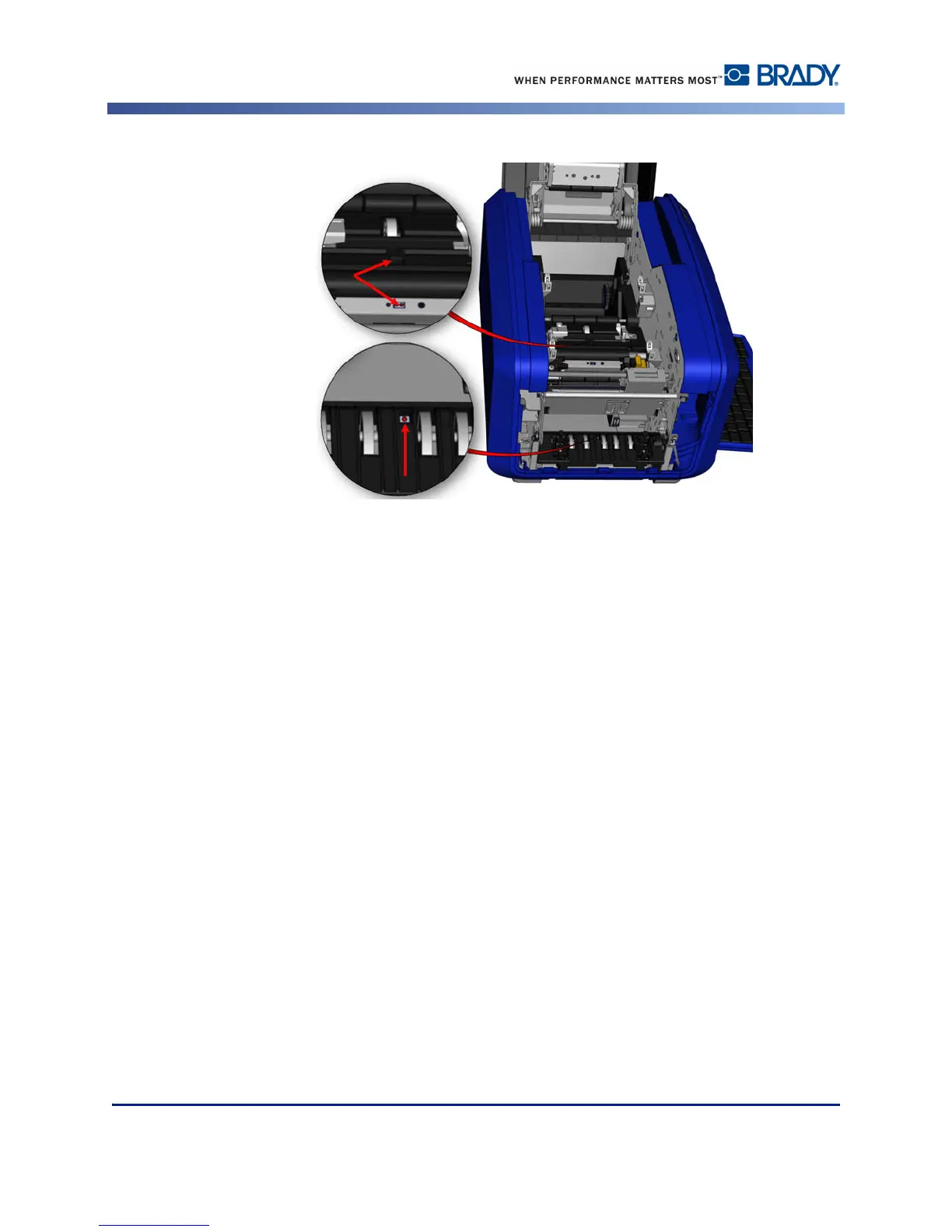
Figure 14 • Sensor locations
4. Clean the other three sensors indicated in Figure 14.
5. After cleaning the sensors, carefully lower the media guide, then tighten the screw.
6. Wipe the two other sensors in the media feed path. (Outlined in the figure above.)
7. Also, wipe the sensor under the cutting mechanism in the media exit chute. (Outlined in
the figure above.)



 To Next Page