B-4
¡
Adjusting the Cut Depth
Adjusting the Cut Depth
You may need to adjust the stylus blade on your cutter when:
z
The cuts on your cut out labels are either too deep or too shallow.
z
You install tape supplies of varying thickness.
The stylus holder has an adjustment dial you use to change the depth at
which the stylus blade cuts the tape.
Step 1: Turn the power off, and open the printer. Follow the instructions in the
Removing the Stylus Holder section above to remove the stylus
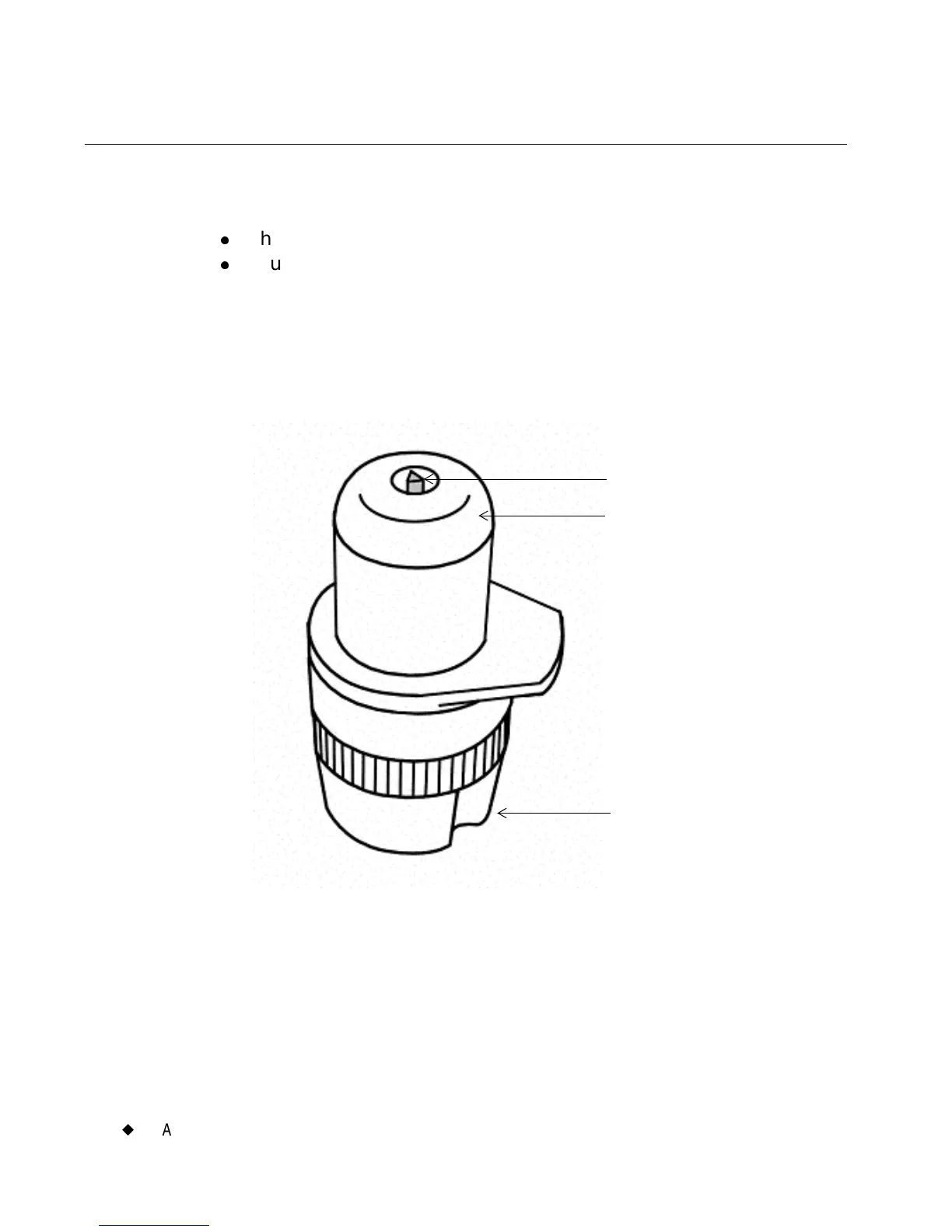
holder, shown here:
Figure B-2. The stylus holder.
The stylus blade protrudes very slightly from the nylon nose. The nose
glides across the tape when cutting your label.
Stylus (cutter blade)
Stylus nose
Depth adjustment dial



 To Next Page