205
EVINRUDE ICON REMOTE CONTROL SYSTEM
ICON COMPONENT SERVICING
10
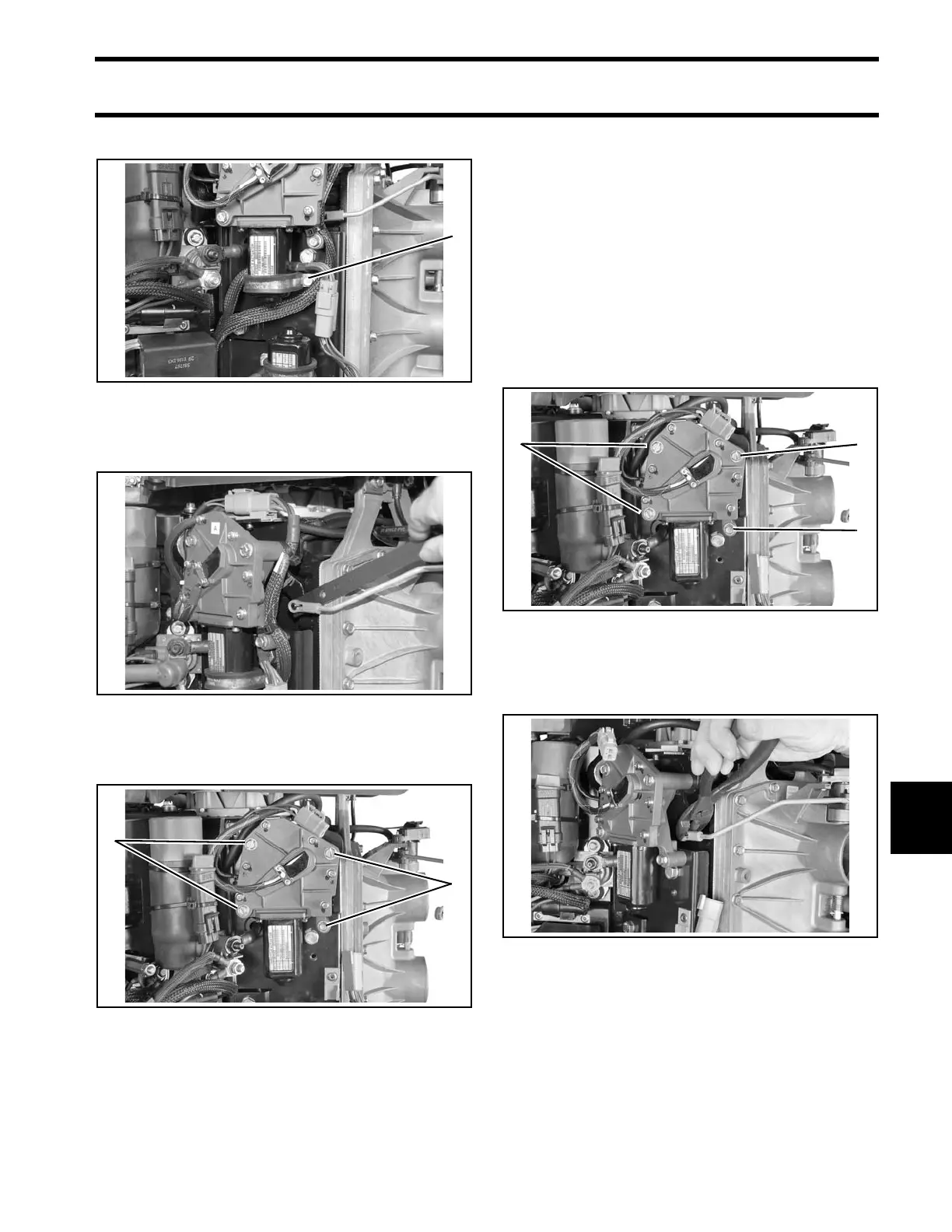
Remove the clamp retaining screw.
Use Ba ll Socke t Re mover tool, P/N 342226 , to
remove throttle link from actuator arm.
Remove the four throttle act uator ret aining
screws.
Installation
Remove old adhesive from clamp retaining screw
and shift actuator retaining screws.
Apply Nut Lock on the threads of the screws.
Install thro ttle actuator on mounting plat e with
three long screws and one short screw . T ighten
screws to a to rque o f 60 t o 84 in. lbs. (7 to 9 .5
N·m).
Do no t inst all clamp un til wiring h arnesses have
been secured.
Use Ball Socke t In staller to ol, P/N 342225, to
snap throttle link onto actuator arm.
1. Clamp retaining screw 007498
008034
1. Throttle actuator retaining screws 007302
1. Long screws
2. Short screw
007302
007303







 To Next Page