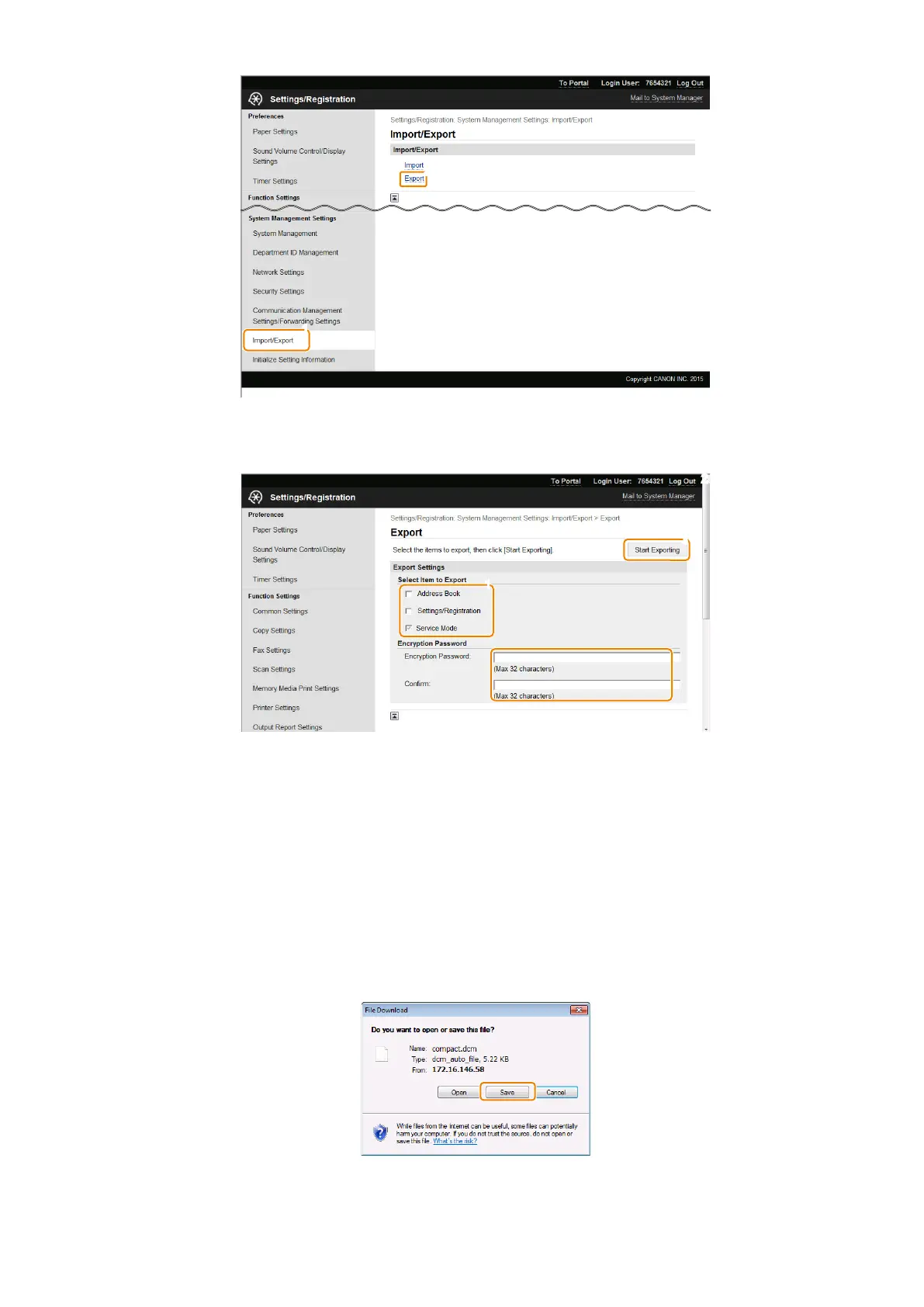
5. Specify the settings for exporting, and click [Start Exporting].
Enter the encryption password and click [Start Exporting]. The menu options data will be exported.
Address Book
Select the check box to export the Address Book data.
Settings/ Registration
Select the check box to export the setting data of the menu options.
Service Mode
Selected and grayed out. If this item does not exist, perform step 1 again
Encryption Password
Enter up to 32 alphanumeric characters for the encryption password. For confirmation, enter the same password in the
[Confirm:] text box. This password will be required when you import the data to the machine.
6. Follow the on-screen instructions to specify the location where the exported data is saved.
2. Technical Explanation
69



 To Next Page