89
Chapter 5 Using Bluetooth
5.3.2 PAIR
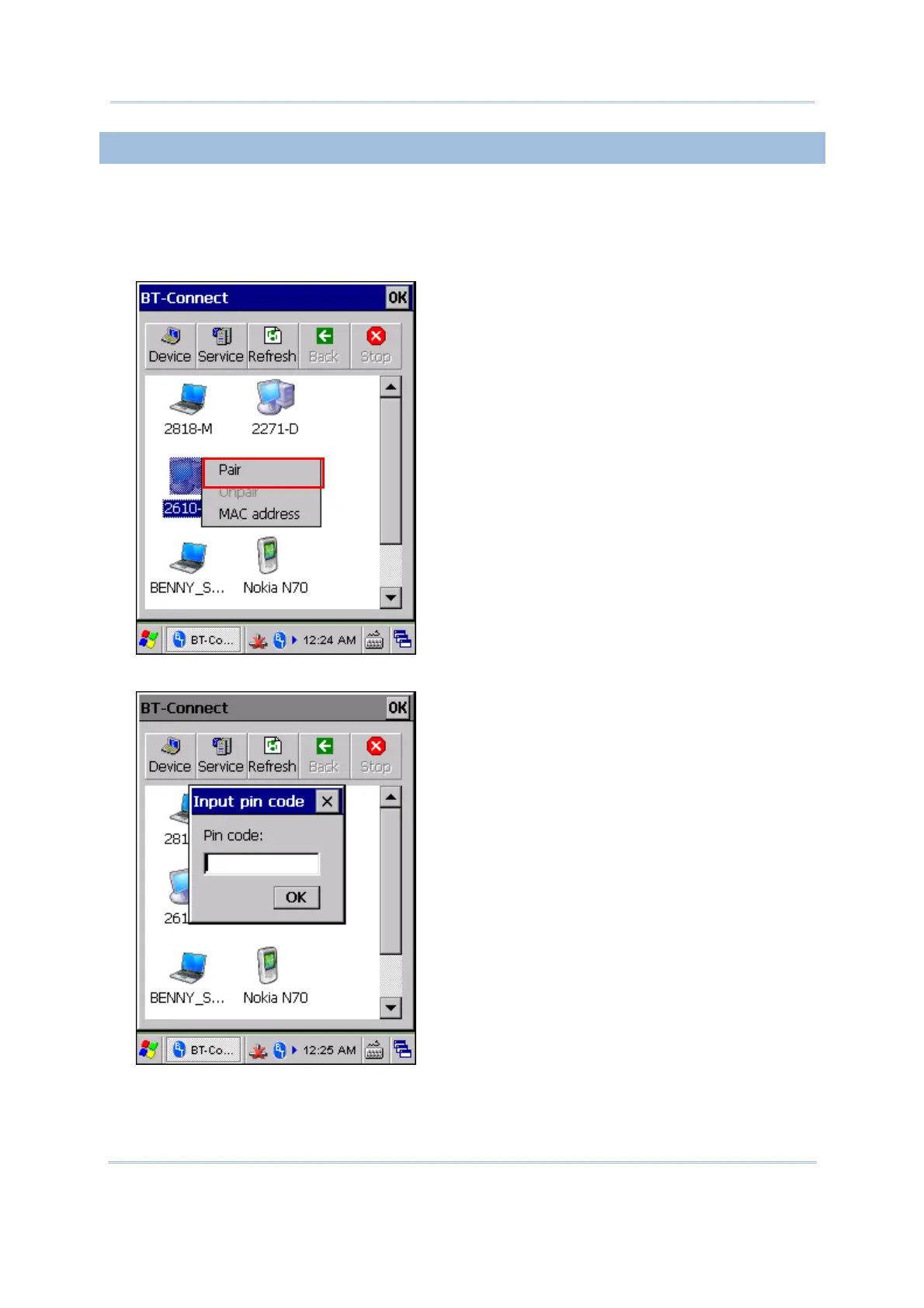
When authentication is enabled on the remote device, you will have to exchange a
passkey (= pair) with it before starting a connection.
1) From the device list, tap and hold the desired device to select [Pair] from the pop-up
menu.
2) Enter the PIN code that is specified on the remote device.



 To Next Page