33
Chapter 1
Using 9600 Mobile Computer
1.8 BATTERY CHARGER
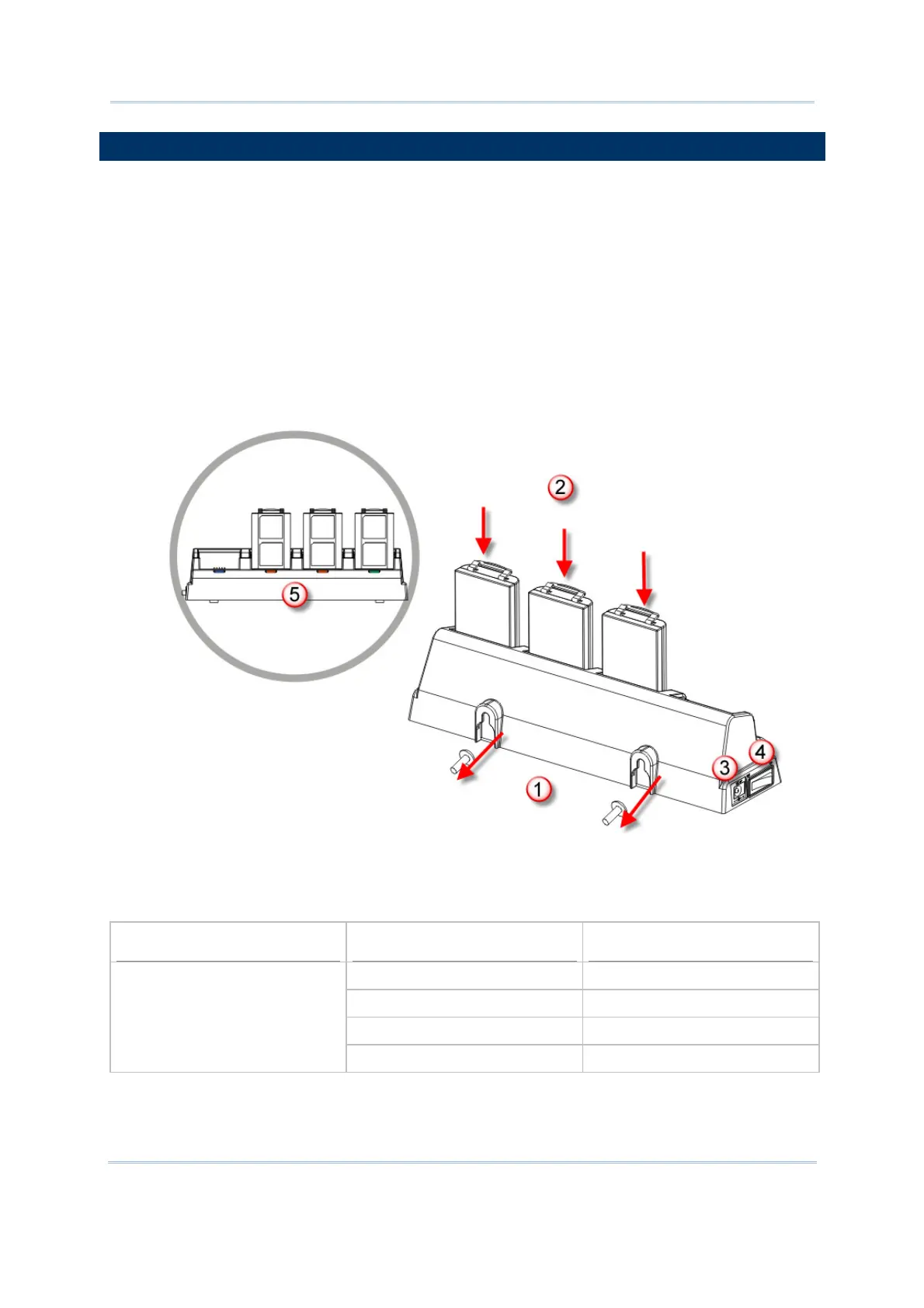
Below is the 4-Slot Battery Charger for 6V,3.5A.
1) The Battery Charger can be mounted on table or wall. Drill two holes (centers spaced
105 millimeters apart), secure the two supplied screws, and mount the Battery
Charger by sliding over screws.
2) Seat batteries with contacts facing to back.
3) Connect the power supply cord to the power receptacle on the charger. Connect the
other end of the power supply cord to a suitable power outlet.
4) Press the power switch on, and the Battery Charger’s LED will be blue.
5) While charging, the LED of the battery compartment will be red. When fully charged,
the LED will be green.
Indicator
Status Description
Off Power off
Blue, solid Power on
Red, solid Charging
POWER / Battery Charging
Green, solid Charging done
Figure 13: 4-Slot Battery Charger



 To Next Page