19
Chapter 1
Using 9600 Mobile Computer
1.2 MEMORY
Flash Memory (ROM)
1 GB flash memory for storing OS (Windows CE 6.0) and custom application
programs. Yet a portion of the memory is referred to as DiskOnChip, which can store
data and programs that you wish to retain even after hardware reset.
Random-access Memory (RAM)
128 MB SDRAM for storing and running programs, as well as storing program data. Its
contents will be retained by the backup battery.
Expansion Slot
The mobile computer is equipped with one microSD card slot, which is user
accessible. Up to 16 GB high capacity memory card (microSDHC) is supported.
1.2.1 CAUTION OF DATA LOSS
When the main battery is removed or drained, the backup battery on the main board is
to retain the contents of SDRAM and maintain the OS in suspend mode for at least 24
hours, on condition that the backup battery has already been fully charged.
If you want to put away the mobile computer for a couple of days, you should be aware
that data loss occurs when both the main and backup batteries discharge completely.
Therefore, it is necessary to backup data and files before putting away the mobile
computer!
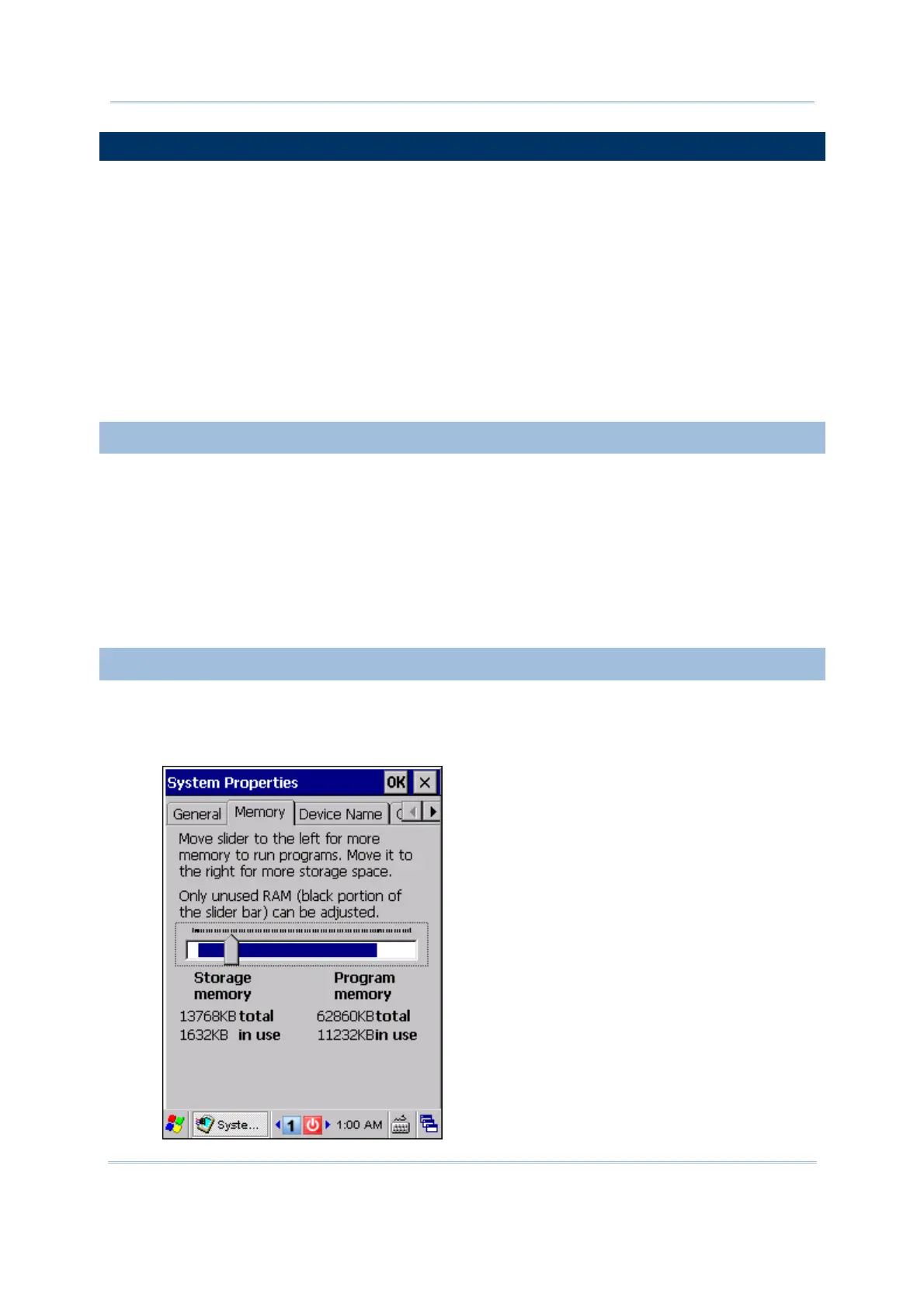
1.2.2 CHECKING THE STORAGE SPACE
Go to Start | Settings | Control Panel and double-tap the System icon.
1. In the Memory tab, it displays the current capacity and usage of the onboard
SDRAM.



 To Next Page