83
9600 Mobile Computer lets you configure Bluetooth settings and manage Bluetooth
services provided on the remote devices.
IN THIS CHAPTER
5.1 Turn on BT Power ...................................................... 83
5.2 Search Devices.......................................................... 87
5.3 Pair Devices .............................................................. 88
5.4 File Transfer.............................................................. 94
5.5 Object Push .............................................................. 96
5.6 Serial Port Service ..................................................... 97
5.7 Re-connect to Remote Services...................................101
5.8 Manage Local Services...............................................103
5.9 BT Manager .............................................................107
5.1 TURN ON BT POWER
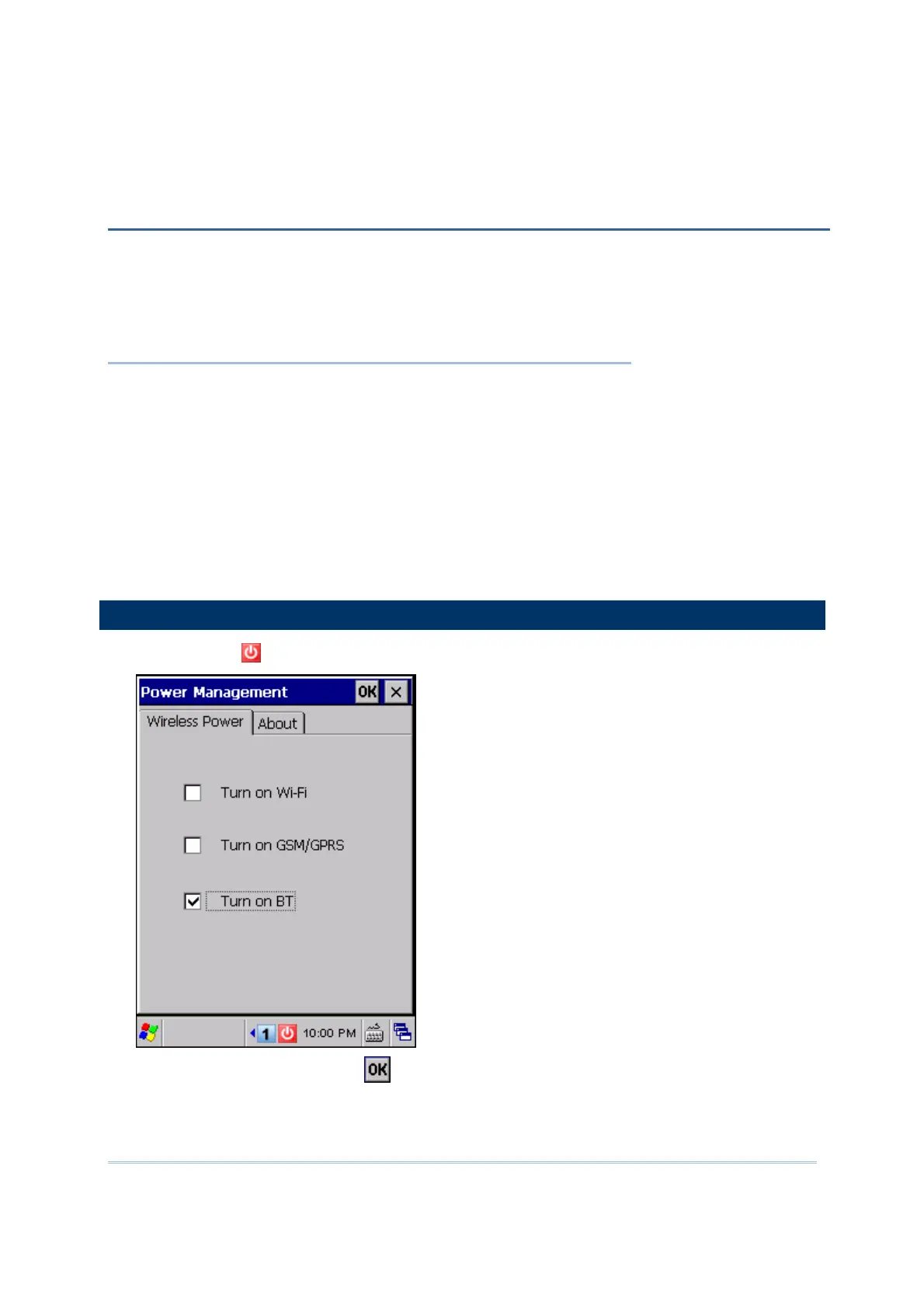
1) Tap the icon on the taskbar to access Power Management.
2) Select [Turn on BT] and tap
.
Chapter 5
USING BLUETOOTH



 To Next Page