152
9600 Mobile Computer
Reference Manual
8.4.3 CHANGING CAMERA SETTINGS
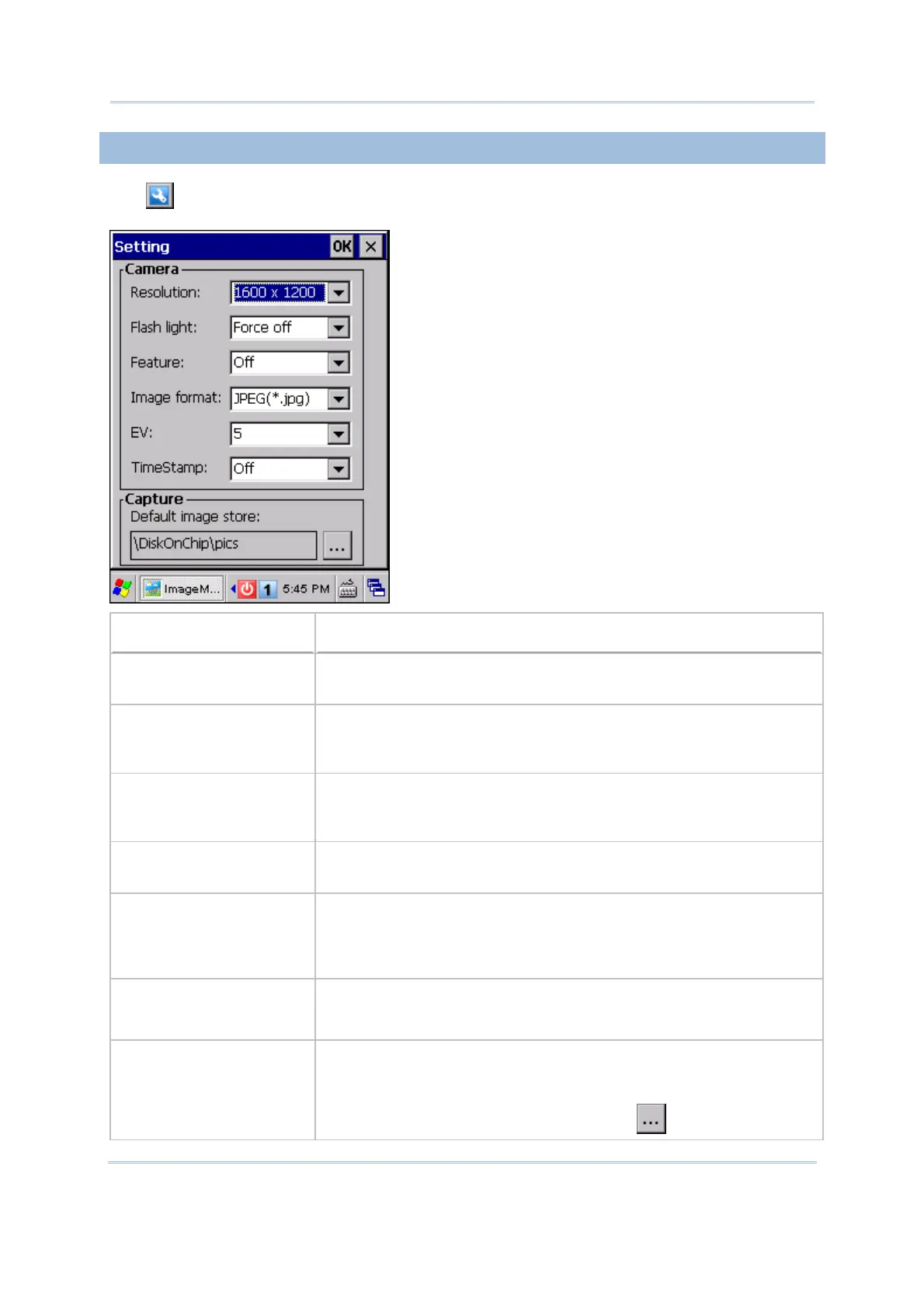
Tap to configure camera settings if necessary.
Camera/Capture Settings
Options
Resolution By default, “1600 x 1200” pixels resolution is in use.
“800 x 600” pixels resolution is supported.
Flash Light By default, the flash light is “Force off”.
Force on, Force off and Auto are supported. If you want to save
battery power or ambient light is enough, you may turn it off.
Feature By default, no special effect is applied.
Monochrome, Sepia, Negative, Solarize (with unmodified UV), and
Solarize 2 (with UV) are supported.
Image Format By default, the captured image will be saved in JPEG format.
Bitmap format is supported.
EV By default, the exposure value is 5.
The exposure value is for the camera to determine the exposure
factors. The greater the value is, the brighter the pictures
becomes. You may choose a value from 0~9.
Time stamp By default, no time stamp is applied. When applied, information on
date and time will be added on top of the captured image in the
format of YYYY/MM/DD HH:MM:SS, such as 2010/01/04 11:13:13.
Default image store By default, the captured image is stored under the directory
“\DiskOnChip\pics” in the format of HHMMSS_YYMMDD.jpg or
HHMMSS_YYMMDD.bmp.
If you want to change the directory, tap .



 To Next Page