124
9600 Mobile Computer
Reference Manual
6.4.2 SECURITY
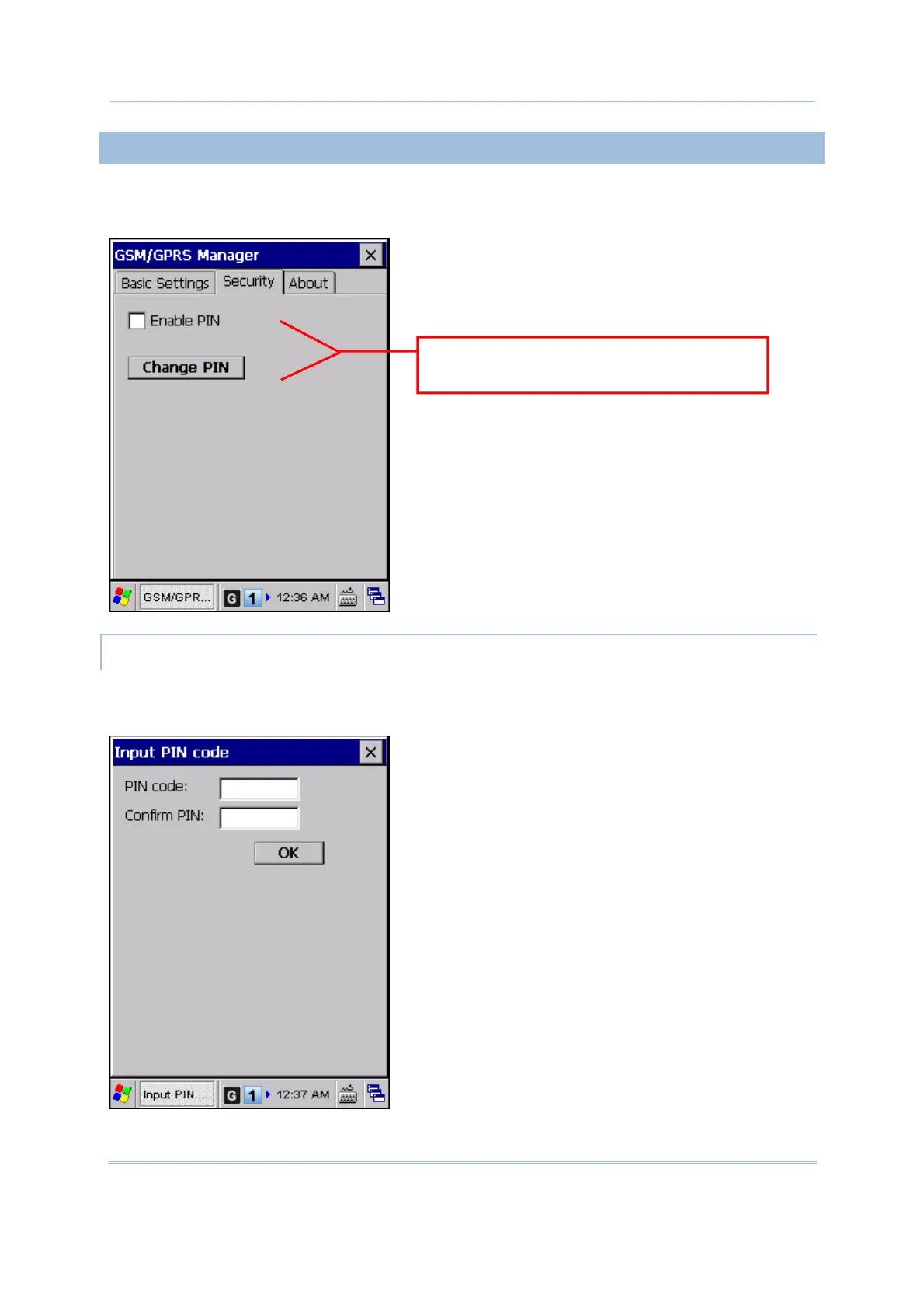
This tab is only available when the power to GSM/GPRS module has been turned on. You
can find out the security setting and change the PIN code on your SIM card if necessary.
ENABLING SECURITY SETTING
You may select the check box of [Enable PIN] to enable PIN protection against
unauthorized use. A dialog box will be displayed asking you to input the PIN code.
You must restart the GSM/GPRS power
for the changes to take effect.



 To Next Page