63
Summit Client Utility, also referred to as SCU, lets you configure and connect to
network wirelessly.
IN THIS CHAPTER
4.1 Turn On Wi-Fi Power .................................................. 63
4.2 Summit Client Utility .................................................. 64
4.1 TURN ON WI-FI POWER
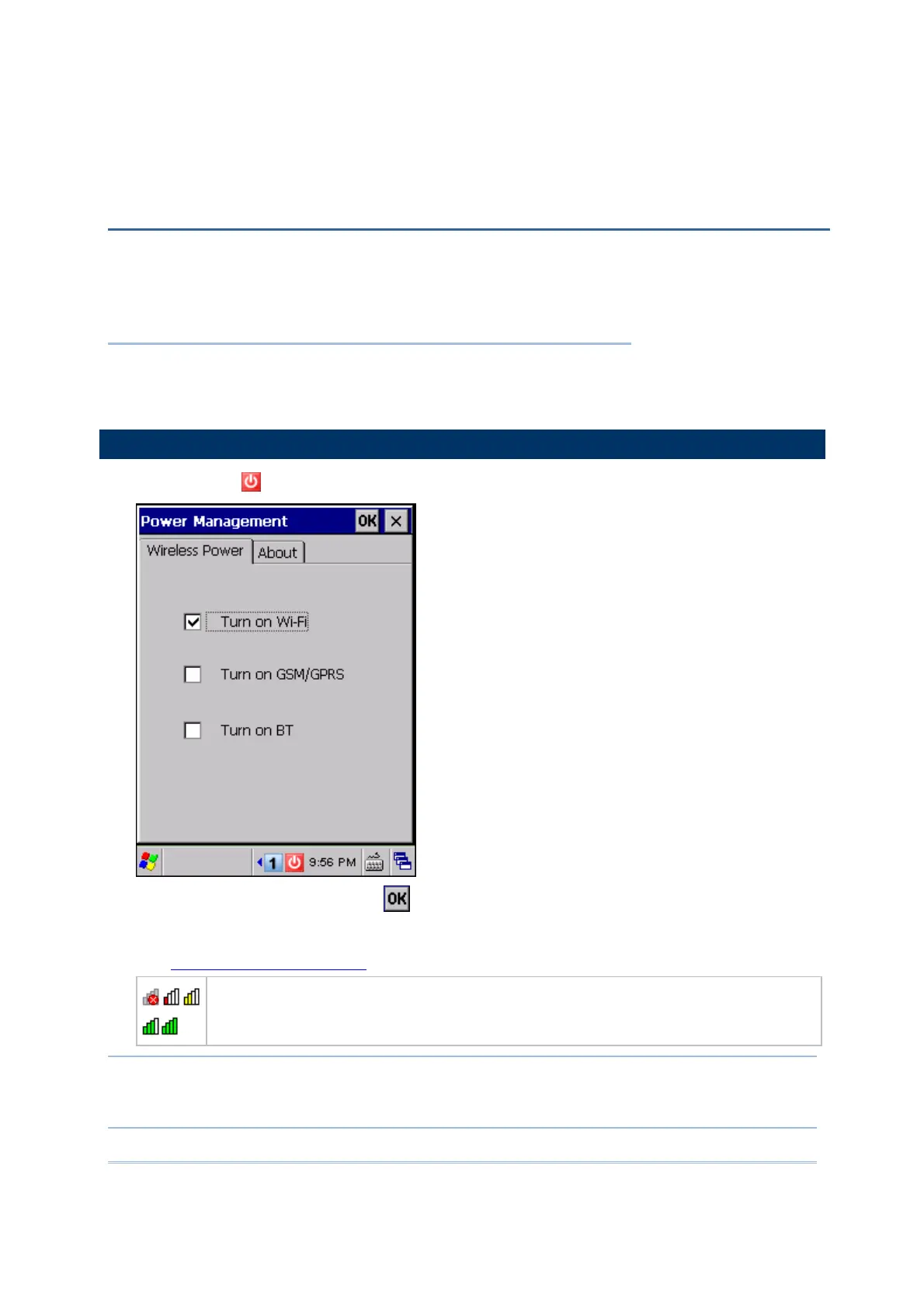
1) Tap the icon on the taskbar to access Power Management.
2) Select [Turn on Wi-Fi] and tap
.
3) It takes several seconds to turn on the power to module.
The
Summit system tray icon will appear as shown below:
The icon indicates that 802.11b/g power is turned on, and the green bars
indicate the wireless signal strength. The more the bars, the stronger the signal.
Double-tap any of these icons to access Summit Client Utility.
Note: (1) Wi-Fi power is maintained even in suspend mode.
(2) Because the settings in Power Management will be kept after warm or cold
boot, it will resume to last wireless power status after the power cycle.
Chapter 4
USING 802.11 RADIO



 To Next Page