9
Quick Start
INSERTING SIM CARD
1) Press the [Power] key for the mobile computer to enter suspend mode.
2) Hold the mobile computer still and remove the hand strap as well as the battery.
3) Use your finger to slide the locking plate towards its hinge to unlock the SIM card
holder.
4) Flip up the SIM card holder.
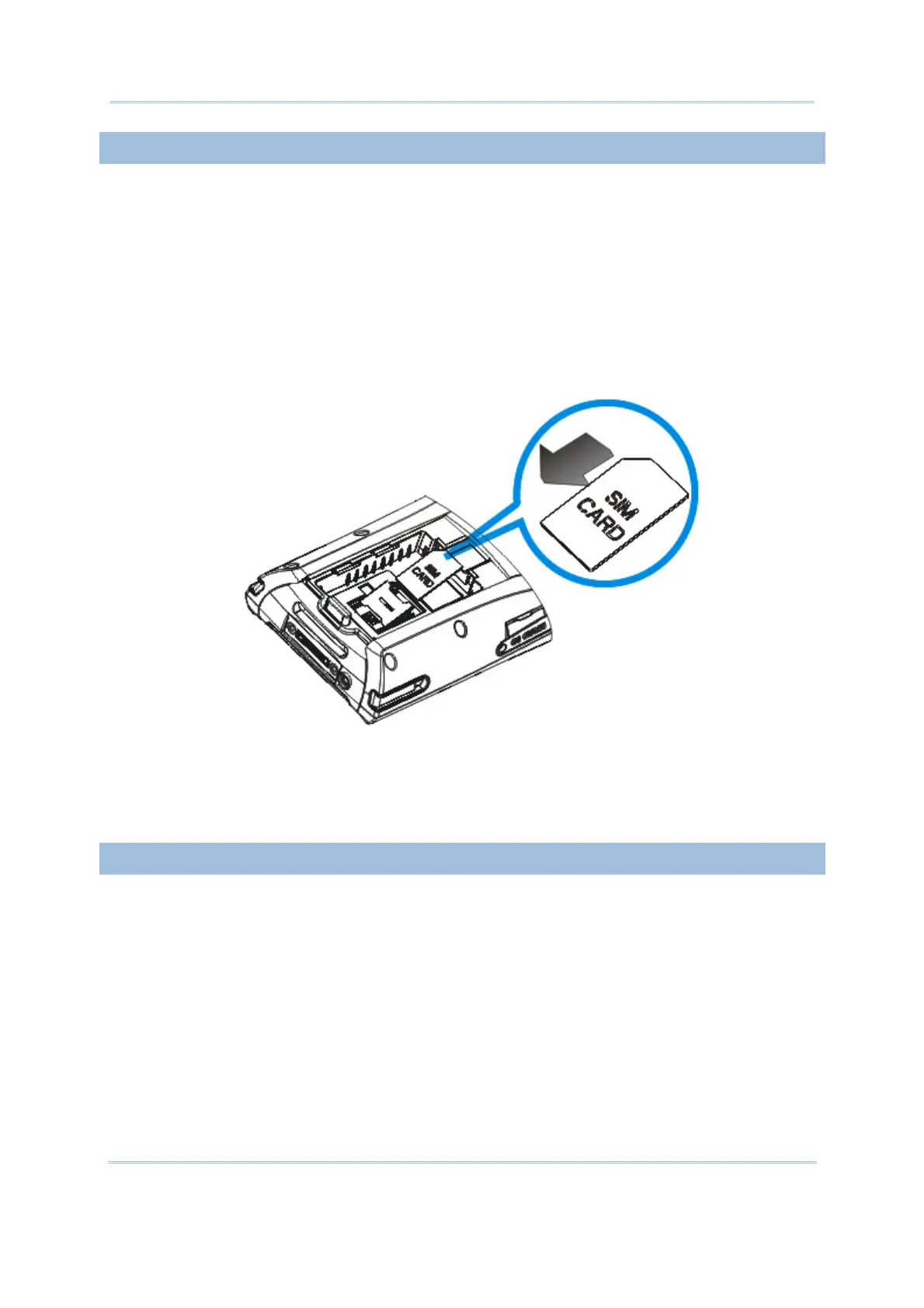
5) Insert the SIM card to the SIM card holder, using the card orientation shown below.
6) Push the SIM card holder down.
7) Slide the locking plate away from its hinge to secure the SIM card holder.
CONNECTING HEADSET
Connect the headset to the headset jack (2.5 mm DIA) at the bottom of the mobile
computer. You can use the headset for audio playback or communication via the phone
application, Messenger, etc.
Bluetooth headset is supported, bringing you the freedom of cordless mobility.
Figure 5: Inserting SIM Card



 To Next Page