7
Quick Start
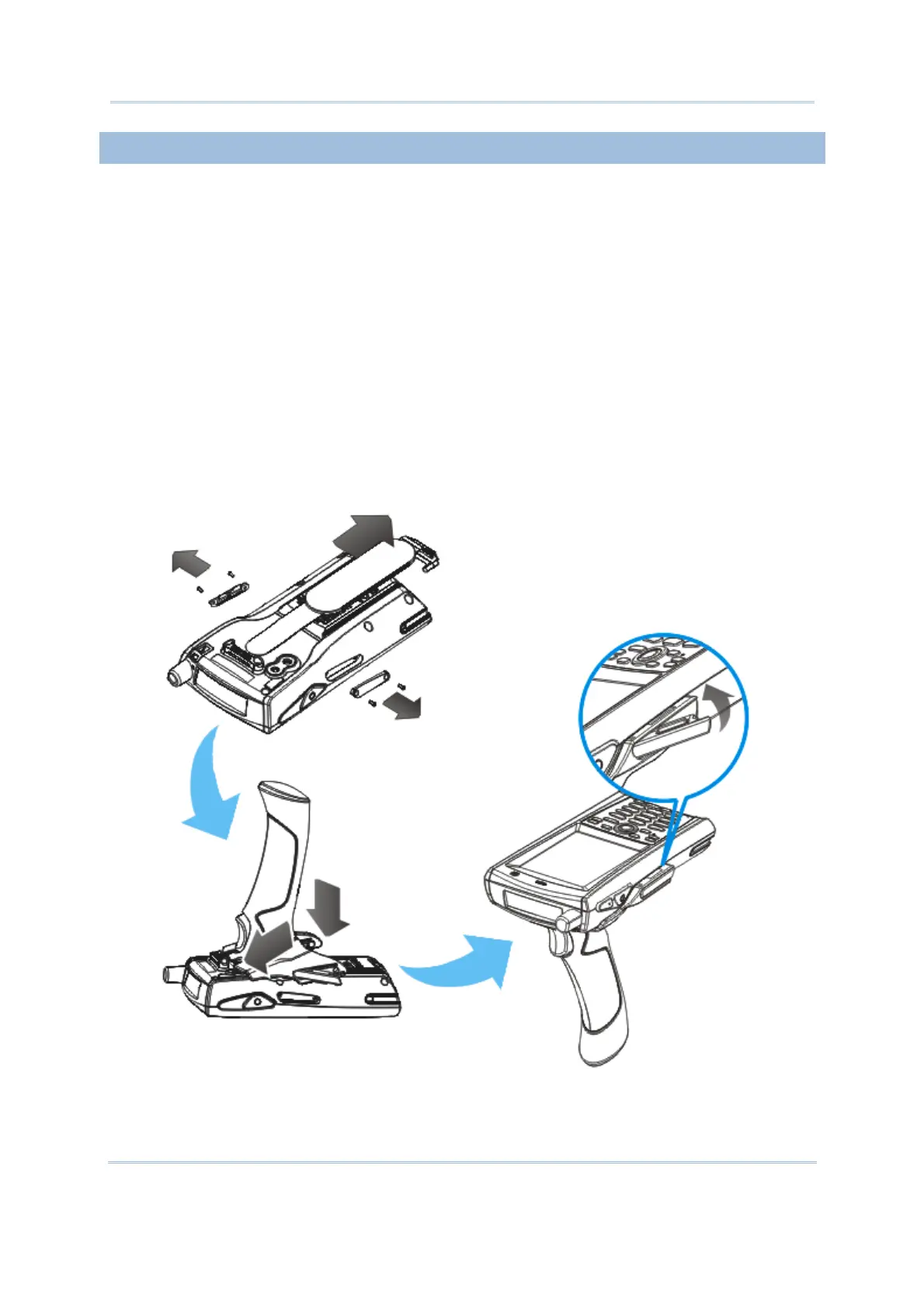
INSTALLING PISTOL GRIP
This contoured pistol grip enables intuitive trigger-and-scan operation, which is very
helpful in scan intensive applications.
When a pistol grip is necessary, install it to the mobile computer by following these
steps:
1) Press the [Power] key for the mobile computer to enter suspend mode.
2) Place the mobile computer face down on a flat and clean surface.
3) Remove the hand strap as well as the side plates as shown below.
4) Press the release latch down on each side of the pistol grip, and slide the release
latch aside at the same time.
5) Push the pistol grip to the back of the mobile computer, and then snap the release
latch into each side of the pistol grip until you hear a click.
6) Turn on the mobile computer to test the trigger while running ReaderConfig.exe.
Figure 3: Installing the Pistol Grip



 To Next Page