122
9600 Mobile Computer
Reference Manual
6.4 GSM/GPRS MANAGER
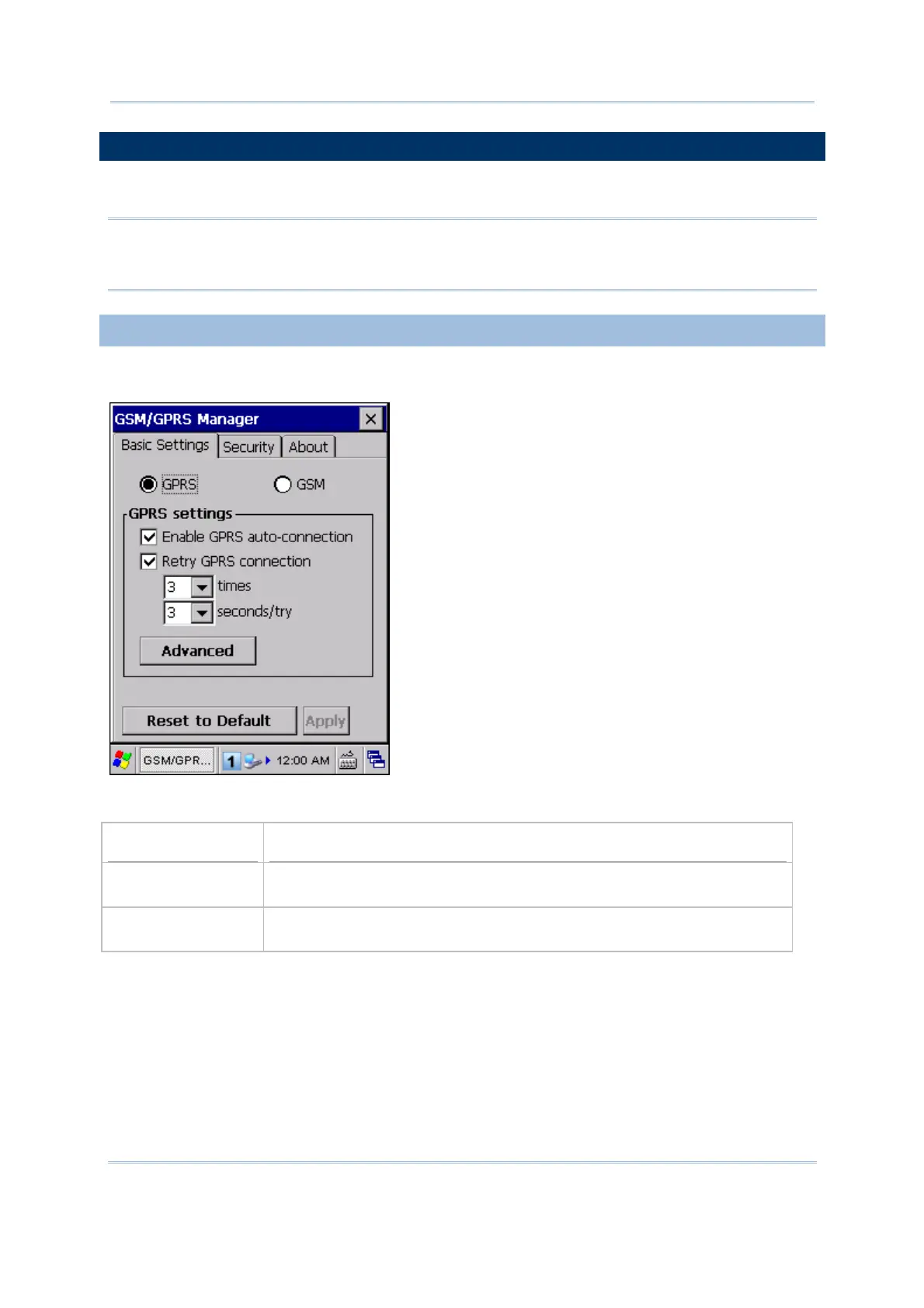
Go to Start | Settings | Control Panel and double-tap GSM/GPRS Manager.
Note: Make sure the GSM/GPRS power is turned off while configuring the following
settings. All settings configured here will not take effect until the GSM/GPRS power
is restarted through Power Management.
6.4.1 BASIC SETTINGS
Select to use GSM or GPRS service after turning on the power to the GSM/GPRS module.
When GPRS is selected, available settings on this tab are:
Options
Description
Enable GPRS
auto-connection
Decide whether to automatically maintain GPRS connection when the
mobile computer resumes from suspend mode.
Retry GPRS
connection
Set the number of retry attempts and interval for the mobile computer
to connect to a GPRS network till successful connection.
Tap [Apply] to save the current settings, or tap [Reset to Default] to restore defaults.



 To Next Page