111
9600 Mobile Computer allows making phone calls and connecting to network over
General Packet Radio Service (GPRS). Insert SIM card before turning on the power to
GSM/GPRS module. Refer to
Inserting SIM Card.
Note: If the SIM card is not in position, you can only make emergency calls.
IN THIS CHAPTER
6.1 Turn On GSM/GPRS Power .........................................111
6.2 GPRS Connection ......................................................113
6.3 Phone Application .....................................................114
6.4 GSM/GPRS Manager..................................................122
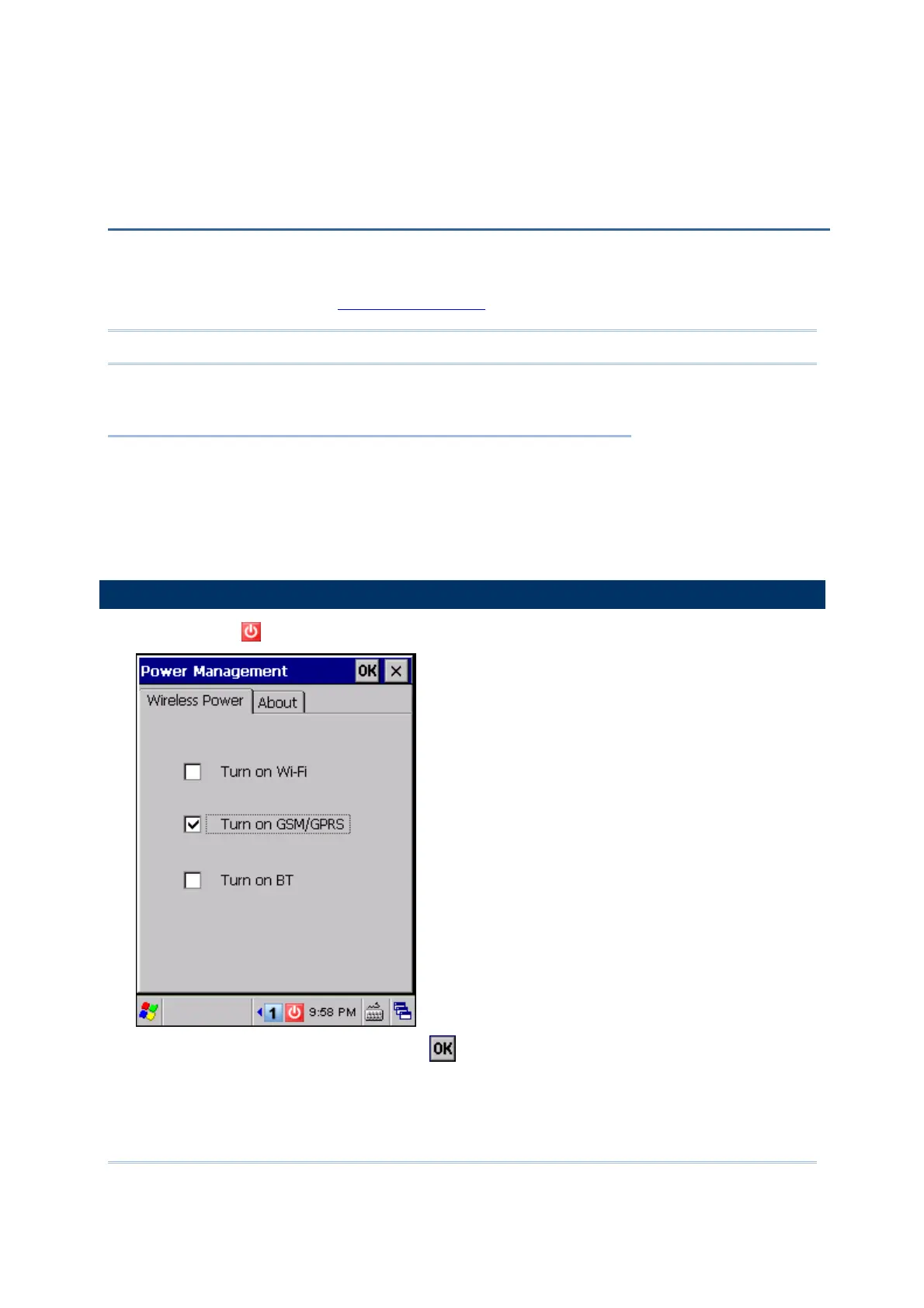
6.1 TURN ON GSM/GPRS POWER
1) Tap the icon on the taskbar to access Power Management.
2) Select [Turn on GSM/GPRS] and tap
.
Chapter 6
USING GSM/GPRS



 To Next Page