112
9600 Mobile Computer
Reference Manual
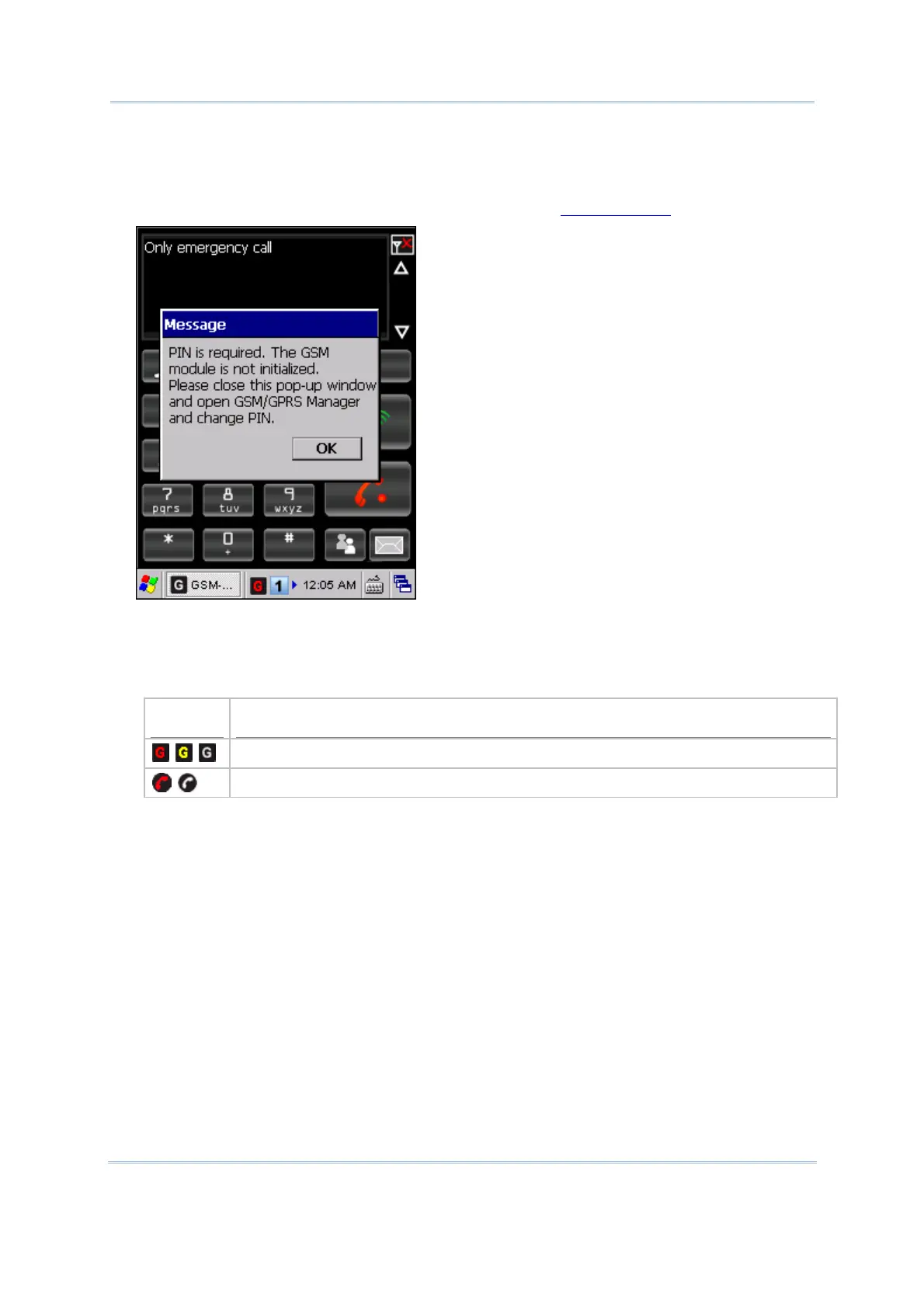
3) When PIN verification is required on your SIM card, a message will be displayed to
indicate GSM/GPRS power cannot be turned on before you entering the PIN code via
GSM/GPRS Manager.
Tap [OK] to close this message window first. Refer to
6.4.2 Security for details.
4) It takes several seconds to turn on the power to module.
The associated GSM/GPRS icon will appear on the taskbar as shown below to indicate
that GSM/GPRS power is turned on and whether GSM/GPRS service is launched
successfully:
Icon
Indication
By default, GSM/GPRS module provides access to GPRS service.
GSM/GPRS module provides access to GSM service.



 To Next Page