101
Chapter 5 Using Bluetooth
5.7 RE-CONNECT TO REMOTE SERVICES
5.7.1 PREFERRED DEVICE LIST
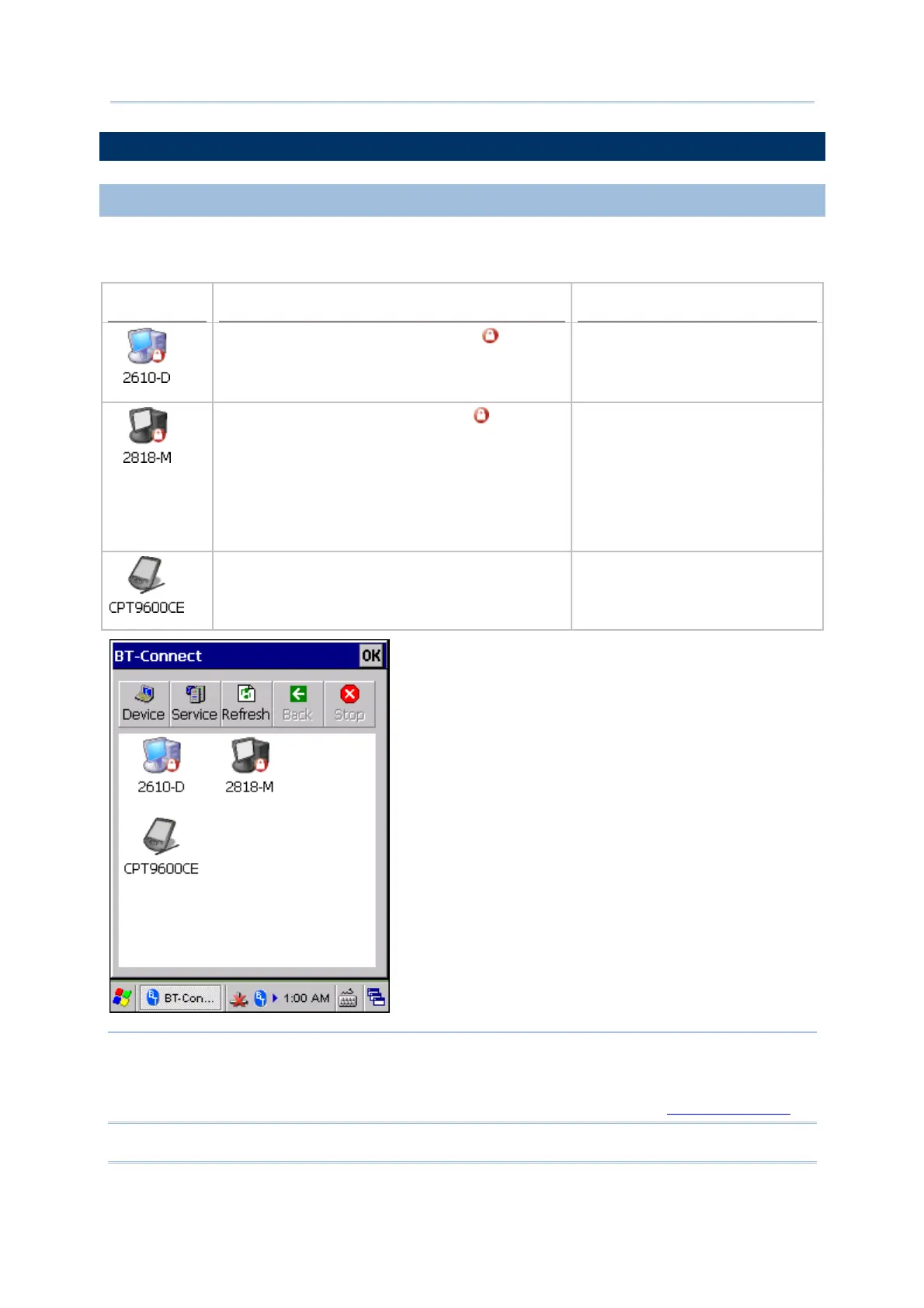
By default, BT-Connect will automatically re-connect to the last service(s) at the next
power-on, and then list the preferred device(s) with service(s) kept in BT manager.
Example
Device Status Connection Settings in BT-Manager
The device has been paired with (
) and at
least one service has been re-connected
successfully, such as Headset/Handsfree, HID,
PAN, or SPP.
Last Connection = “Y” (on the
Preference tab)
The device has been paired with (
) but with
the following conditions for the remote services,
such as Headset/Handsfree, HID, PAN, or SPP:
(1) When Last Connection = “N”, none of the
services requires to be re-connected.
(2) When Last Connection = “Y”, it fails to
re-connect.
Last Connection = “N” or “Y” (on
the Preference tab)
The device is not paired, yet it has service(s)
not required to exchange PIN code and not
allowed to be re-connected with, such as DUN,
FTP, or OPP.
Last Connection = “N” (on the
Preference tab)
Note: (1) The remote device(s) should be ready for BT-Connect to re-connect to.
(2) The re-connection settings are configurable via BT manager. If you want to
remove a specific device from the device list, you have to manually delete records
of all its Bluetooth services kept on the Preference tab. Refer to
5.9 BT Manager.



 To Next Page