154
9600 Mobile Computer
Reference Manual
8.5.1 RECEIVING GPS INFORMATION
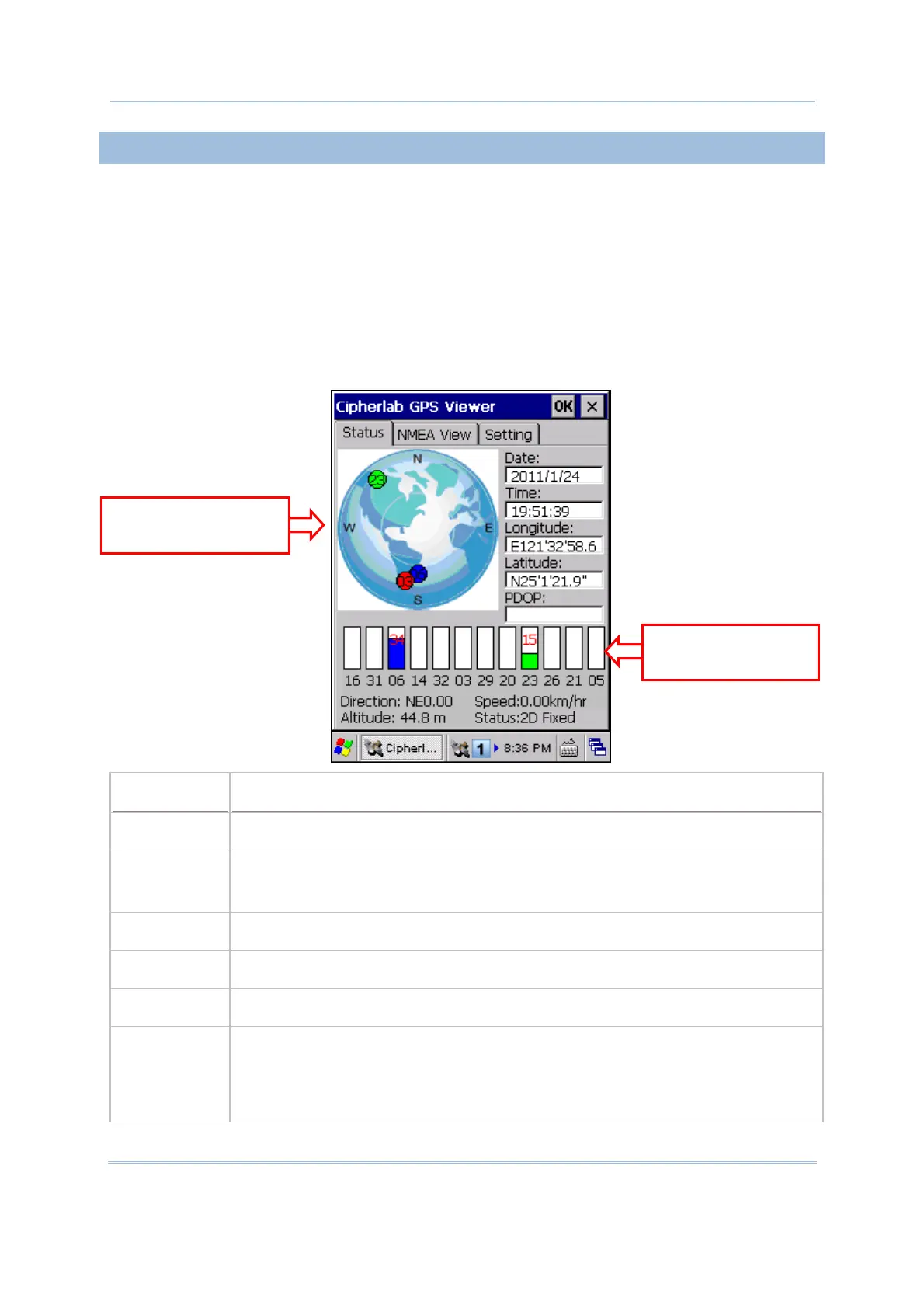
The receiver will automatically start to scan available satellites, synchronize time, and get
the current location. Information on time, location, the quality of the signal, and so on,
will be displayed if available. On the satellite position graph (= the earth marked with N,
E, S, W indicators for North, East, South and West), satellites in view are displayed in red
and flash to get signal. Below the satellite position graph is the signal strength chart for
each satellite in view. It provides visual indication and a numeric reading for reference.
Red for no signal (< 9 dB)
Green for fair signal strength (10 ~ 29 dB)
Blue for strong signal strength (30 ~ 50 dB)
Item
Description
Date, Time Information of the current date and time
Longitude,
Latitude,
Altitude
Your location on earth by latitude and longitude coordinates, plus altitude
PDOP Position (3-D) Dilution of Precision, a separate measurement of DOP
Direction Your direction when heading toward a target
Speed Your speed when heading toward a target (relative speed)
Status The progress of the receiver acquiring and tracking
signals from above three
satellites to compute its three dimensional position (X, Y, Z). When the Status
message “Tracking” is changed to “2D Fixed” or “3D Fixed”, your latitude,
longitude and altitude can then be calculated by comparing receiver’s distance
from satellites.
Satellite Position
Graph
Satellite Signal
Strength



 To Next Page