131
Chapter 7
Using Reader Configuration Utility
7.3.1 READ OPERATION
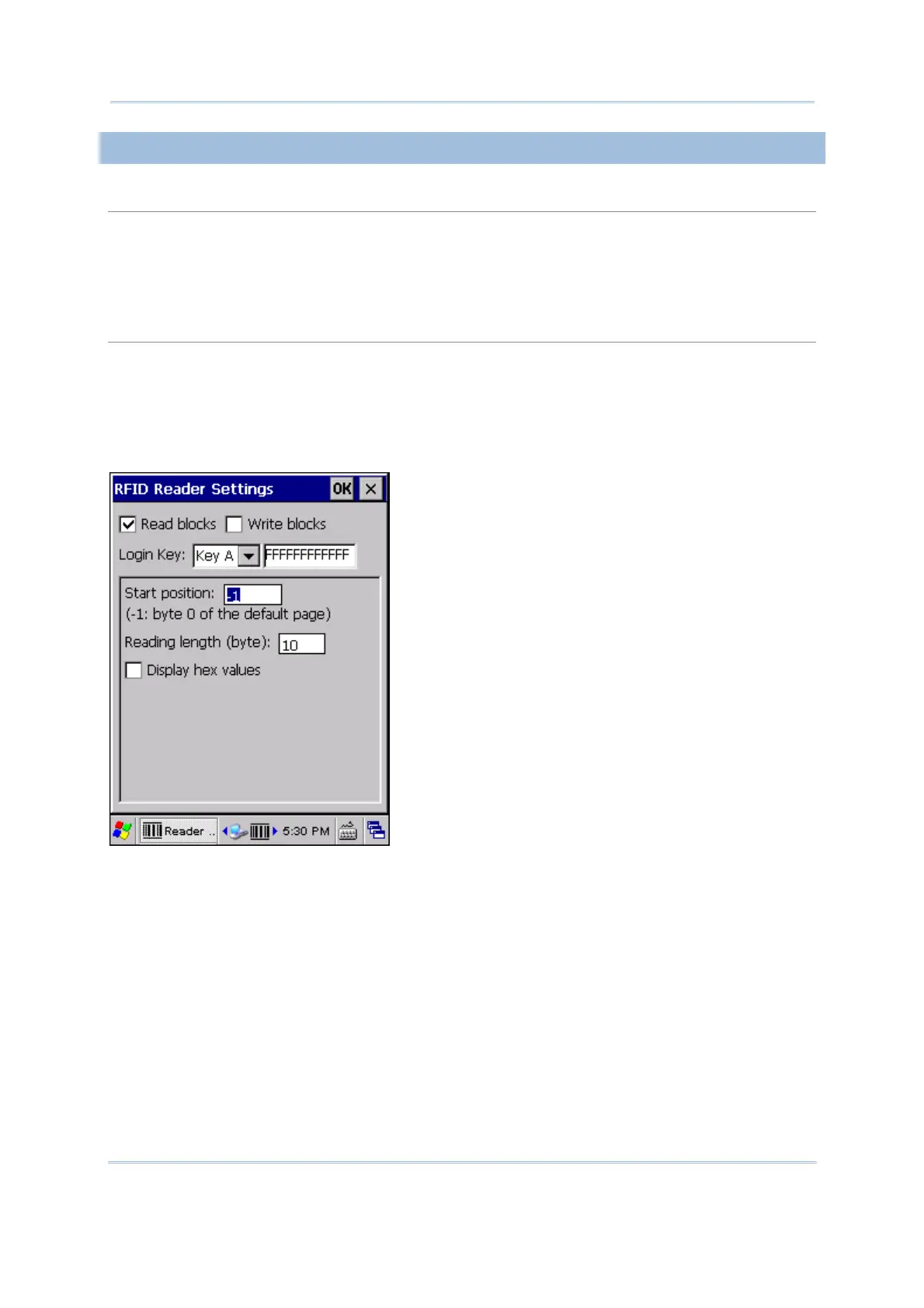
Login Key
RFID tags may support authentication for security concerns, such as Mifare Standard 1K/4K and
SLE66R35 tags. The security key, Key A or Key B, is used to access a specific RFID tag.
By default, it is set to use “FFFFFFFFFFFF” for a new Mifare tag, regardless of Key A or Key B.
Modify the key string if necessary. It must be a hex string with 12 bytes length.
Read Settings
By default, the RFID tag is read from byte 0 of the default page. However, the default page,
amount of bytes and number of pages of each tag may be different. Specify how many bytes of
data you want to read from the tag.
Generally, the read data is user data obtained from the user block. If you are sure that the data is
to be read from a non-user block, such as the lock block, you need to select the check box of
[Display hex values] first.



 To Next Page