8
9600 Mobile Computer
Reference Manual
INSERTING MEMORY CARD
If you wish to expand memory, follow these steps to insert your memory card (microSD
or microSDHC) to the SD card slot:
1) Place the mobile computer face down on a flat and clean surface.
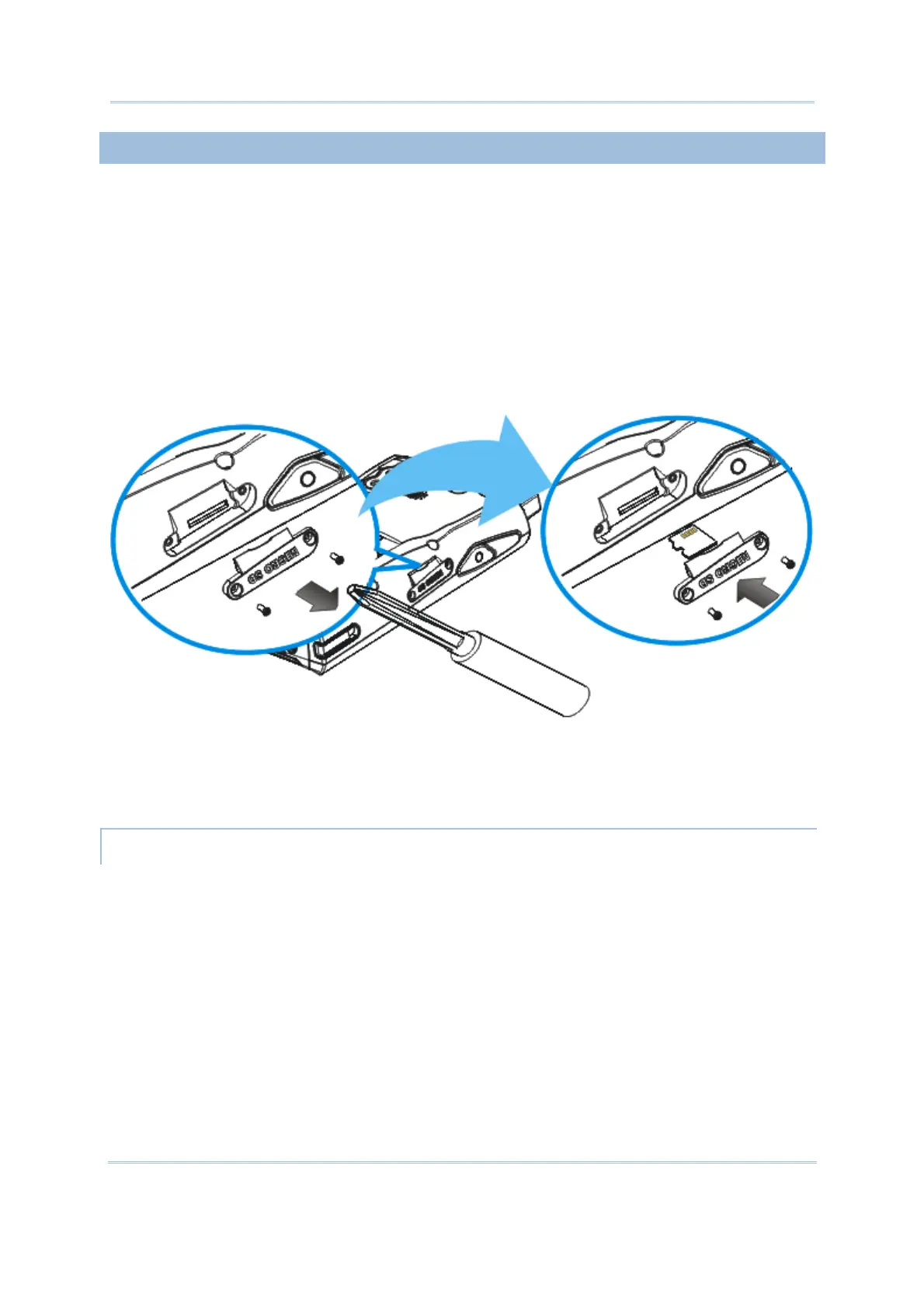
2) Remove the side plate by unscrewing the two screws (on the right side when you
place the mobile computer face down) as shown below.
3) Insert the memory card with contacts facing up. Use the stylus to push it into the slot
until you hear a click.
4) Replace the side plate and tighten the screws.
REMOVING MEMORY CARD
If you wish to remove the memory card, simply use the stylus to push the card after
removing the side plate. It will be rejected automatically.
Figure 4: Inserting the microSD Card



 To Next Page