140
9600 Mobile Computer
Reference Manual
8.1 BACKUP UTILITY
The CipherLab Backup Utility is provided to help you easily make copies of data and
restore your mobile computer's specific registry settings, install applications, user data,
etc. You may use the backups (.bkp) for these purposes:
Full Restore Operation
Backup all necessary files here (you don't have to select "Registry") so that you can
restore your mobile computer to an operational state following a disaster.
Partial Restore Operation
Backup a few specific files here so that you can restore small numbers of files after
you have deleted them by accident or found them corrupted.
Easy Cloning
Backup everything (including "Registry") necessary for cloning settings to other 9600
Mobile Computers.
8.1.1 MANAGING THE REGISTRY
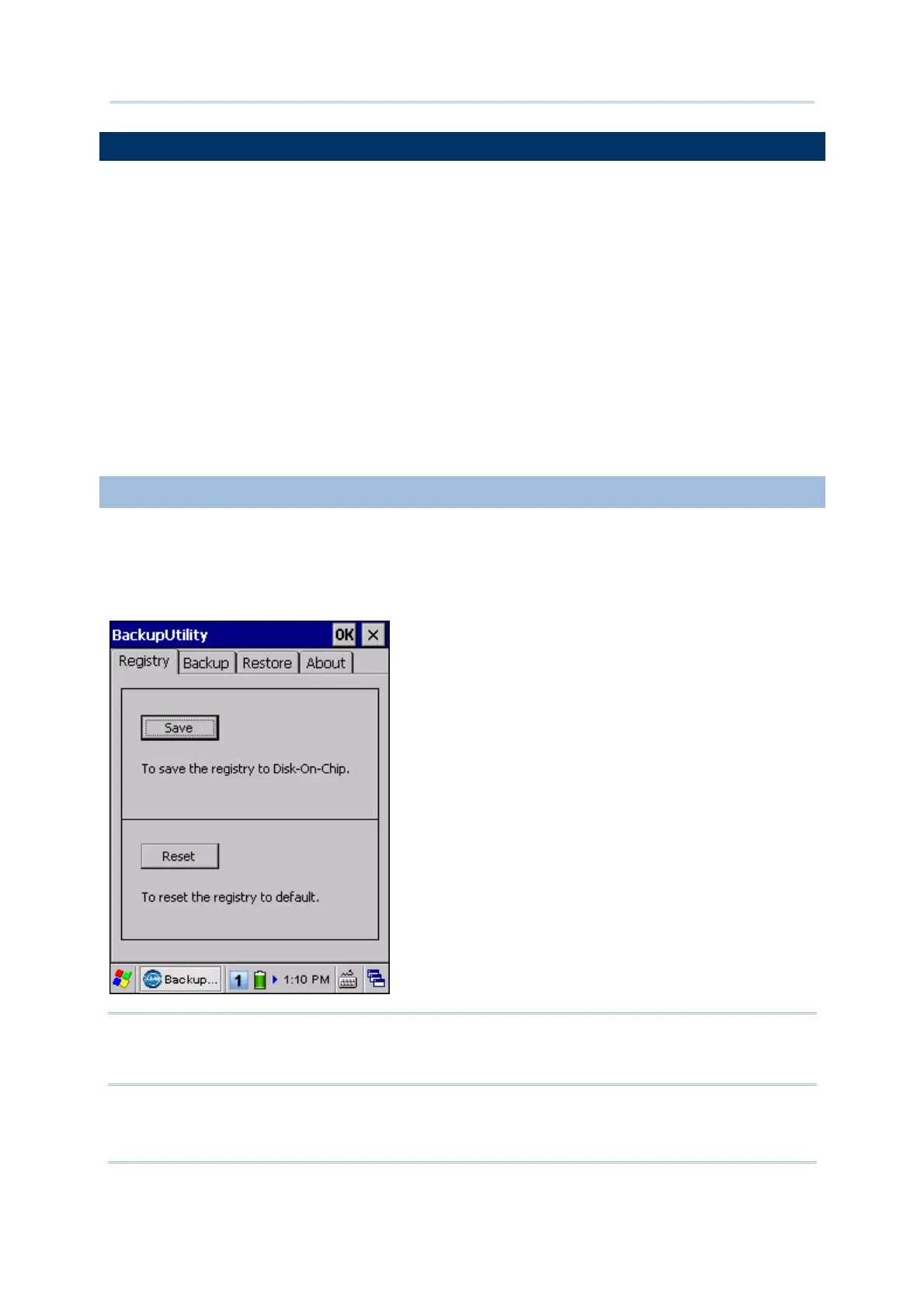
Go to Start | Programs | BackupUtility to open the CipherLab Backup Utility. If you
are using this backup utility for the first time, you must manually save the system
registry to the DiskOnChip folder first! Tap [Save] now to save the current system
registry to "\DiskOnChip\Sysbak\Registry.dat".
Warning: As long as you make any changes to the system configurations and
settings, you must tap [Save] to update the system registry here.
Otherwise, it will reload the old registry values in use after a cold boot.



 To Next Page