123
Chapter 6 Using GSM/GPRS
CONFIGURING ADVANCED GPRS SETTINGS
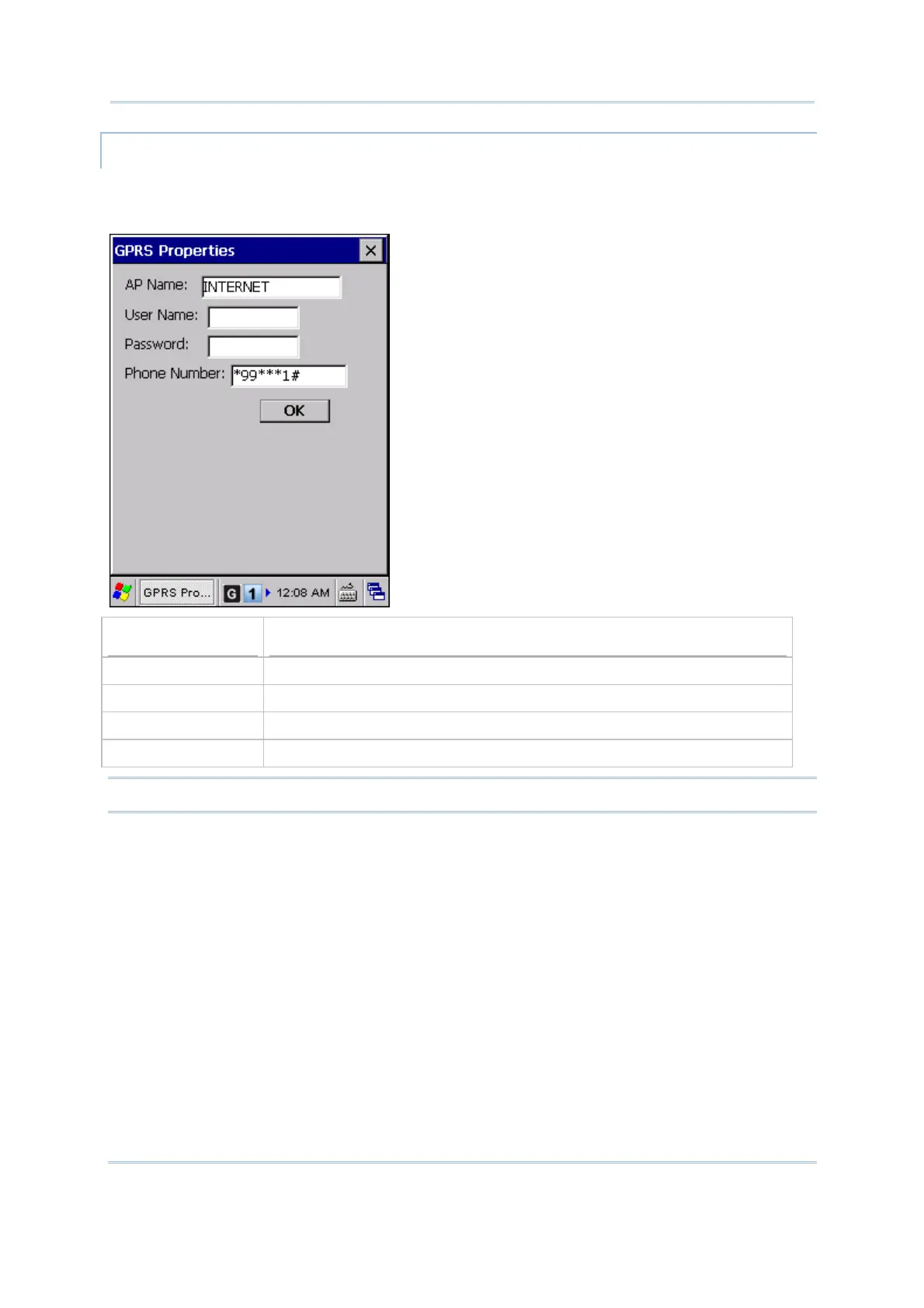
If you need to change the dial-up settings, tap the [Advanced] button and configure the
following items in the GPRS Properties dialog box. Tap [OK] to save the current settings.
Items
Description
AP Name Specify the GPRS AP name for the mobile computer to connect to.
User Name Type user name to log onto a GPRS network.
Password Type user password to log onto a GPRS network.
Phone Number Change the dial-up phone number for GPRS connection if necessary.
Note: You must connect to the GPRS modem specified by the mobile phone operator.



 To Next Page