109
Chapter 5 Using Bluetooth
CONFIGURING CONNECTION SETTINGS
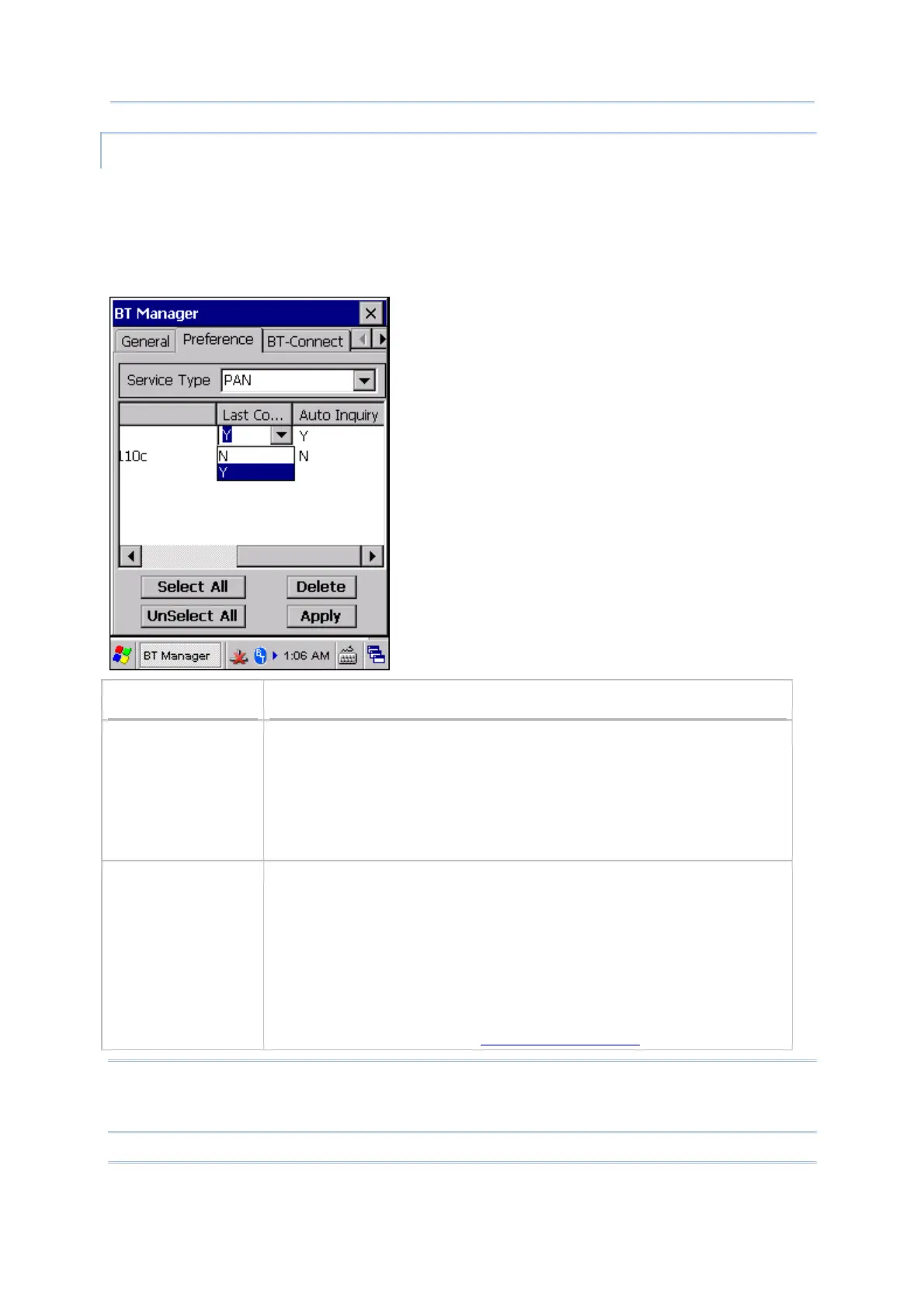
You can change the connection preference for a specific service at the next power-on.
Tap [Apply] to save the current settings.
For the connection settings to take effect, “Allow to resume last service” and “Auto
Inquiry” must be enabled on the General tab. On the other hand, the connection
settings will be ignored if the two settings are disabled on the General tab.
Options
Description
Last Connection Decide whether to re-connect to the last service(s) when the mobile
computer reboots. Configurable Bluetooth services are:
Headset/Handsfree
HID
PAN
SPP
Auto Inquiry Based on the “Last Connection” setting, you may decide whether to
detect existence of the device at a specific time interval.
For Headset/Handsfree, HID, and PAN services, the value of “Auto
Inquiry” will automatically follow the settings configured for “Last
Connection”.
For SPP service, when “Last Connection” is enabled (= “Y”), the value of
“Auto Inquiry” can be set to “Y” or “N”.
Set the interval for the mobile computer to perform an inquiry on
the General tab. Refer to
5.9.1 General Settings.
Note: To save the battery power of your mobile computer, we suggest you disable “Auto
Inquiry”. When connecting with a printer, we suggest keeping “Auto Inquiry”
disabled as well.



 To Next Page