116
9600 Mobile Computer
Reference Manual
Note: (1) GSM/GPRS power is maintained even in suspend mode.
(2) Because the settings in Power Management will be kept after warm or cold
boot, it will resume to last wireless power status after the power cycle.
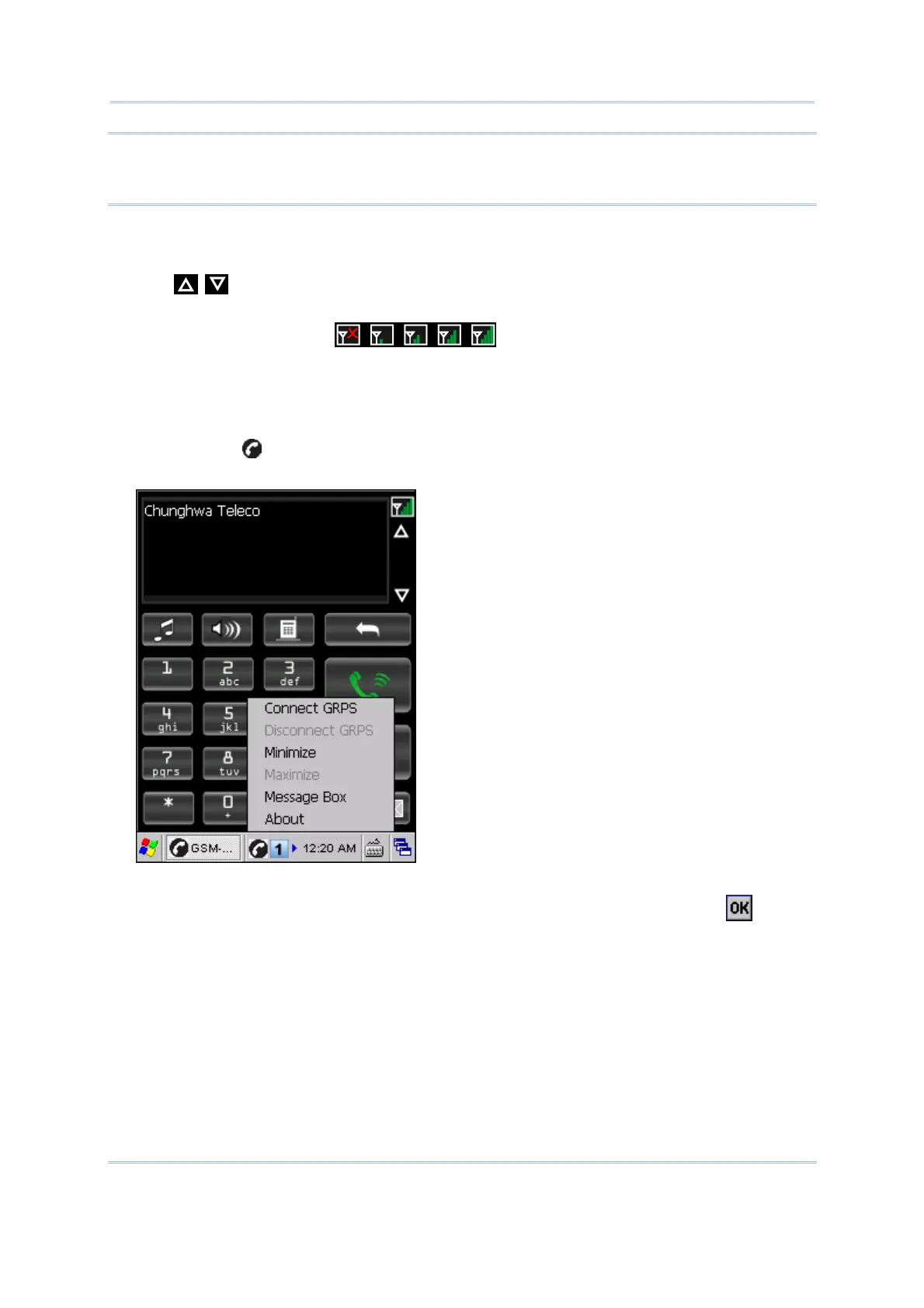
The display panel on top of the screen is used to show your service provider’s name and
the contact name or phone number when making or receiving a call.
Tap next to the display panel to browse call history, which keeps a record of
the phone number that called in or out or you missed.
The signal strength icon indicates whether you are connected to
your service provider’s network. As the strength of the signal diminishes, so will the
number of bars in the icon, ranging from no signal to excellence (four-bars).
You may establish a GPRS connection at the same time. However, when it is engaged
with data transmission via GPRS, it is possible that incoming calls will be missed.
Tap the icon
to access the menu that allows you to choose to connect/disconnect
GPRS, minimize/maximize the GSM-Connect window or enter Message Box.
To exit the application, turn off GSM/GPRS power through Power Management.
Alternatively, you may press [ESC] on the physical keypad and then tap
to exit
GSM-Connect.



 To Next Page