38
9600 Mobile Computer
Reference Manual
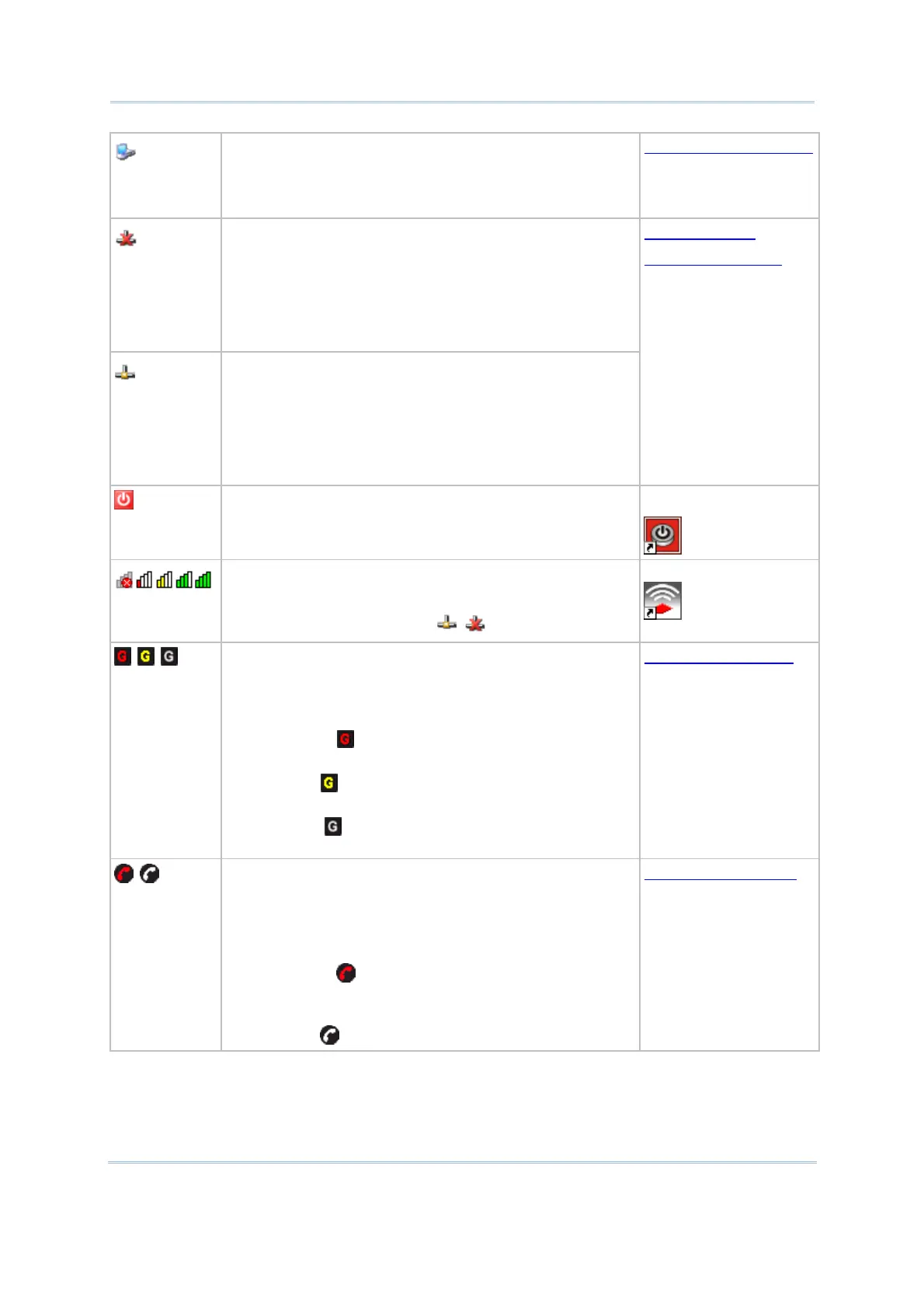
The USB connection for ActiveSync operation is
successfully established.
Double-tap it to view status. Tap [Disconnect] if
necessary.
3.4 Connection Settings
It indicates a specific network connection fails (=
disconnected). Double-tap it to access the Wireless
Information tab if there is any.
Bluetooth PAN connection
802.11b/g wireless connection
Ethernet connection
It indicates a specific network connection has been
established successfully. Double-tap it to view or renew
IP Information.
Bluetooth PAN connection
802.11b/g wireless connection
Ethernet connection
Using Bluetooth
Using 802.11 Radio
It provides control of the power to the 802.11b/g,
GSM/GPRS, and BT modules.
Tap the icon to configure the power setting.
Power Management
It indicates the Wi-Fi module (802.11b/g) is enabled. The
more green bars, the stronger the signal.
See wireless status icons above.
Summit Client Utility
It indicates the GSM/GPRS module is enabled
and
provides access to GPRS service.
Go to Start | Settings | Control Panel and select
GSM/GPRS Manager to configure GPRS settings.
The icon means the GSM/GPRS module
is
initializing or the GPRS connection is disconnected.
The icon means the device is
connecting to GPRS
network.
The icon means the GPRS connection has been
established successfully.
6.2 GPRS Connection
It indicates the GSM/GPRS module is enabled
and
provides access to GSM service.
Go to Start | Settings | Control Panel and select
GSM/GPRS Manager to configure associated
settings.
The icon means the GSM/GPRS module
is
initializing, or GSM signal is bad (one-bar
or no signal
at all).
The icon means GSM-Connect is ready for use.
6.3 Phone Application



 To Next Page