69
Chapter 4 Using 802.11 Radio
Scan
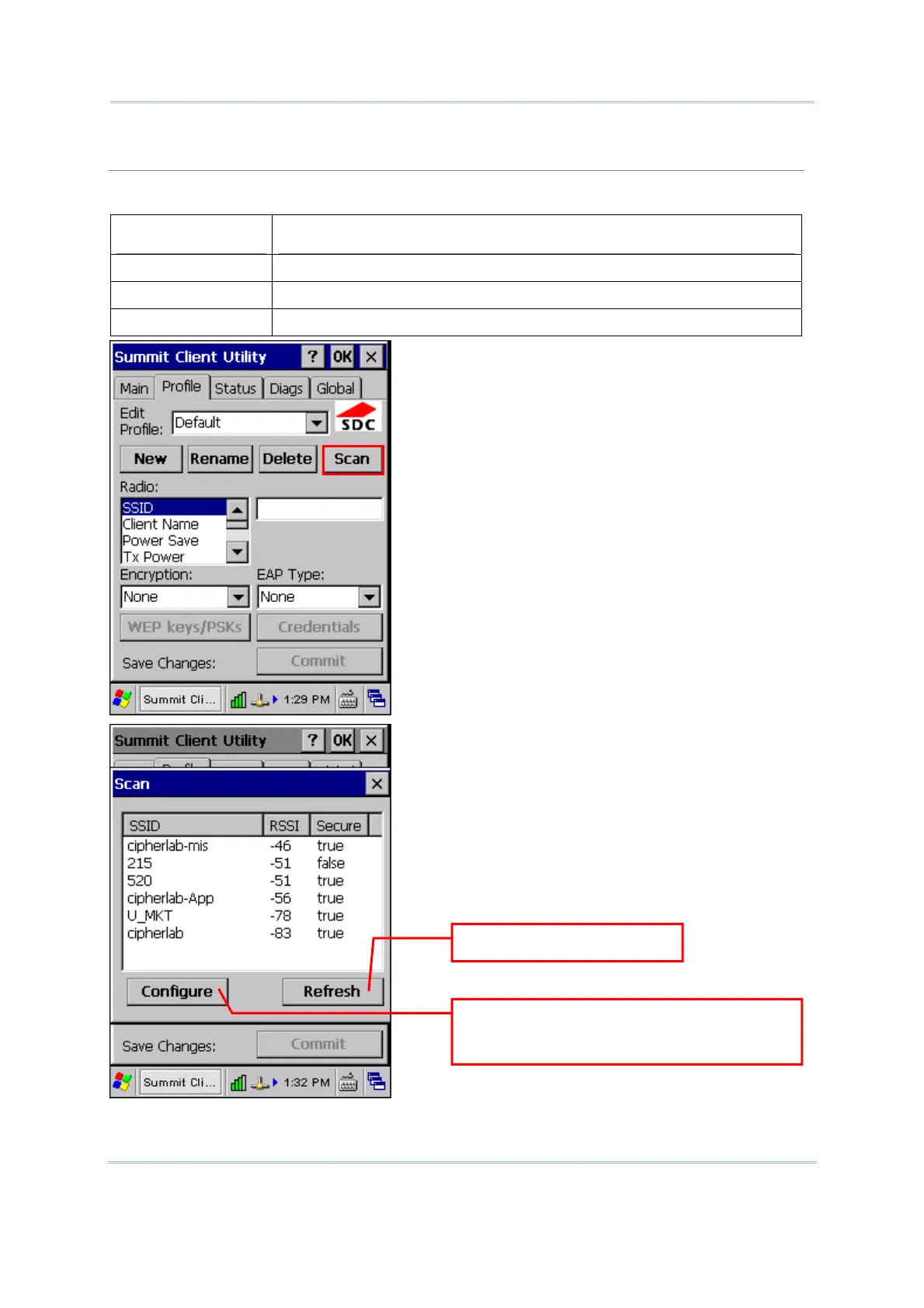
Tap [Scan] to view a list of access points that are broadcasting their SSIDs. You may sort the list
by tapping the column headers. Select one and create a profile for it.
Item Description
SSID Service Set Identifier (SSID)
RSSI Received Signal Strength Indication (RSSI)
Secure It indicates whether data encryption is in use: true or false
ap to update the list.
Select one SSID and tap to create a
new profile. Enter credentials or
eys if necessary.



 To Next Page