Chapter 2 Operating Principles
2-3. Operation Panel
CL-E700 series 2-54
2-3-3. Factory/Service mode
Factory mode and Service mode are available for maintenance work.
Factory mode:
You can change the factory-set items such as logical shift of the sensor or head.
Service mode:
You can perform checks such as head check and service counter value check to see the
media length printed.
In this section, the followings are explained.
• How to enter Factory/Service Mode
• How to print the Factory Mode Settings menus
• How to change the settings in Factory mode
• How to operate submenus in Service mode
(1) How to enter Factory/Service Mode
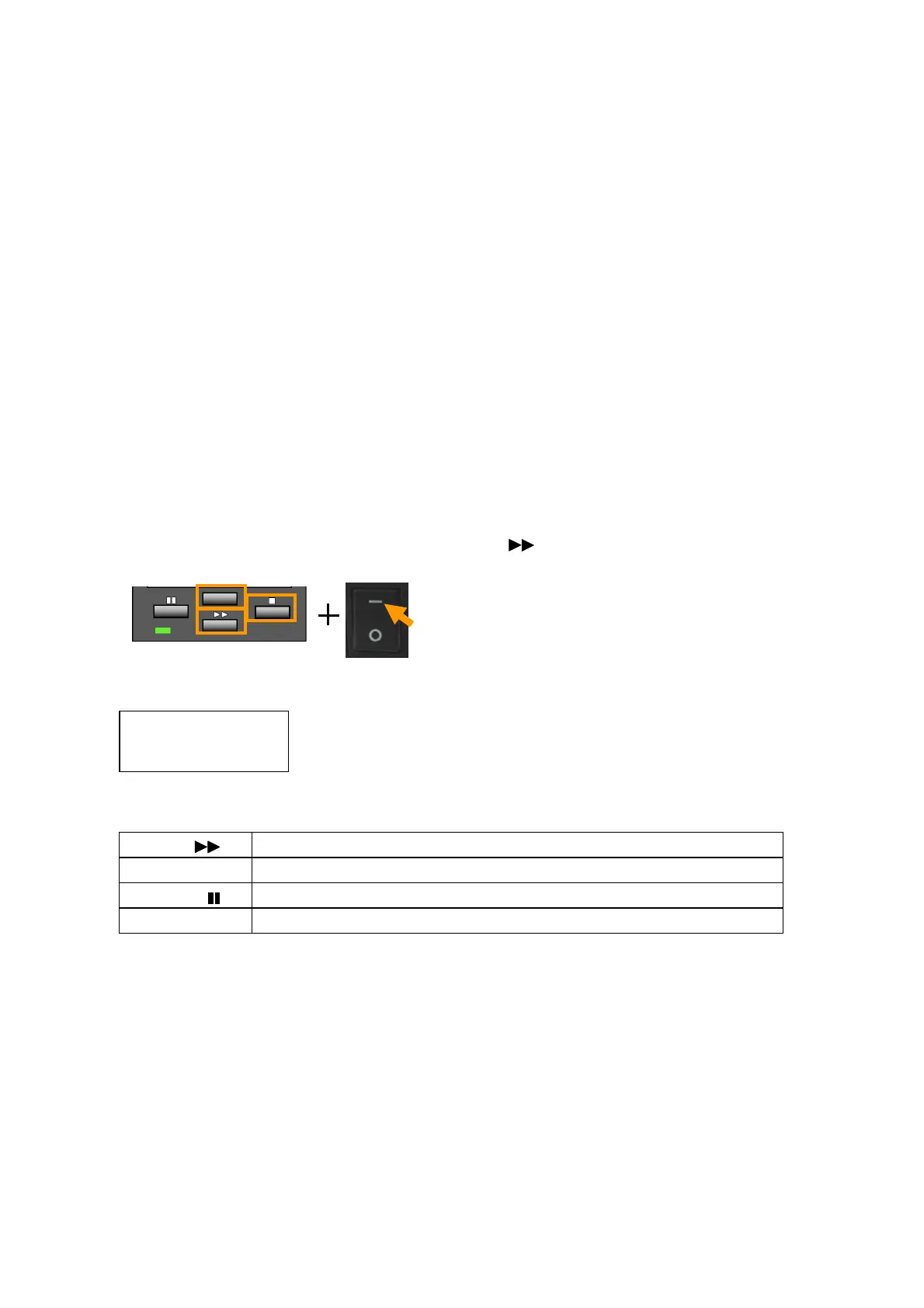
To enter Factory/Service mode, perform the following operation.
• While pressing and holding the [MENU], [FEED] ( ) and [STOP] (
■) keys, turn on the
power.
Then, the following appears on the LCD.
Key function in Factory/Service mode:
[FEED] ( ) Returns to previous item, or the value is incremented/changed.
[MENU] Goes to the next item, or the value is decremented/changed.
[PAUSE] ( ) Resets the printer, or exits from the current menu.
[STOP] (■) Acts as the Enter key.
Main Menu
Factory Setup


 To Next Page
 Loading...