Control Station Duetto Program interface
2.0/0518 101
The function menu is divided into several submenus. Select the desired submenu 2 and tap on the
blue button
3 in order to open the selected submenu. The following submenus are available:
Activate admin mode
Certain submenus can be faded out for users of the DUETTO device in the function menu (Wi-Fi, Ether-
net, services and firmware update). These submenus are only accessible in the admin mode, which will
be activated with a PIN code. Carry out the following configuration steps to activate the admin mode:
Deactivate the checkboxes of the desired submenus in the web interface at Customization > User
interface, tab: General, fiel: Settings Menu, which will only be displayed in the admin mode. If
required, change the PIN code to activate the admin mode (
see page 21).
Tap on the button 1 on the menu bar of the DUETTO device to open the function menu.
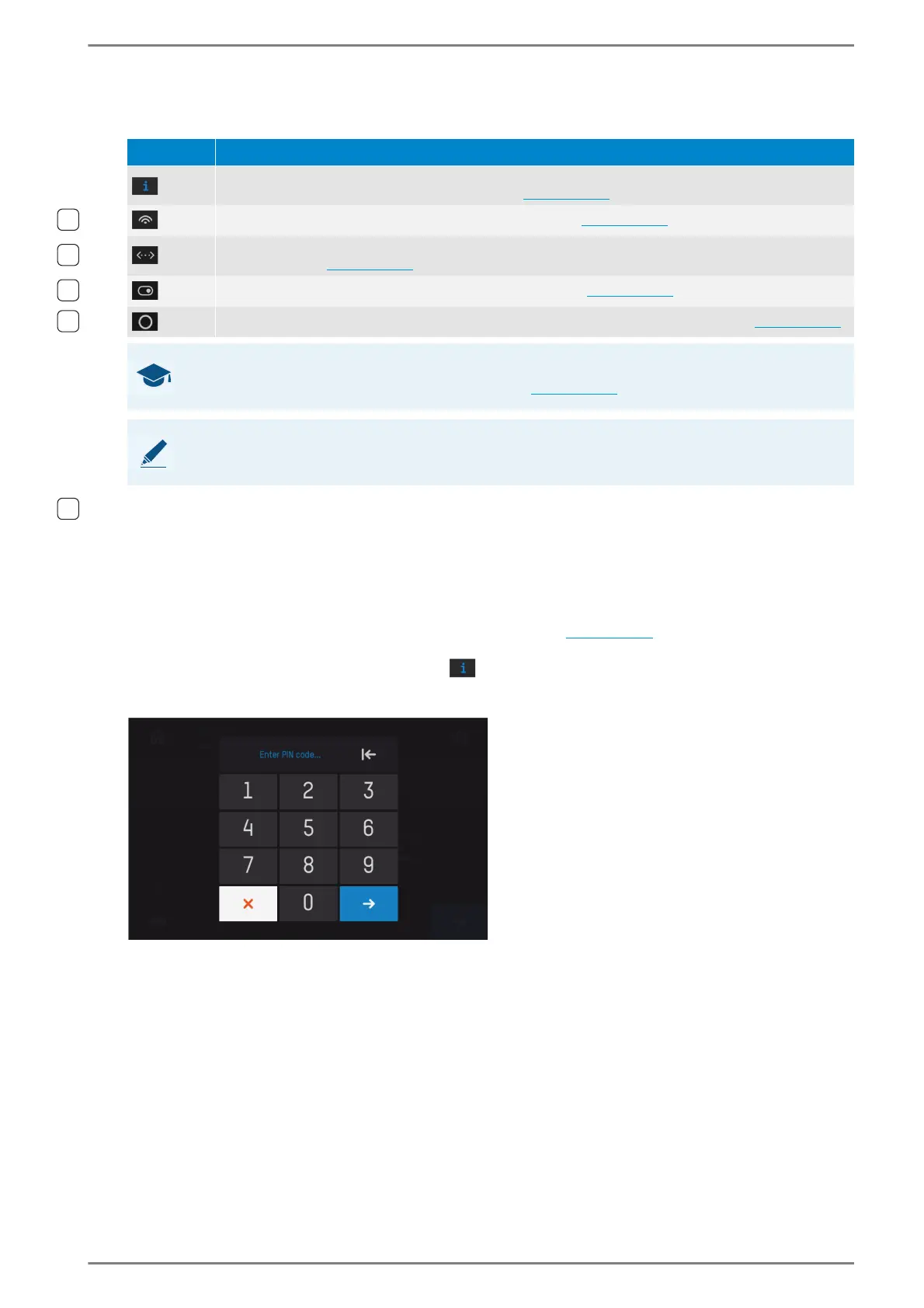
Tap and hold the device information button in the function menu screen for approximately five
seconds until the following password screen for the password request is displayed:
The PIN code can be entered via the keypad
Enter the configured PIN code and tap on the blue button. The view will be switched back to the func-
tion menu and all submenus are indicated. The admin mode will be deactivated automatically when
you exit the function menu.
Menu Description
Device information: Shows important device and status information (network status, IP address,
registration status of SIP and Intercom mode; see page 102).
Wi-Fi: Connect the DUETTO device to a Wi-Fi network (see page 102).
Ethernet: Configure Ethernet settings of the DUETTO device (IP address, subnet mask and gate-
way IP address; see page 103
).
Services: Switch services of the DUETTO device on/off (see page 103).
Firmware update: Update the DUETTO device firmware via connected USB stick (see page 104).
GOOD TO KNOW: Submenus may not be displayed
Certain submenus are only available in admin mode (see page 101).
NOTE: Selected button is highlighted in blue
The button of the selected submenu is highlighted in blue.



 To Next Page