Web interface – Customization Control Station Duetto
52 2.0/0518
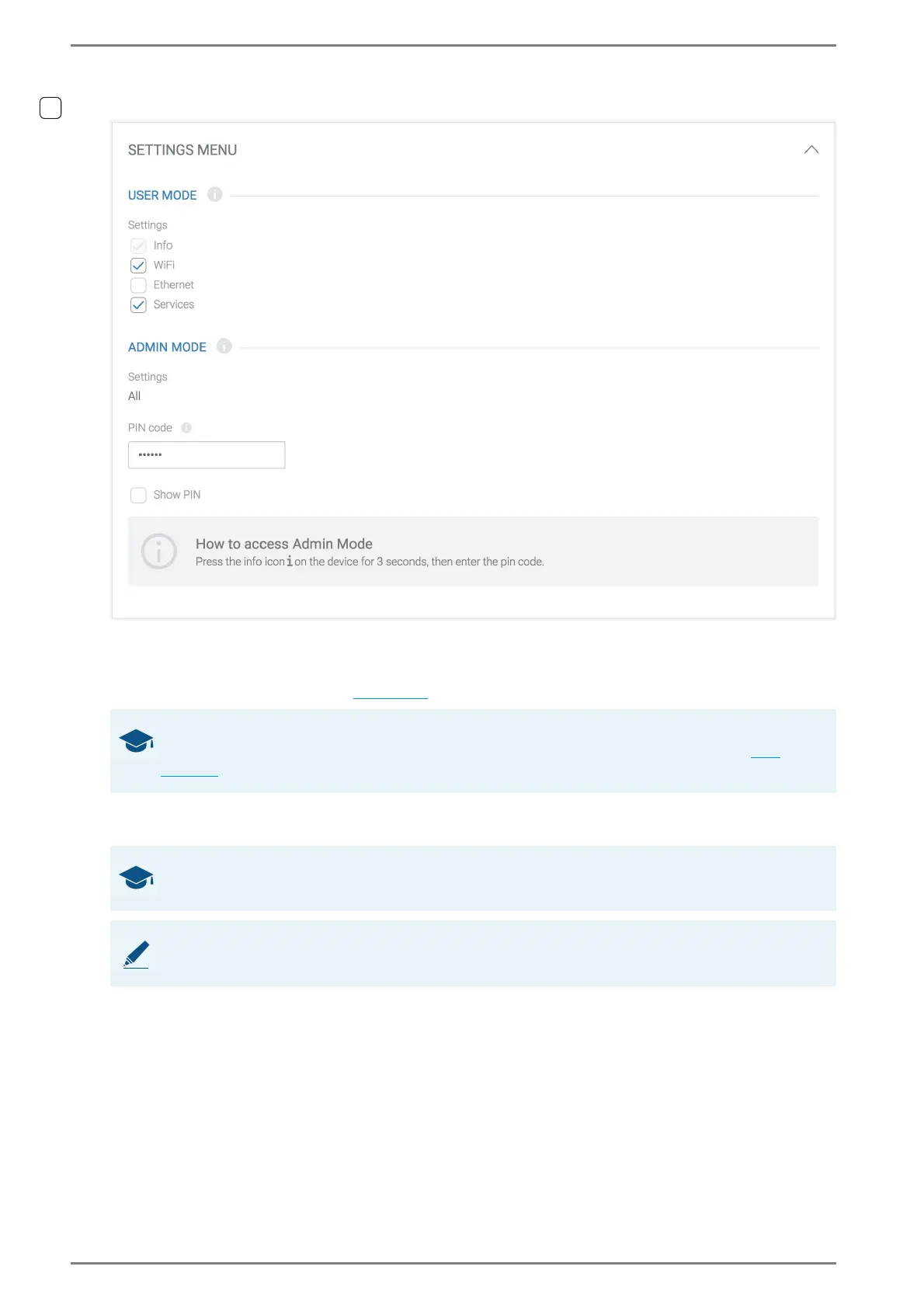
General > Settings Menu
User Mode > Settings
Activate the checkboxes of the submenus, which will be available to all users of the DUETTO device.
The remaining menus will be faded out on the DUETTO device and are only available in admin mode
(requires the entry of a PIN code,
see below).
PIN code
→ By default: 123456
Show PIN: Activate this checkbox to show the characters entered in the drop-down list above.
➥ Click on the button Save to save the settings.
GOOD TO KNOW: How to activate the admin mode
For further information about these setting menus and the activation of the admin mode, see
page 80.
GOOD TO KNOW: Valid PIN codes
The PIN code must consist of a minimum of 4 and a maximum of 8 numbers (0 – 9). Letters are invalid.
NOTE: PIN code cannot be deleted
In order to activate the admin mode, entering the PIN code is always required.



 To Next Page