Installation – RF Path Elements P/N 709C011801 Page 114
5.2.3.1 Package Contents
Check your package contents to verify that the items in the packing list are included. If any of the listed items are missing,
contact your Corning representative.
Item Description Quantity
Cavity Filter (depends on
order)
CVT800 - 836.5MHz; 0.5W; 824-849MHz;
IL=1.6 dB max.; SMA
1
CVT700 – LTE; 0.5W; 698-716MHz;
777-787MHz; IL=1.5 dB; SMA
Mounting Bracket
Provides wall mount and ceiling mount
installation options (pre-assembled with filter)
1
Safety Cable Required for acoustic ceiling installations 1
RF Jumpers
SMA to QMA RF jumpers; L=3m; Used for
RAU/RxU filter connections
2
5.2.3.2 (Concrete) Ceiling Mounting Option
To mount Cavity Filter on Concrete Ceiling
1. Using the two holes (Item B in Figure 5-73) as a guide, mark the location of the holes to be drilled in the ceiling.
2. Drill the holes in ceiling corresponding to the diameter of the toggle anchors to be used (not provided).
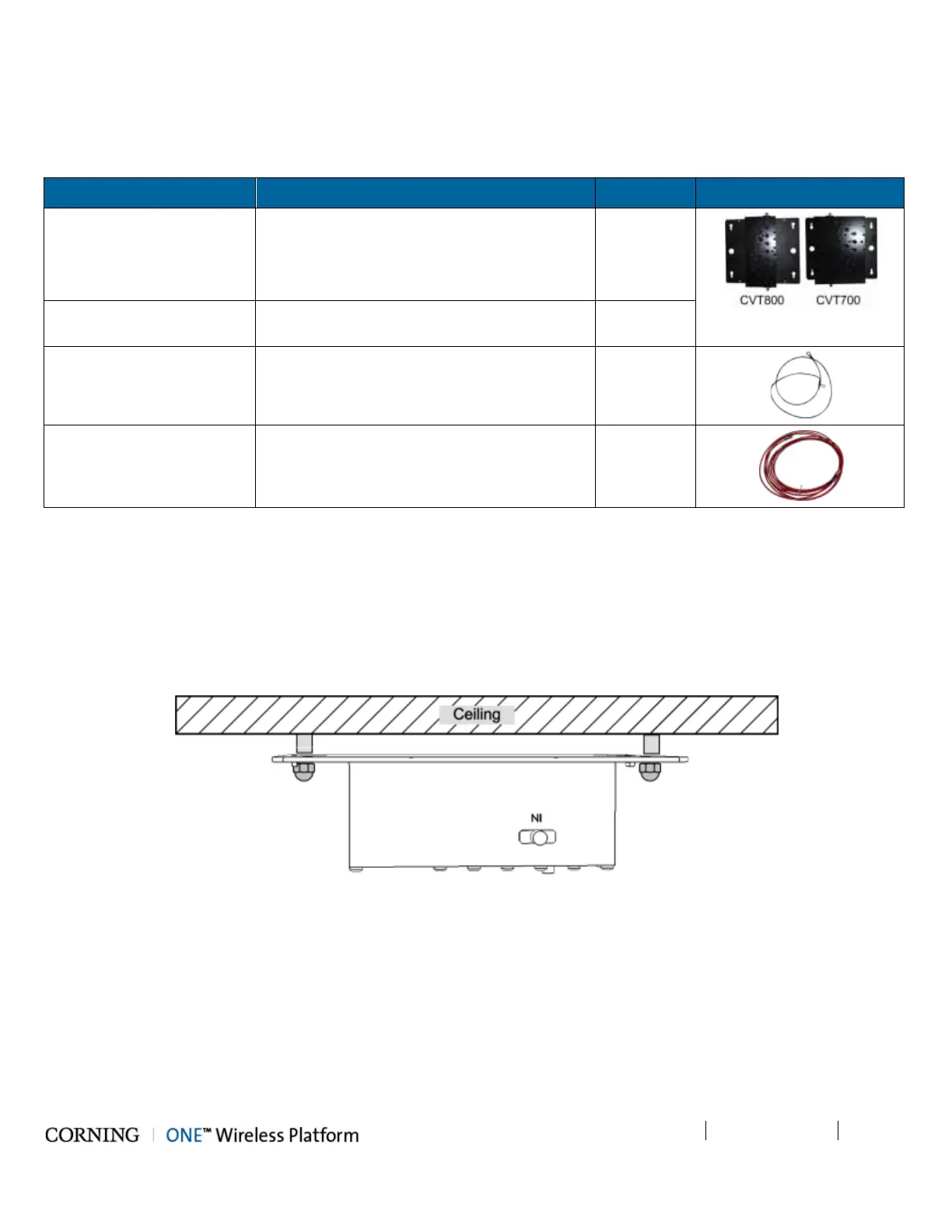
3. Mount the Cavity Filter as shown in Figure 5-74.
Figure 5-74. Illustration of Cavity Filter Mounted on Ceiling



 To Next Page