Installation – RF Path Elements P/N 709C011801 Page 72
5.1.2.9 Management Connections
Note 1: One RJ45/RJ45 management cable is provided with each HEU and OIU chassis.
Note 2: The management connections are also described in the HCM User Manual.
HCM to LAN connection
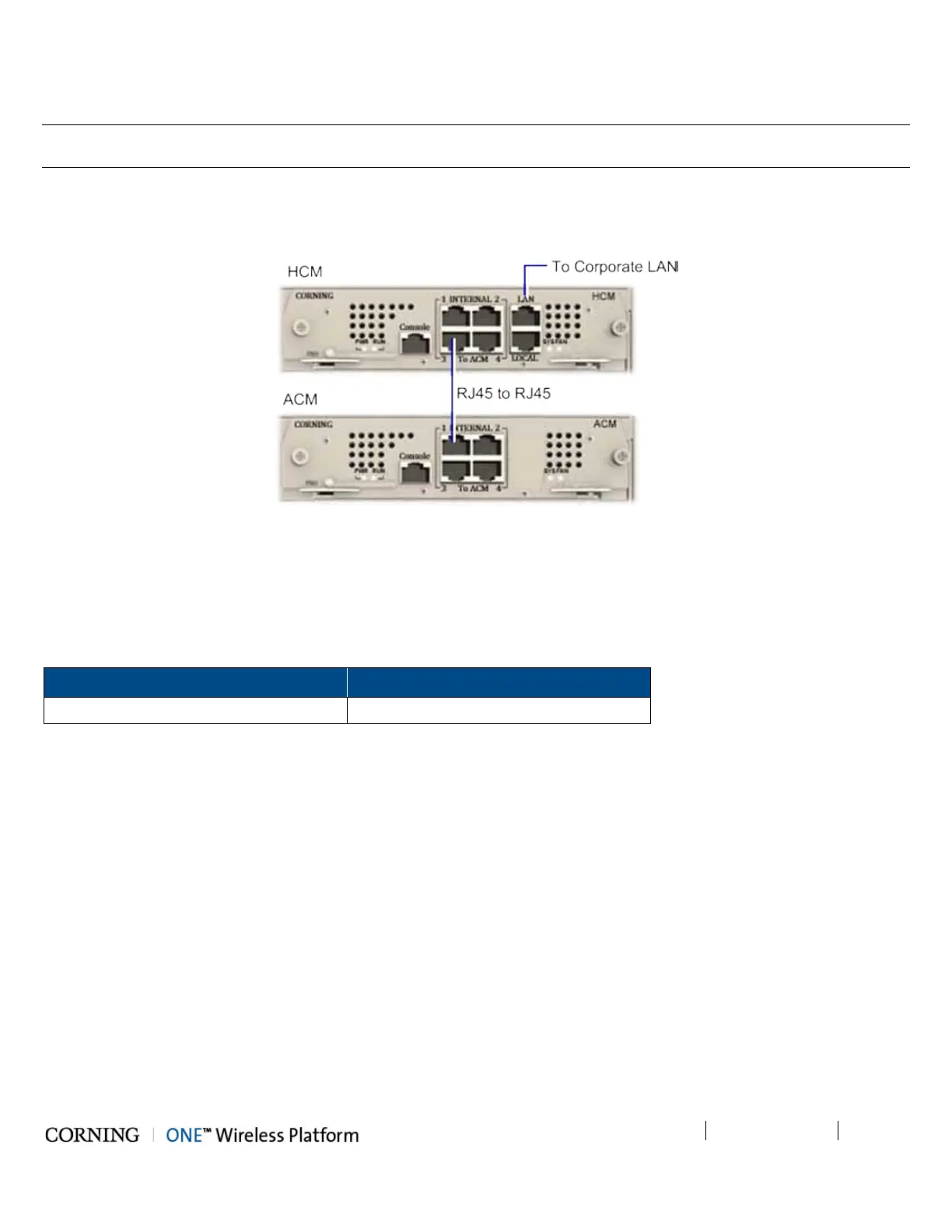
Using the provided RJ45/RJ45 communication cable, connect the HCM LAN port to the corporate LAN as shown in Figure 5-16.
Figure 5-16 HCM LOCAL Port to ACM Port LOCAL Management Connection
HCM to ACM Management Connections
Direct Management Connections (to up to four ACMs):
Referring to Figure 5-16, use RJ45/RJ45 communication cables to perform the Headend management connections according
to Table 5-4:
From (any) HCM…
To (any) ACM…
INTERNAL (TO ACM) Port 1/2/3/4 INTERNAL (TO HCM) Port 1/2/3/4
Table 5-4. Direct Management Connections



 To Next Page