Installation – RF Path Elements P/N 709C011801 Page 66
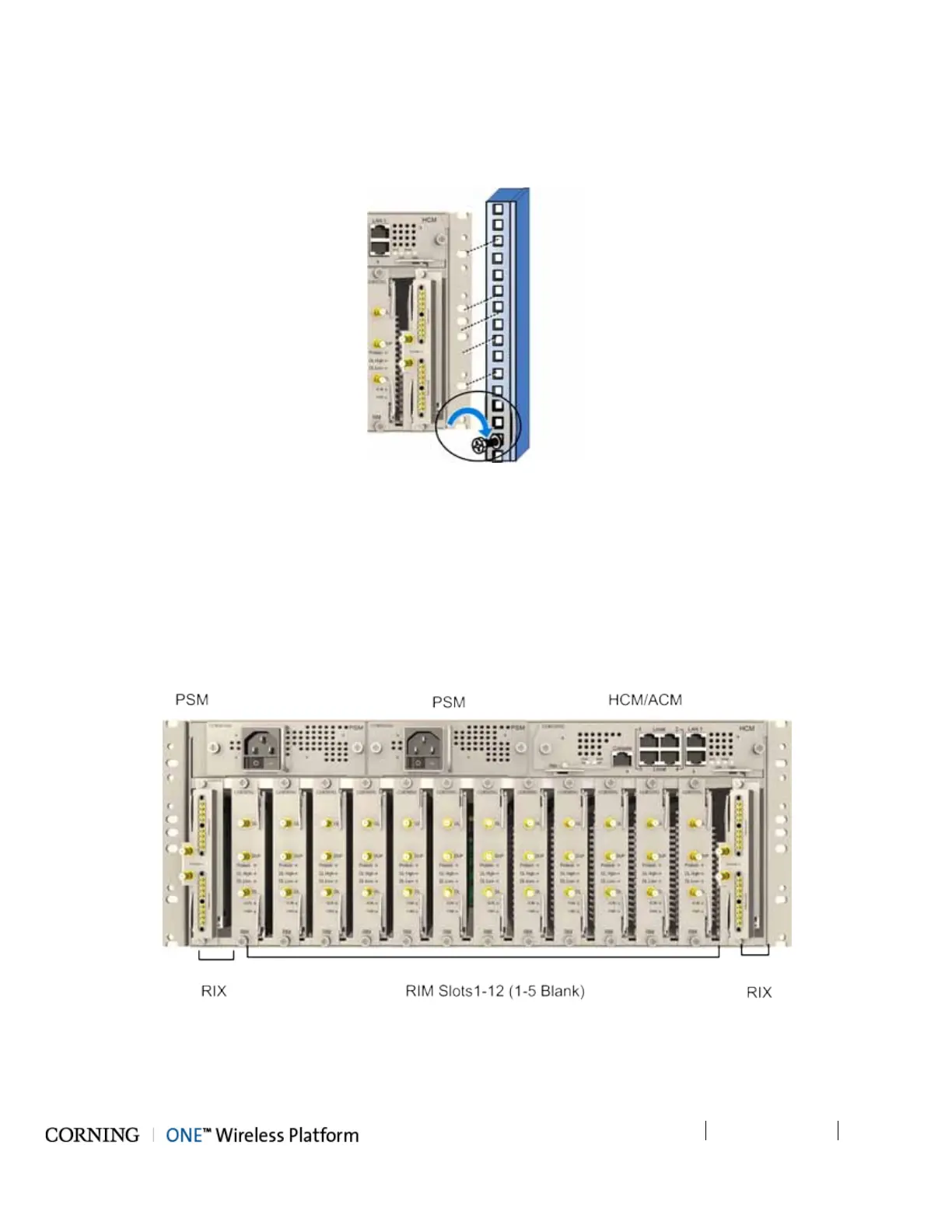
2. Referring to Figure 5-4 secure the units’ rack ears to the rack frame as follows:
• Insert two screws half-way into the rack frame.
• Position the chassis on to the screws using the handles and the top and bottom half slots of the rack ears.
• Secure the unit in the rack via all applicable bracket holes using the appropriate rack nuts and screws.
Figure 5-4. Installing Chassis in Rack
5.1.2.3 Installing all Modules
Note that for modules with ejectors (i.e. RIM, RIX and HCM/ACM) – verify that the ejectors are completely open when inserting
in dedicated slot and then push in until the module clicks in to the backplane. Figure 5-4 shows example of module type captive
screws and ejectors.
To install the HEU modules:
3. Refer to Figure 5-5 for module locations. Remove blank panel and slide in the relevant module (chassis slots are 100%
mistake proof) as shown in Table 5-2 :
Figure 5-5. Example of occupied HEU



 To Next Page