Appendix A: RAU Upgrades P/N 709C011801 Page 120
6.1.6 Connecting Fiber
1. Verify the fiber type:
• If LC/APC (Green), use an LC-APC to UPC adapter
• If LC/UPC (Blue), no adapter is needed
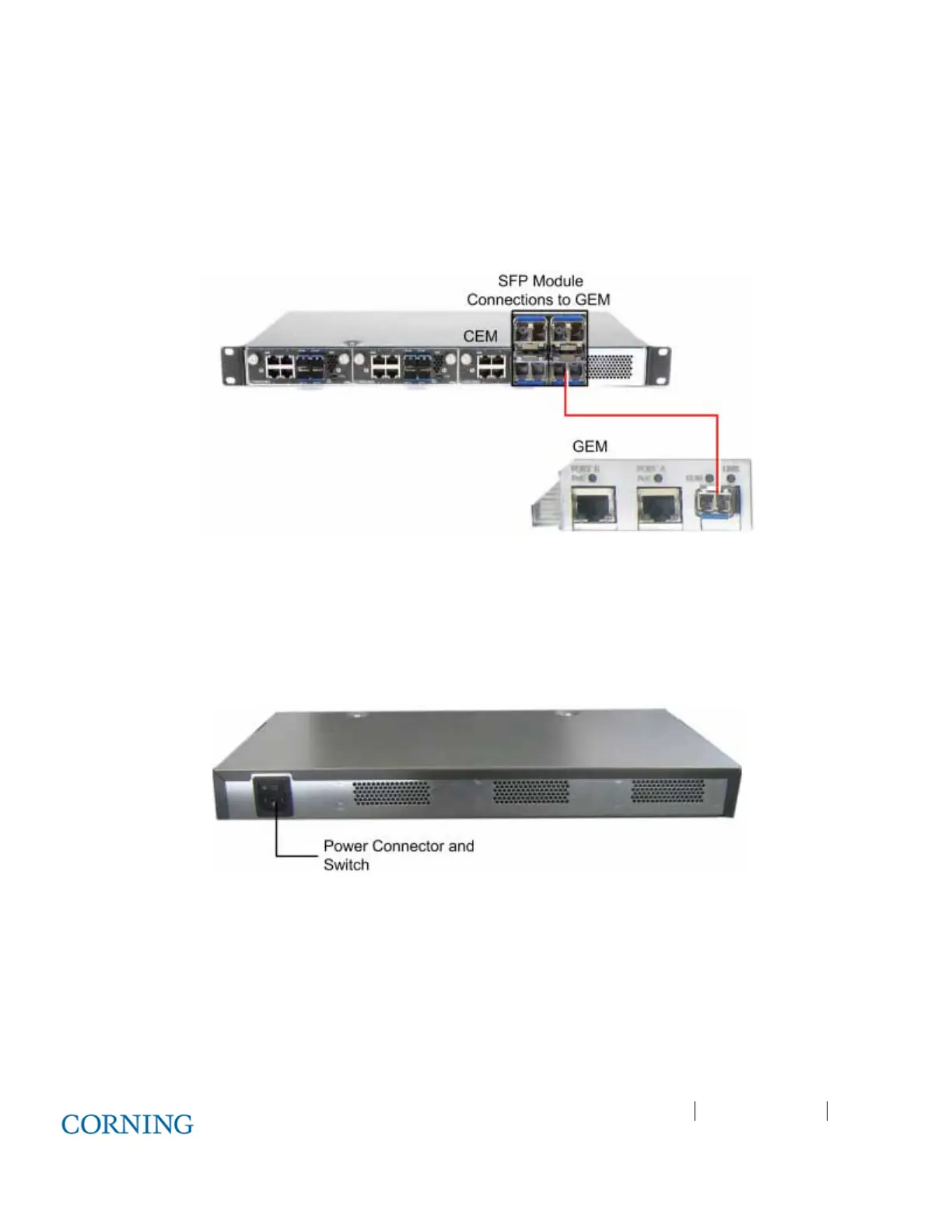
2. Connect the corresponding SFP module connectors (i.e. Tx/Rx port 1 corresponds to fiber port 1) to the GEM LC/APC fiber
connector. See Figure 6-3.
Figure 6-3. CEM to GEM Fiber Connections
6.1.7 Power Up
1. Make sure the power switch is off.
2. Connect supplied 110-240 VAC power cable to the power connector located at the rear of the unit. See Figure 6-4.
3. Switch power on.
Figure 6-4. CEM Power Connector
6.1.8 Verifying Normal Operation Status
Verify F/O, ETH and PWR LED status on CEM module.



 To Next Page