Appendix A: RAU Upgrades P/N 709C011801 Page 118
6 Installation – Digital Coverage Elements
This chapter describes the installation procedures for each of the Digital Coverage components. It contains only brief
descriptions of the approach of each installation procedure. For specific guidelines on infrastructure planning, design and
installation, please consult with a Corning Product Line Manager or Corning approved Installer. All these elements are installed
at the remote end.
6.1 CEU Installation
General Information
• The CEU interfaces to the main Ethernet switch and to the remote Gigabit Ethernet Modules (GEM).
• The CEU is rack mounted or wall mounted at the IDF (Intermediate Distribution Frame).
• The CEU can host up to three Centralized Ethernet Modules (CEMs), which are not included in the CEU package (ordered
separately).
• The CEM Tx/Rx Ethernet fiber ports, used for interfacing to the GEM modules, require SFP modules (included) and LC-UPC
to LC APC adapter if using LC/APC fiber.
6.1.1 Items Required for CEU Installation
The following items are required for installing the ONE™ CEU. If any of the listed items are missing, contact your Corning
representative.
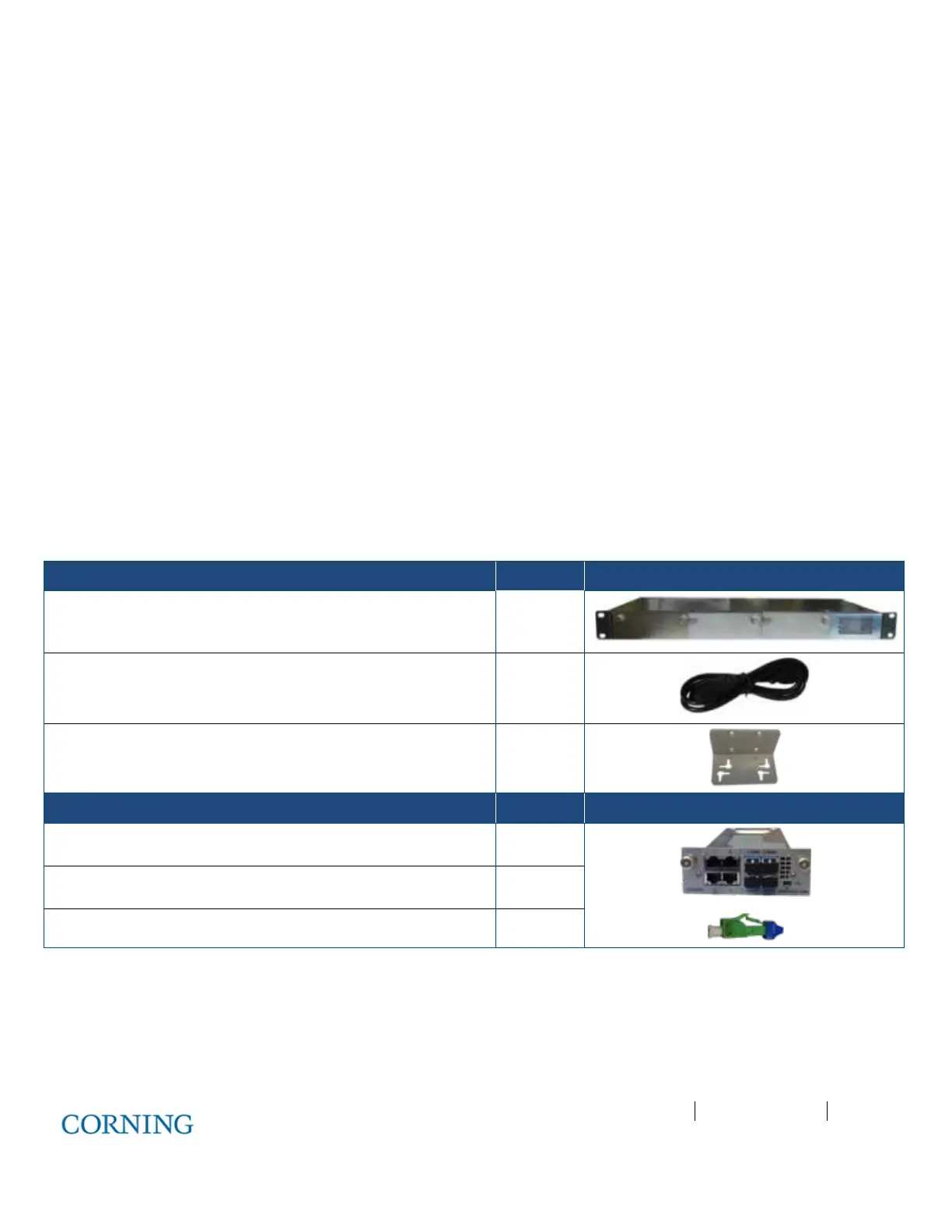
CEU KIT Quantity
Central Ethernet Unit (CEU) with power supply 1
Standard IEC right angle 110-240VAC, 50-60 Hz cable 1
Wall mount brackets 2
CEM KIT Quantity
Central Ethernet Module (CEM) 1
SFP modules (pre-inserted in Tx/Rx ports) 4
ATT. LC/HAP 0dB – used for APC cable 8
Table 6-1. Items Required for CEU Installation



 To Next Page