Introduction P/N 709C011801 Page 26
1.4 ONE™ WEB Management Application
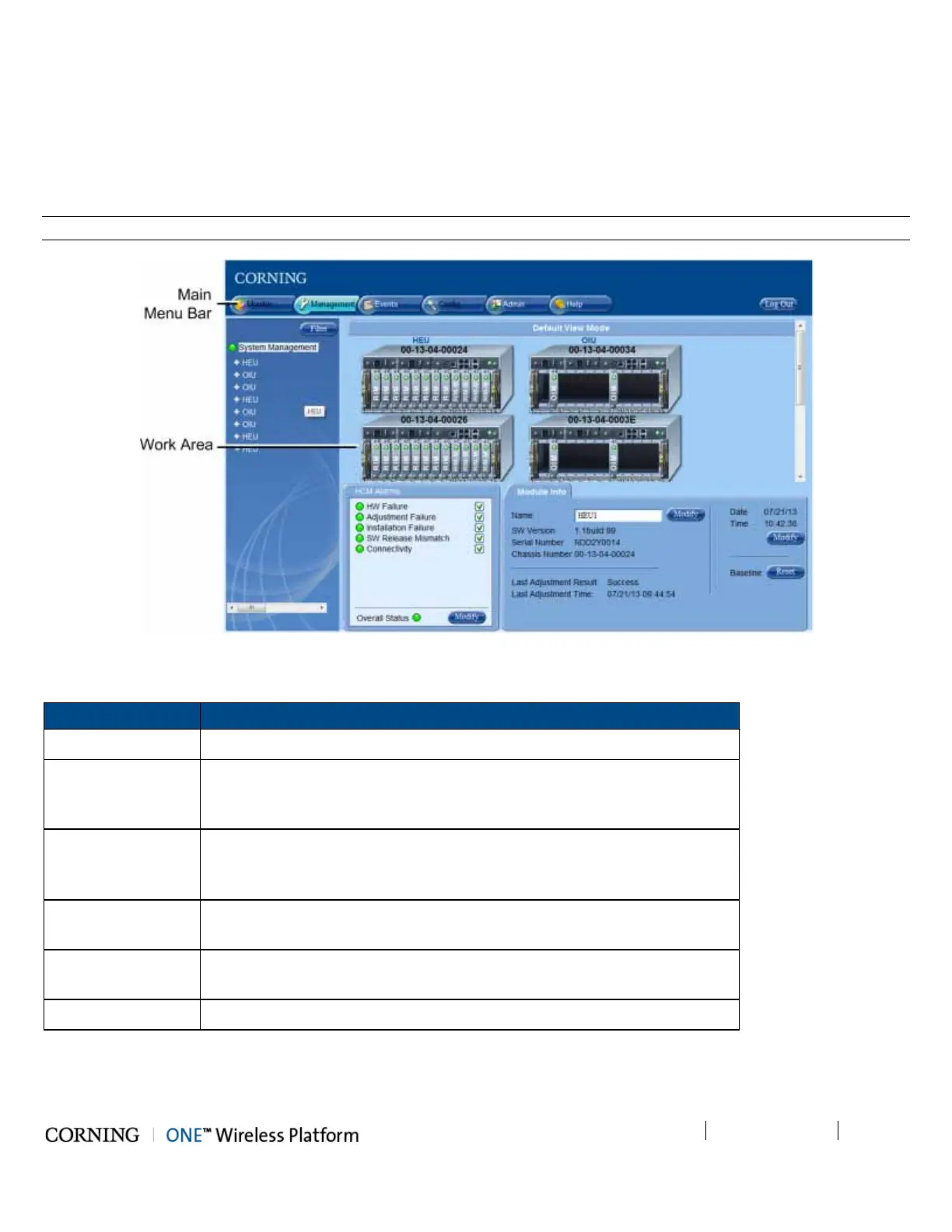
The ONE™ solution consisting of the HEU and its hosted elements is managed via a WEB session to the HEU. The GUI based
WEB management application provides all the required configuration, management and monitoring options for the ONE™
system. The ONE™ Web management application consists of the Main Menu bar, where the displayed side-bar and work area
options vary according to the selected menu option.
Note: Refer to the ONE™ HCM User Manual for a complete description of the Web Management application.
Figure 1-5. Main Window (Config Tab - Default Display)
The Main Menu Bar includes the following tabs:
Tab Description
Monitor N/A
Management Displayed upon login by default. Displays general module information and
device alarms and provides the configuration options for the available
selected site devices. A general overview is given in section 1.4.1.
Events Displays the events that occurred on the monitored devices and enables
generating reports. Configuration changes that are initiated by the network
manager are not considered events display. See Events Display section.
Config Set-up tool used for initial system set-up, commissioning of system devices
and adjustment procedure.
Admin Provides administration options such as firmware upgrade, user
management options and IP settings required for receiving traps.
Help Provides access to Online Help
Table 1-19. Main Menu Tabs



 To Next Page