Appendix A: RAU Upgrades P/N 709C011801 Page 127
6.2.7 Verify Normal Operation
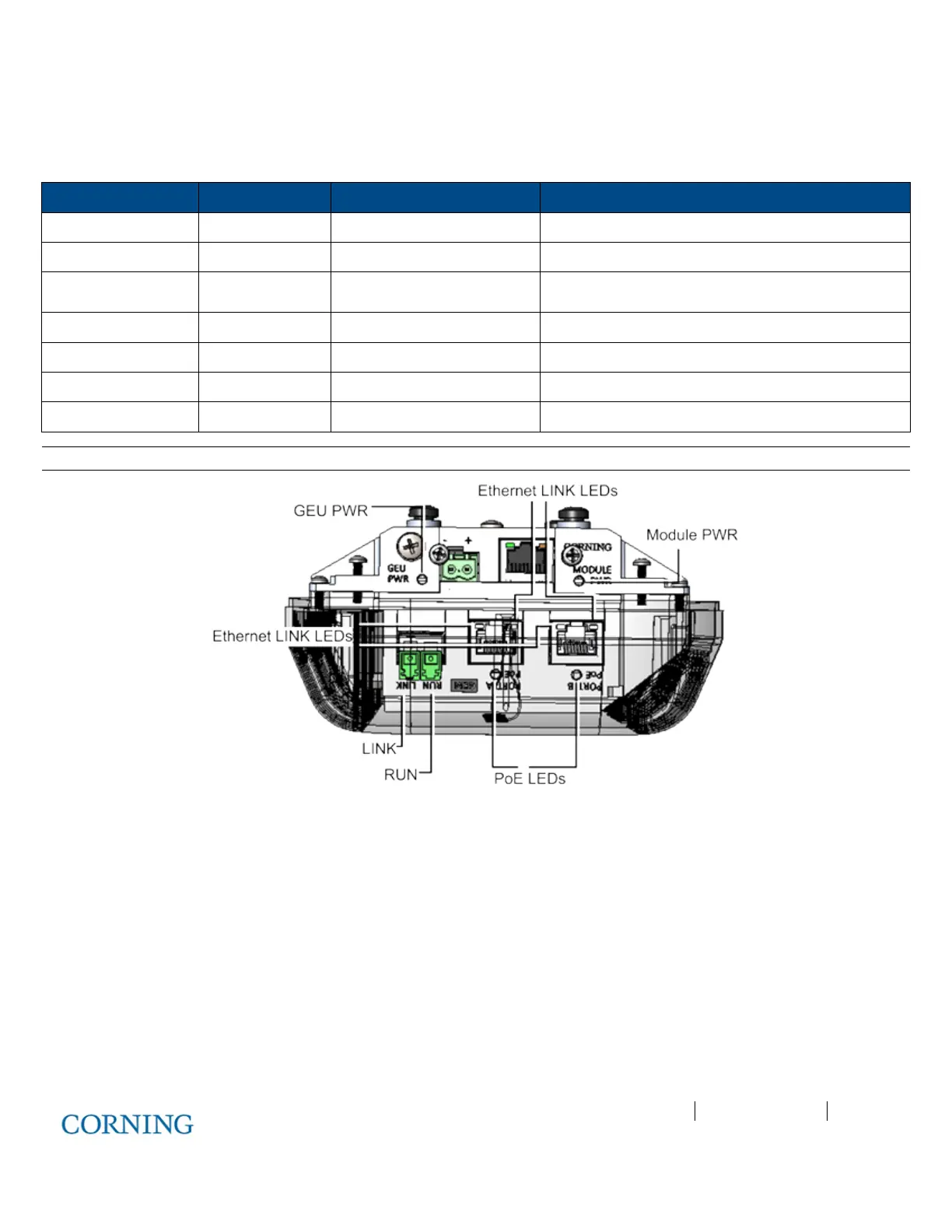
Referring to Figure 6-13, verify normal operation via GEU-S (GEM and GEU modules) LEDs - located adjacent to the respective
connectors:
LED Indication Expected Description of expected indication
RUN OK\Fault\Run Flashing
(10/Sec)
SW & CPU running normally, GEM OK, no Fault
Ethernet LINK Link Off
Ethernet ACTIVITY Activity Off
SFP LINK link from CEU Off
POE POE status Off 48V feed to PoE circuitry exist and PoE OFF
GEU PWR GEU power Steady
GEU input power detected
Module PWR module power Steady
GEU input power detected
Note: For complete description of GEM and GEU-S LEDs, refer to section 3.3 (GEM) and 3.4 (GEU-S).
Figure 6-13: GEU-S LEDs



 To Next Page