Installation – RF Path Elements P/N 709C011801 Page 116
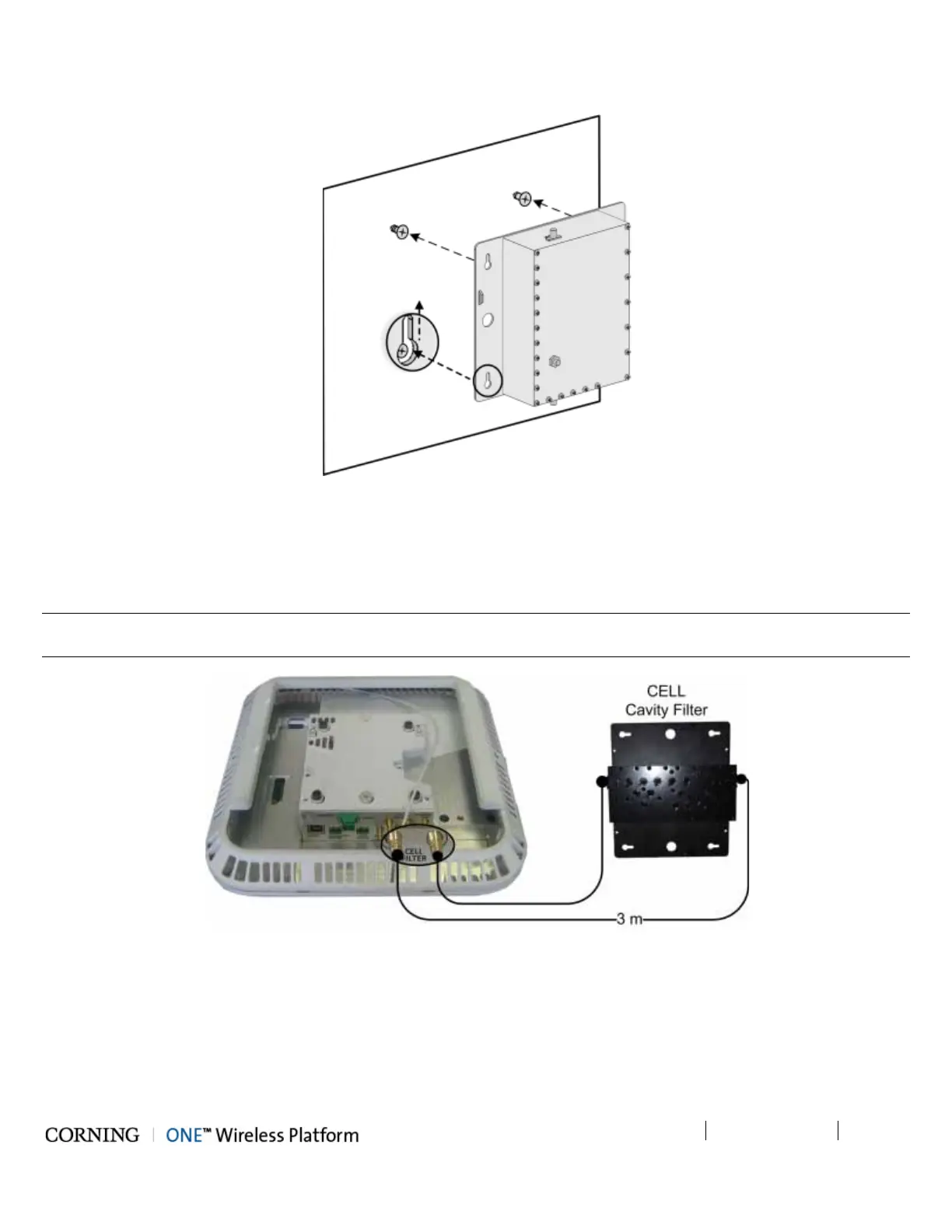
3. Hang the Cavity Filter on the anchors/screws and pull down to lock in narrow end of key hole. Refer to Figure 5-77.
Figure 5-77. Mounting Cavity Filter on Wall
5.2.3.5 Filter Connections
Using the provided SMA to QMA RF jumpers, connect the Cavity Filter IN and OUT QMA ports to the corresponding filter
(CELL/LTE) SMA connectors on the RAU/RxU module.
Note: In installations where additional units are deployed which support the 700MHz band and the RAU is installed with an RxU
– both RAU and RxU modules must be connected to an external LTE filter. See Figure 5-79.
Figure 5-78. Example of External CELL Filter Connections



 To Next Page