Installation – RF Path Elements P/N 709C011801 Page 93
5.2.1.3 Installing Edge Module
Note: The Edge module can be installed from either the front or the rear of the ICU chassis. This procedure illustrates a front
side installation.
1. Pull one of the Edge module trays all the way out – until it “clicks”.
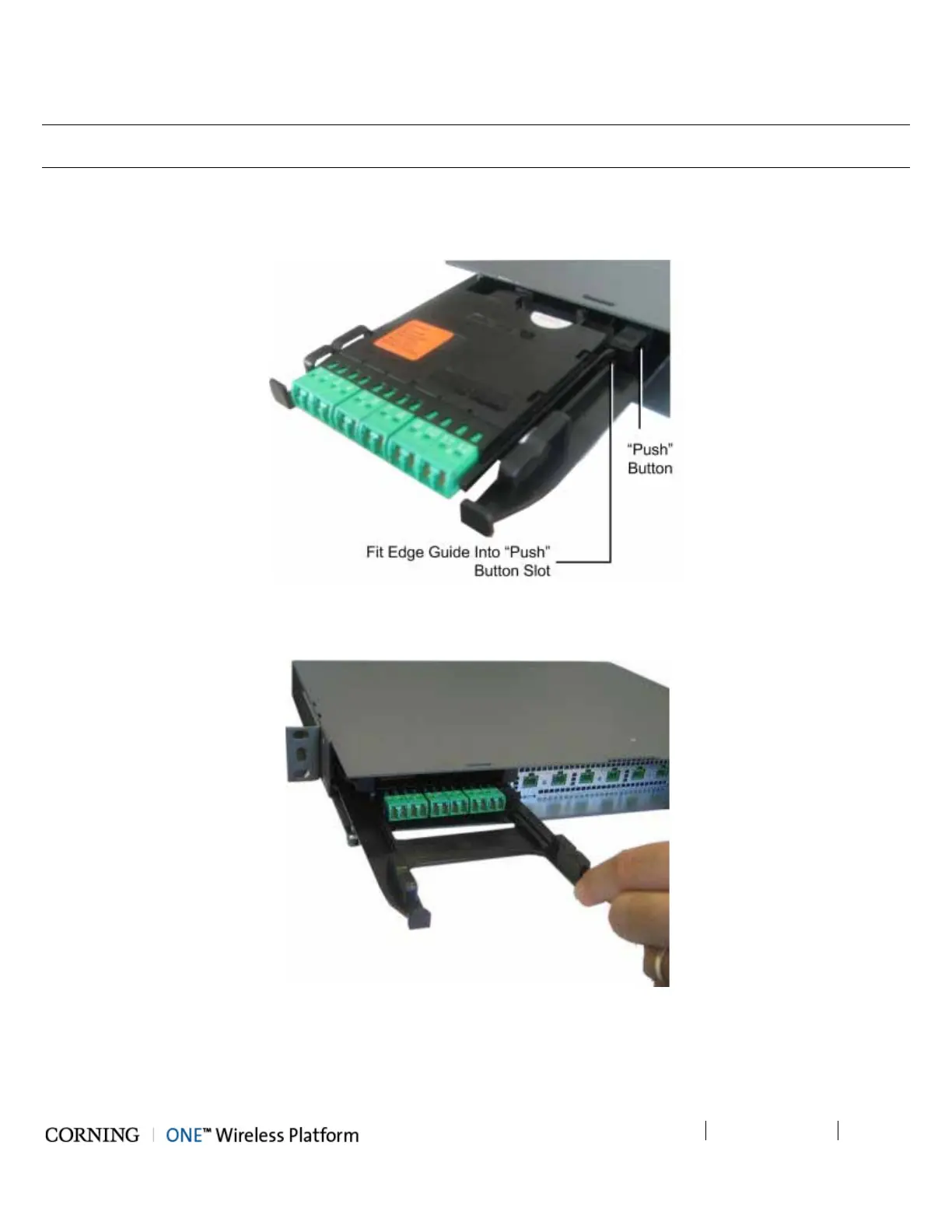
2. Slide in the Edge module between the guides and fit the module guide into the tray “Push” button slot, as shown in
Figure 5-44.
Figure 5-44. Inserting Edge Module (Chassis Front)
3. Push the module gently in until it “clicks” and is “flush” with the ICU panel - leaving the tray in place. See Figure 5-45.
Figure 5-45. Edge Module Flush with Panel (Chassis Front)
4. Push the tray back in place.
5. Repeat Steps 1-4 for additional Edge module.



 To Next Page