Appendix A: RAU Upgrades P/N 709C011801 Page 125
6.2.5 Assembling the GEU-S onto the Bracket
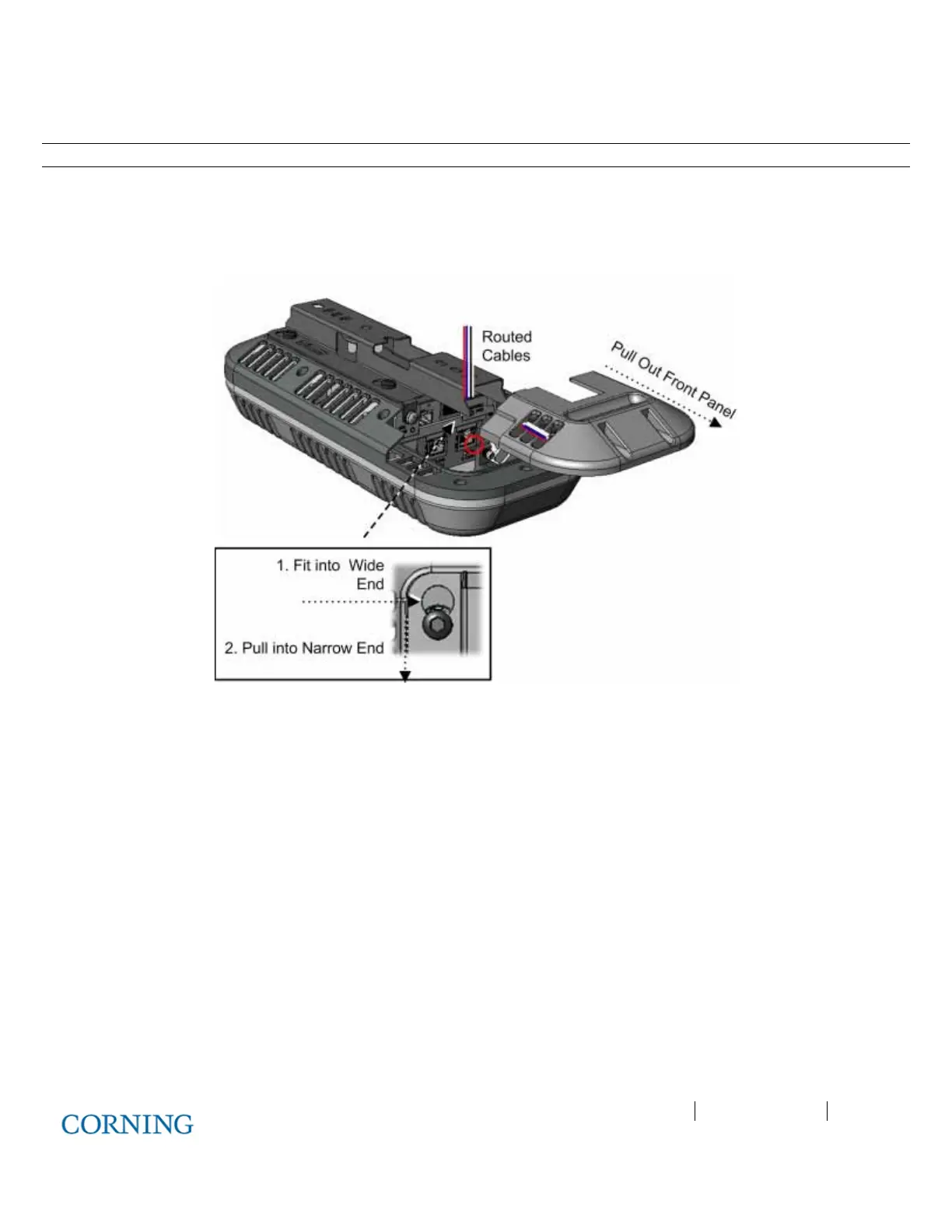
Note: The safety screw tab (circled in Figure 6-11) should be in the same direction of the connectors.
1. Hold the GEU-S near the mounting bracket and routed cables.
2. Route the cables towards the front panel connectors, where the bracket will be located as shown in Figure 6-11.
3. Insert the four GEU-S pins into the wide end of the bracket holes and then pull towards the narrow end to lock in.
4. Using the provided screw (SEM 8-32X3/8), secure the bracket to the GEU-S via the safety screw tab.
Figure 6-11: Locking GEU-S



 To Next Page