Appendix A: RAU Upgrades P/N 709C011801 Page 134
Installing the GEM module in the RAU
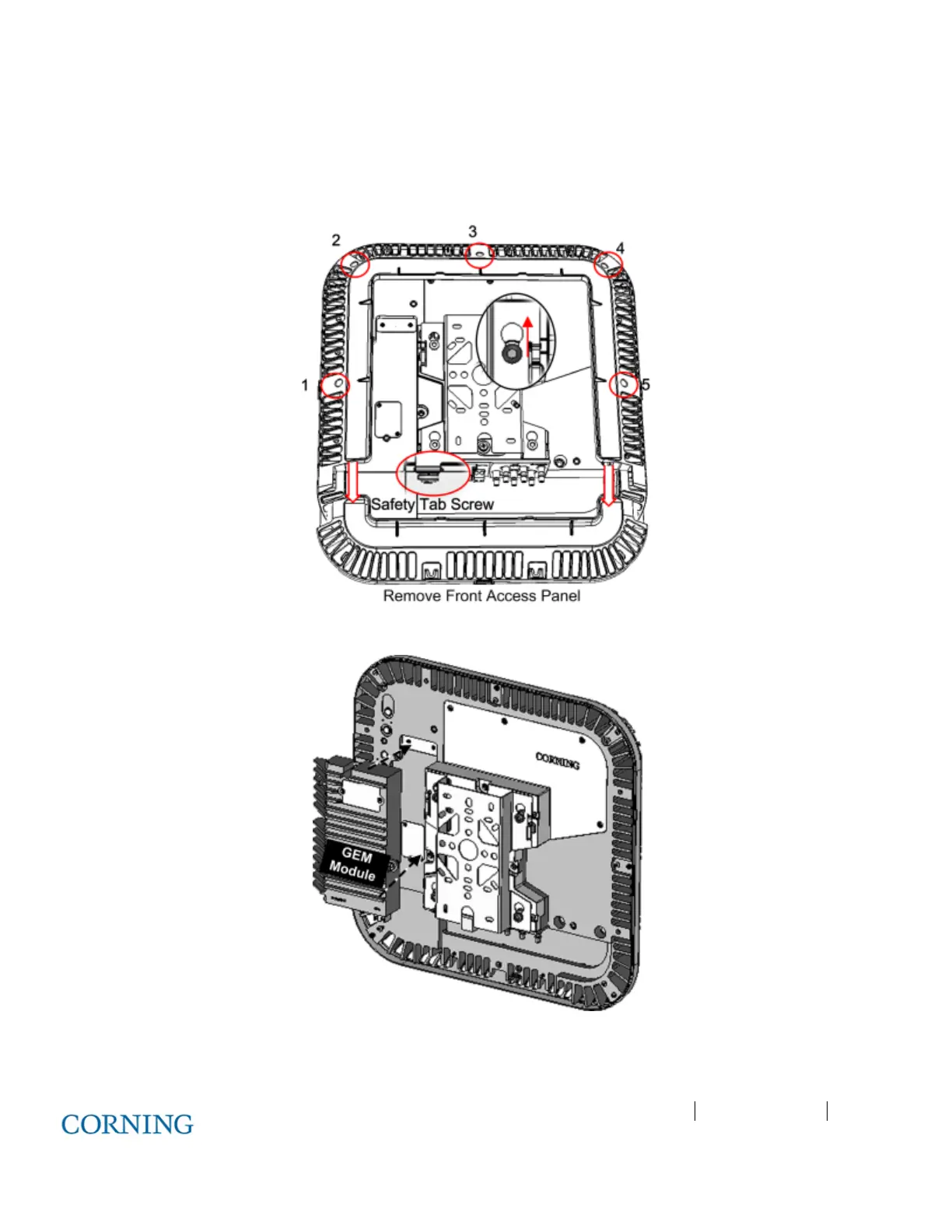
1. Remove RAU front panel and then cover by removing the five screws indicated in Figure 6-19
2. Plug GEM into the left side of the RAU, as shown in Figure 6-20 and secure (4) GEM screws.
3. Replace the cover except for the front panel so that the interface ports are accessible, as shown in Figure 6-21.
Figure 6-19. Removing RAU Enclosure Cover
Figure 6-20. GEM Module Assembly



 To Next Page