Appendix A: RAU Upgrades P/N 709C011801 Page 135
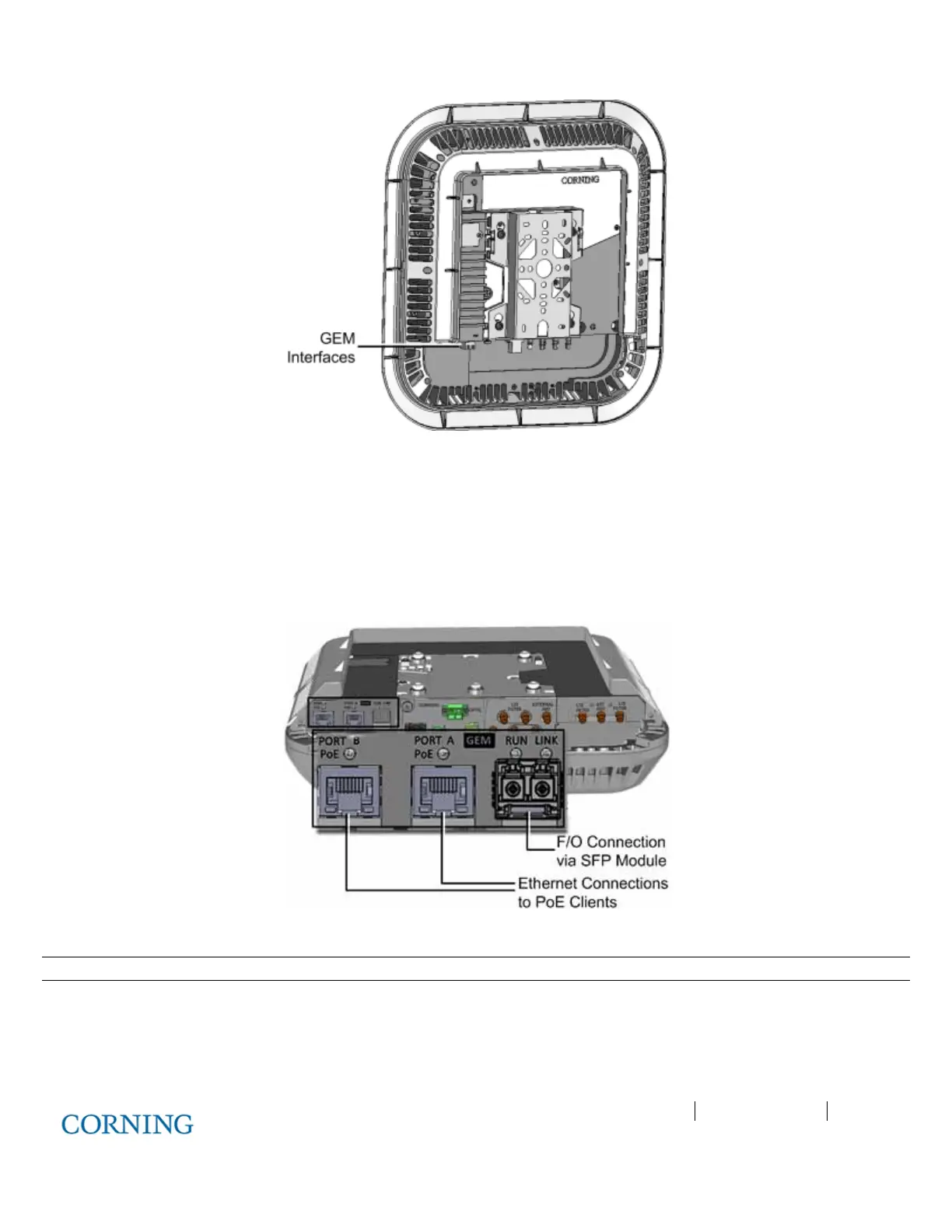
Figure 6-21. RAU and GEM with Assembled Cover
4. Connect the cables as follows:
A. Connect the fiber to the SFP module (pre-inserted in F/O port):
o Fiber terminated with LC UPC connector (blue) – connect directly to SFP module
o Fiber terminated with LC APC (green) – connect using the provided APC to UPC adapters
B. Connect the A and B Ethernet ports to the PoE clients using Ethernet cables. See Figure 6-22.
Figure 6-22. GEM Interface Ports and LEDs
Note
: A and B Ethernet ports - 10/100/1000BASE-T with 802.3at compliant Power over Ethernet (PoE+) PSE port



 To Next Page