Appendix A: RAU Upgrades P/N 709C011801 Page 119
6.1.2 Installing CEM Module(s)
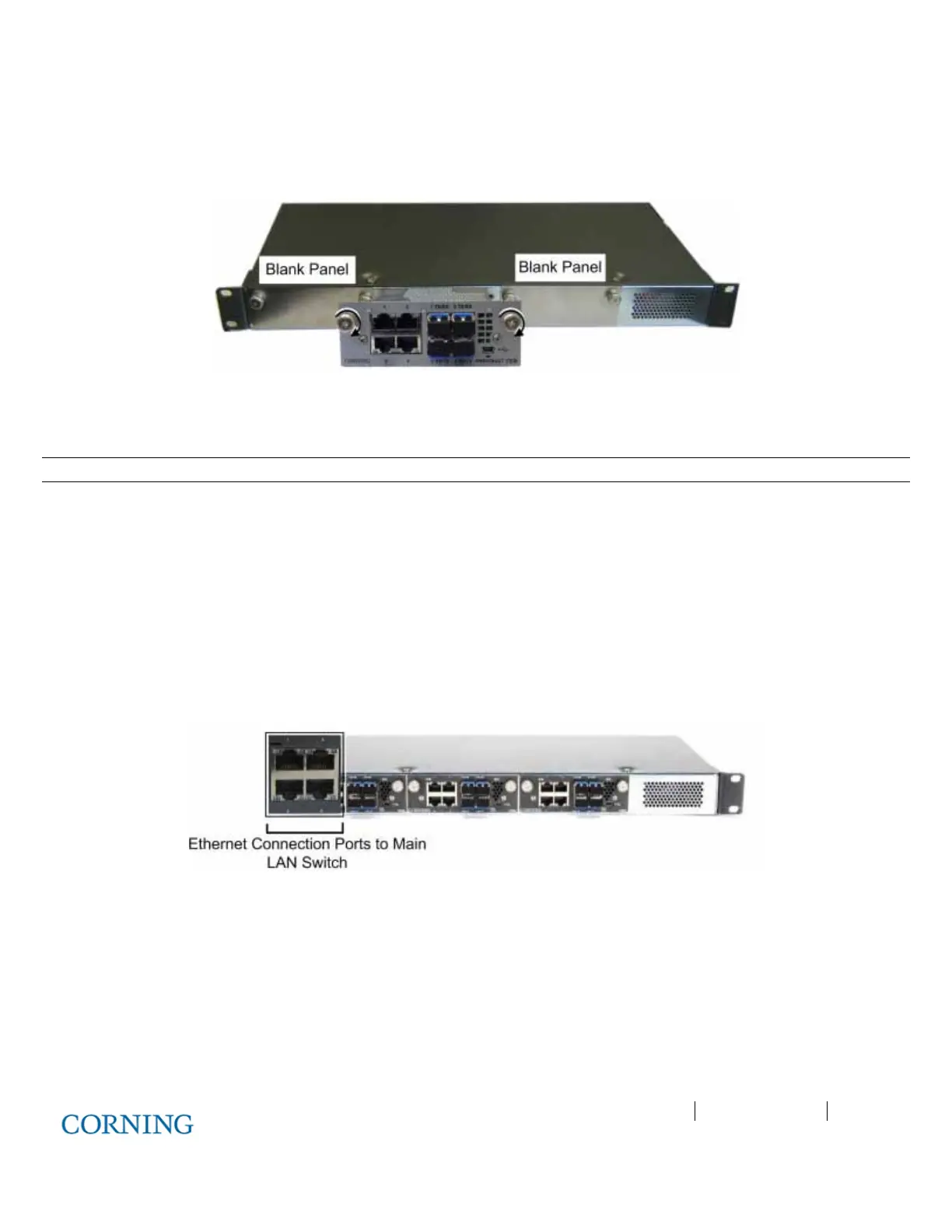
1. Remove the blank panel.
2. Slide in the CEM and hand tighten the captive screws. Refer to Figure 6-1.
Figure 6-1. Inserting CEM Module(s)
6.1.3 Mounting CEU in 19-IN Rack
Note: Continue to next section if CEU is to be mounted on wall.
Mount the CEU in the 19-in communication rack and secure using pre-assembled brackets.
6.1.4 Mounting CEU on Wall
1. Remove the rack mounting brackets and set aside screws.
2. Assemble wall mount brackets on to the sides of the CEU using the screws.
3. Using the bracket holes as a guide, mark the holes to be drilled on the wall and mount with appropriate screws.
6.1.5 Connecting CEM to Main LAN
Connect any of the CEM RJ45 (1-4) Ethernet ports to the Main LAN Ethernet switch. See Figure 6-2.
Figure 6-2. CEM LAN and Fiber Connection Ports



 To Next Page