Introduction P/N 709C011801 Page 27
1.4.1 Overall Device Display - Configuration Tab
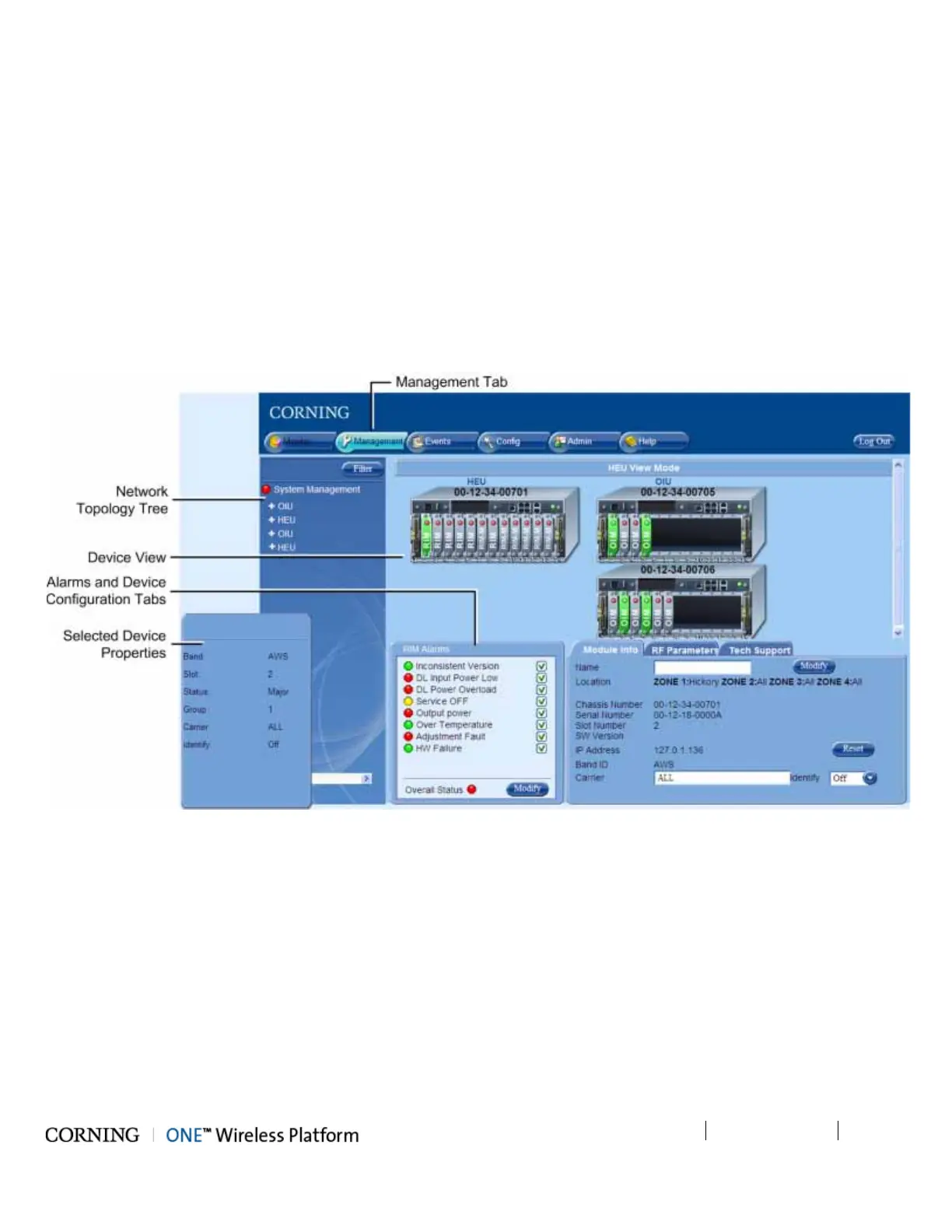
The Config window is displayed by default upon login and includes the following for each selected element:
• Network Topology Tree - hierarchically displays the connected and available site devices and their status.
• Device Configuration Tabs - device specific which include the configurable parameters (e.g. service control, RF parameters)
and general information (e.g. device name, Firmware version)
• Device View - visualization of device, with LEDs corresponding to the device status. Device view can be used for fault
sourcing at a glance.
• Alarms - displays the device alarms for fault sourcing and provides alarm masking options
Note the following:
• The device selected in the Network Topology Tree appears green in the Device View Mode area
• Point to module in Device View to display property info
Figure 1-6. Config Tab



 To Next Page