Installation – RF Path Elements P/N 709C011801 Page 74
5.1.2.10 Power Up
Note the following:
• The PSM modules are installed in the HEU and OIU chassis in one or both of the dedicated PSM slots (top left and middle)
• Two power supplies can be installed in the same chassis in order to provide redundancy.
• PSM-DC can be installed in the same chassis along with a PSM-AC module.
• If two modules are installed, both must be connected to their respective power source (AC or DC) and turned on at all times
after installation.
• For installations with two PSM modules, both modules must be:
• connected to the AC outlet
• switched ON to begin system operation
• turned on at all times
For PSM-AC modules
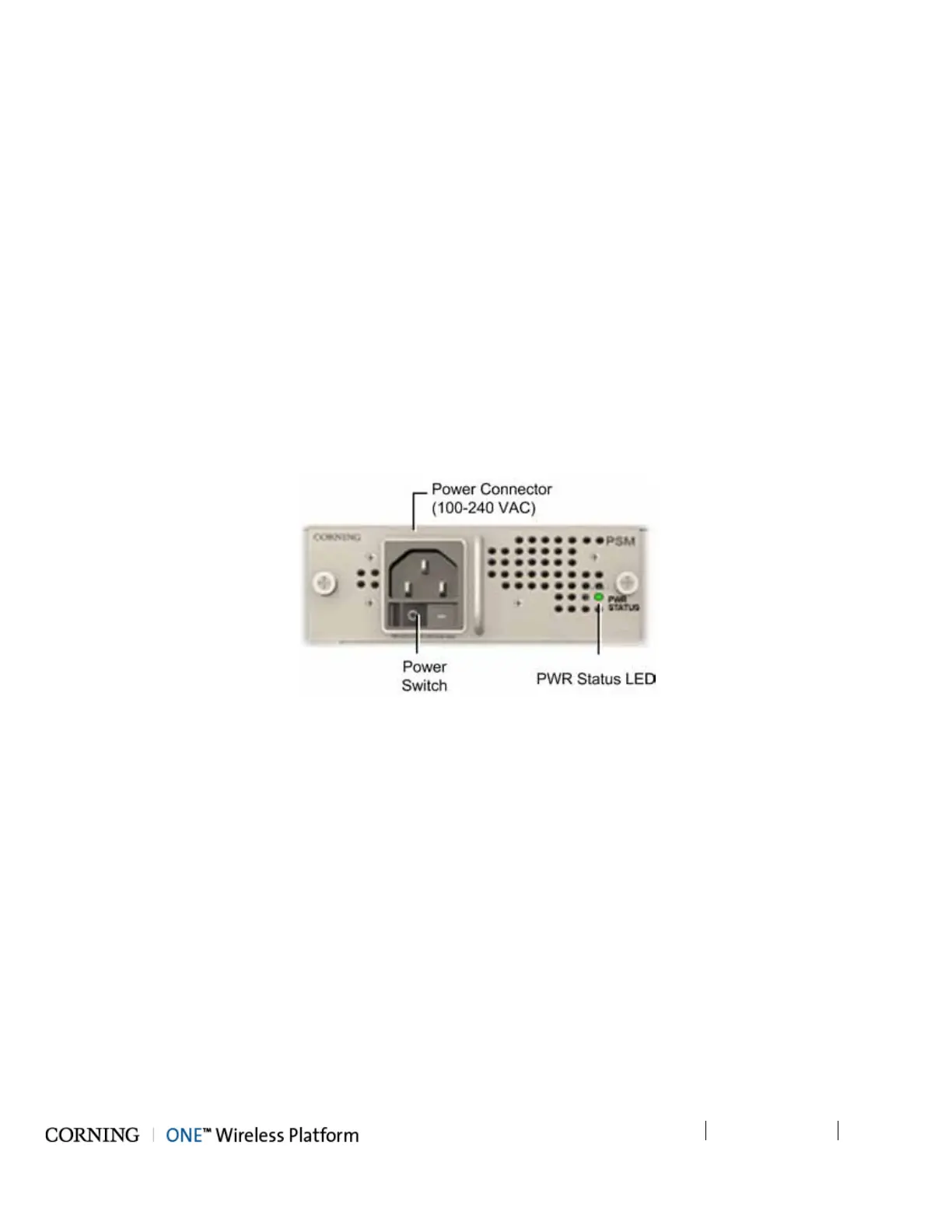
1. Connect power cable (100-240 VAC) supplied with module to the PSM-AC input connector and to the AC outlet and switch
on. See Figure 5-18
2. Verify that the Power Status LED on each PSM shows green. See Figure 5-18 for PSM-AC LED.
Figure 5-18. AC Power Supply Module LEDs



 To Next Page