Installation – RF Path Elements P/N 709C011801 Page 77
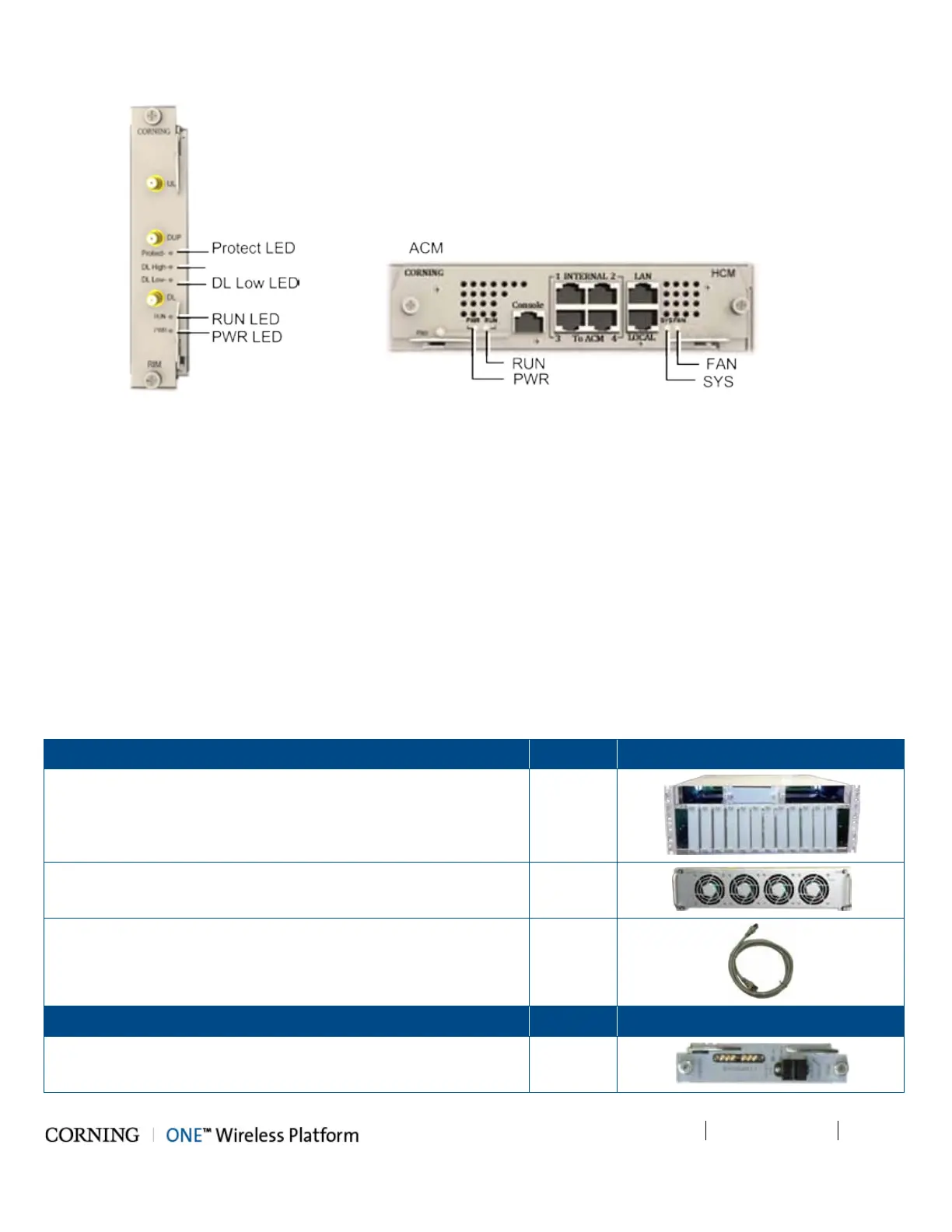
Figure 5-22. RIM LEDs Figure 5-23. HCM/ACM LEDs
5.1.3 OIU Installation
Note the following:
• OIU chassis is supplied empty and only includes the factory assembled FAN Module (FAM). All other modules are ordered
separately and must be installed.
• The Cable management Tray can be assembled either before or after the unit is installed (see section 5.1.4 - HEU/OIU
Cable Management Tray).
5.1.3.1 Items Required for OIU Installation
The following items are required for installing the ONE™ OIU. If any of the listed items are missing, contact your Corning
representative.
OIU Chassis (with blank panels) - with FAM Unit on the rear side of
the chassis
1
Fan Module (FAM) – one unit hosting four fans
(factory installed in chassis rear)
1
RJ45/RJ45 communication cable L=2m-2.15m (P/N 705900003) –
ACM management cable
1
OIM Kit (1-12 according to order)
Quantity
Optical Interface Module (OIM)
1



 To Next Page