Installation – RF Path Elements P/N 709C011801 Page 106
5.2.2.7 Cable Connections
1. Hold the RAU near the mounting bracket and routed cables.
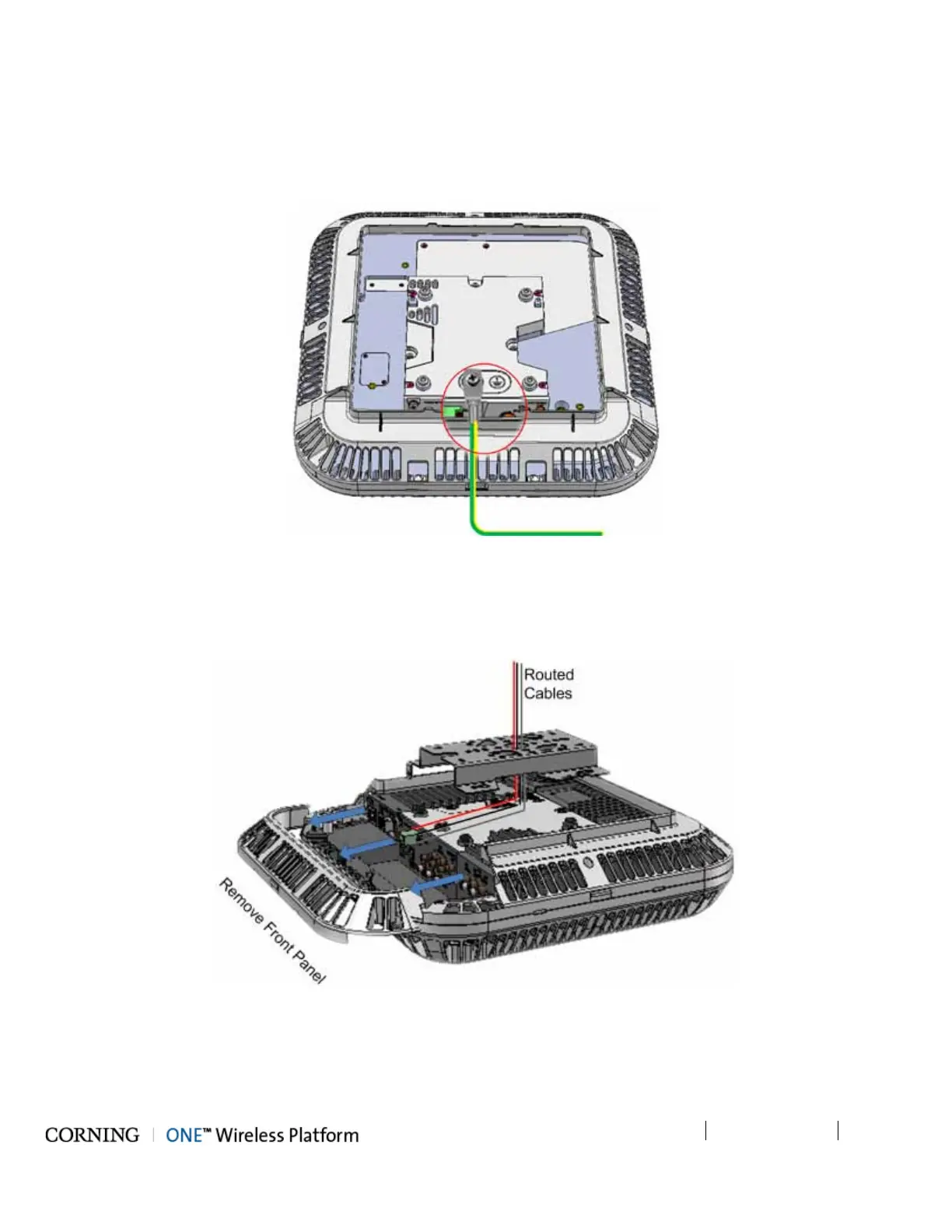
2. Connect the earth ground to the RAU using one of the provided 8-32X3/8 screws. See grounding bolt location circled in
Figure 5-63.
Figure 5-63. Grounding Bolt Location
3. Pull the front panel and remove to access connectors. See Figure 5-64.
4. Route the cables over the top of the RAU and towards the front panel connectors, where the bracket will be located. (The
cables will be routed between the RAU and the bracket). See Figure 5-64.
Figure 5-64. Route Cables towards RAU Connectors



 To Next Page