F
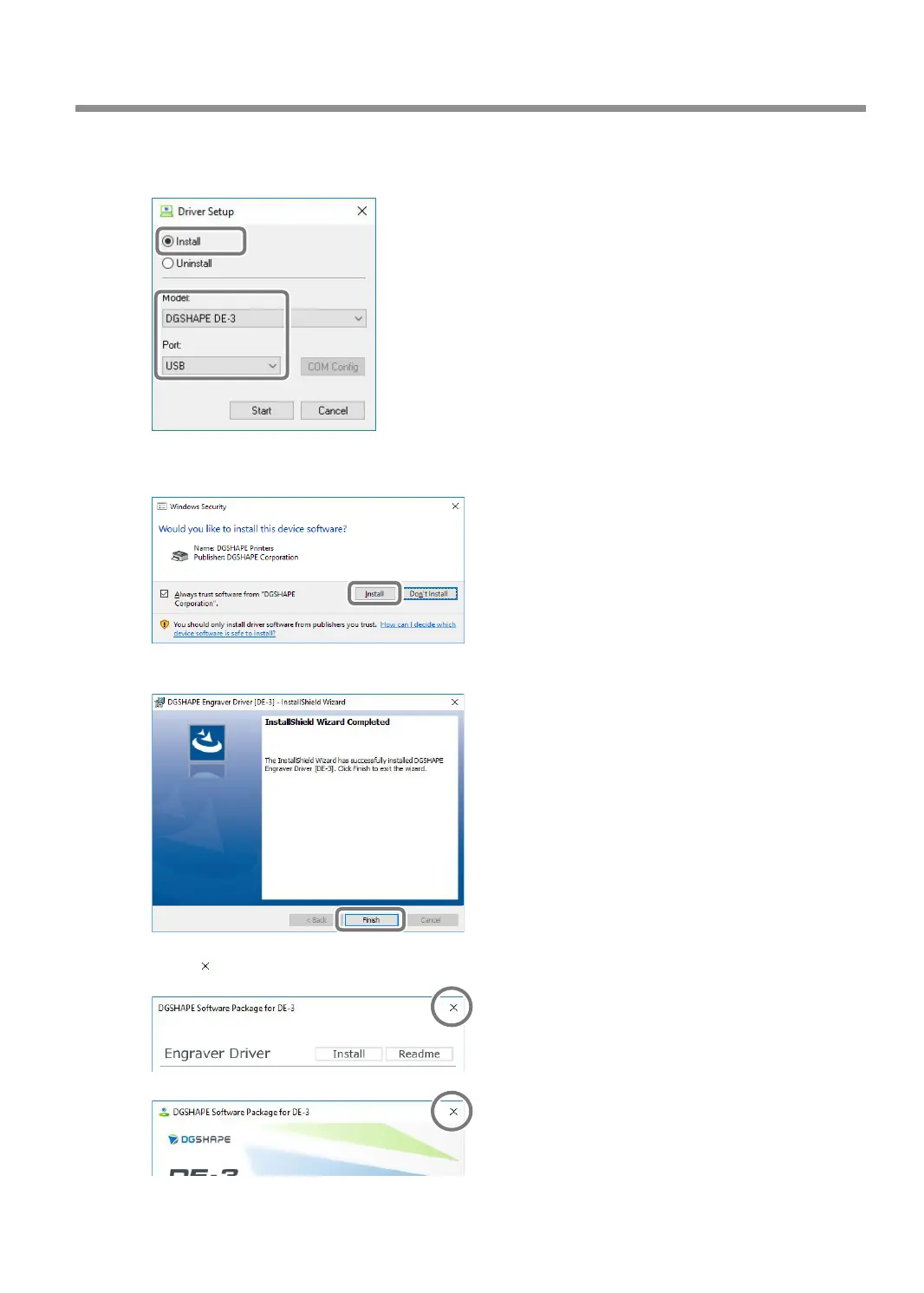
Select [Install], [DGSHAPE DE-3] for the model name, the port, and then click [Start].
Select the [Port] according to the method for connecting this machine and the computer.
Engraver Driver installation begins. Follow the on-screen explanations to proceed with the installation.
If the following window appears during installation, click [Install].
G
When the window shown in the gure appears, click [Finish].
H
Click on the setup menu screen.
Troubleshooting (Installation)
141
Chapter 6 Appendix



 To Next Page