WARNING
Keep open ame away from the work area.
Cutting waste may ignite. Powdered material is extremely ammable, and even
metal material may catch re.
Step 1: Setting the Workpiece
WARNING
Never inadvertently touch the computer or handy panel while performing this
task.
Unintended operation of the machine may lead to you being caught in the
machine.
Procedure
A
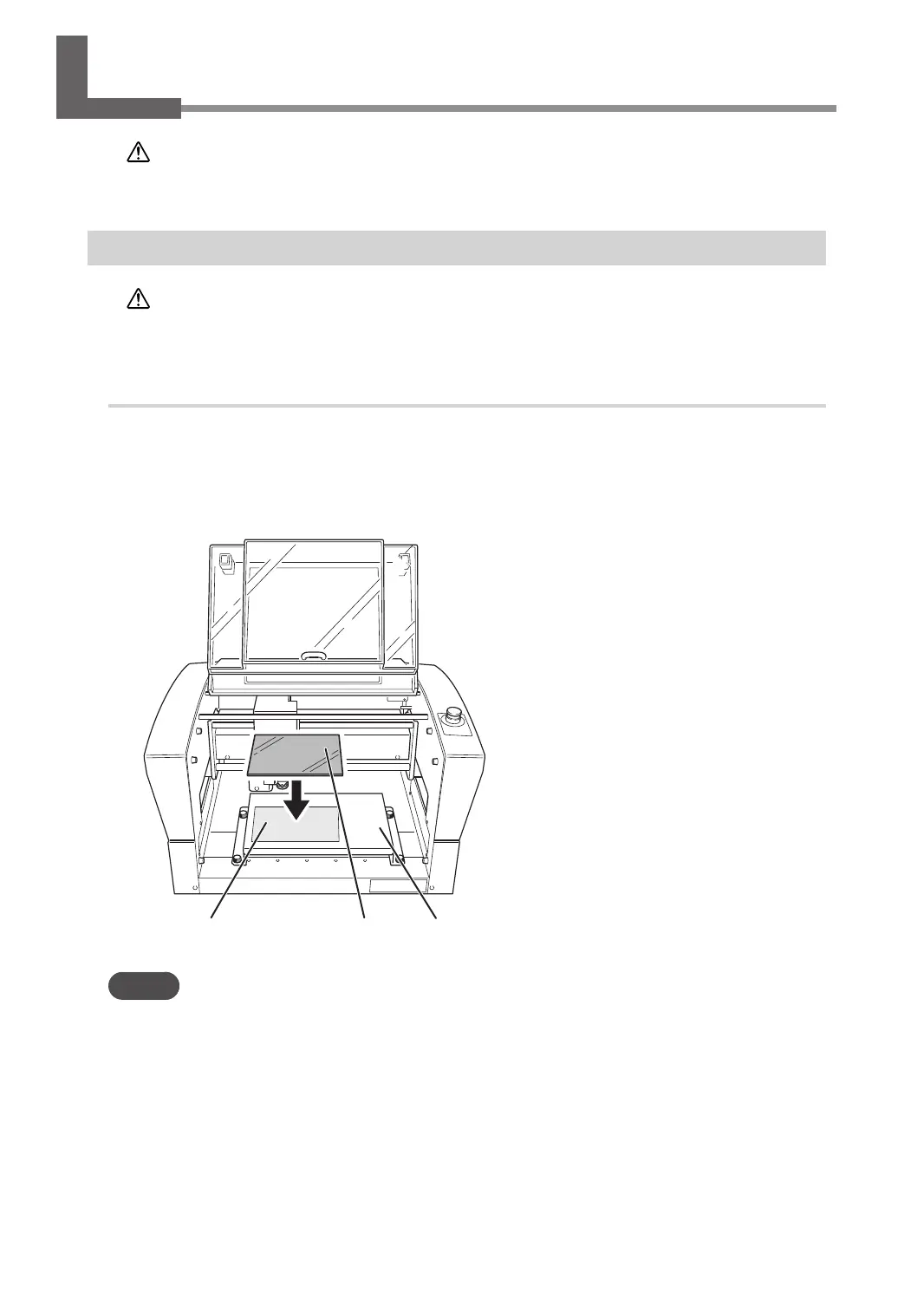
Set the adhesive sheet.
Afx the adhesive sheet to the workpiece table.
B
Set the workpiece.
Place the workpiece on the adhesive sheet and press down on it from above.
A
Adhesive sheet
B
Workpiece
Workpiece table
MEMO
On this machine, you can use the optional center vise and T-slot table to secure the workpiece in place. For details
on these optional items, contact your authorized DGSHAPE Corporation dealer or access our website (http://www.
dgshape.com/).
Starting Engraving
38
Chapter 3 Basic Engraving Methods



 To Next Page