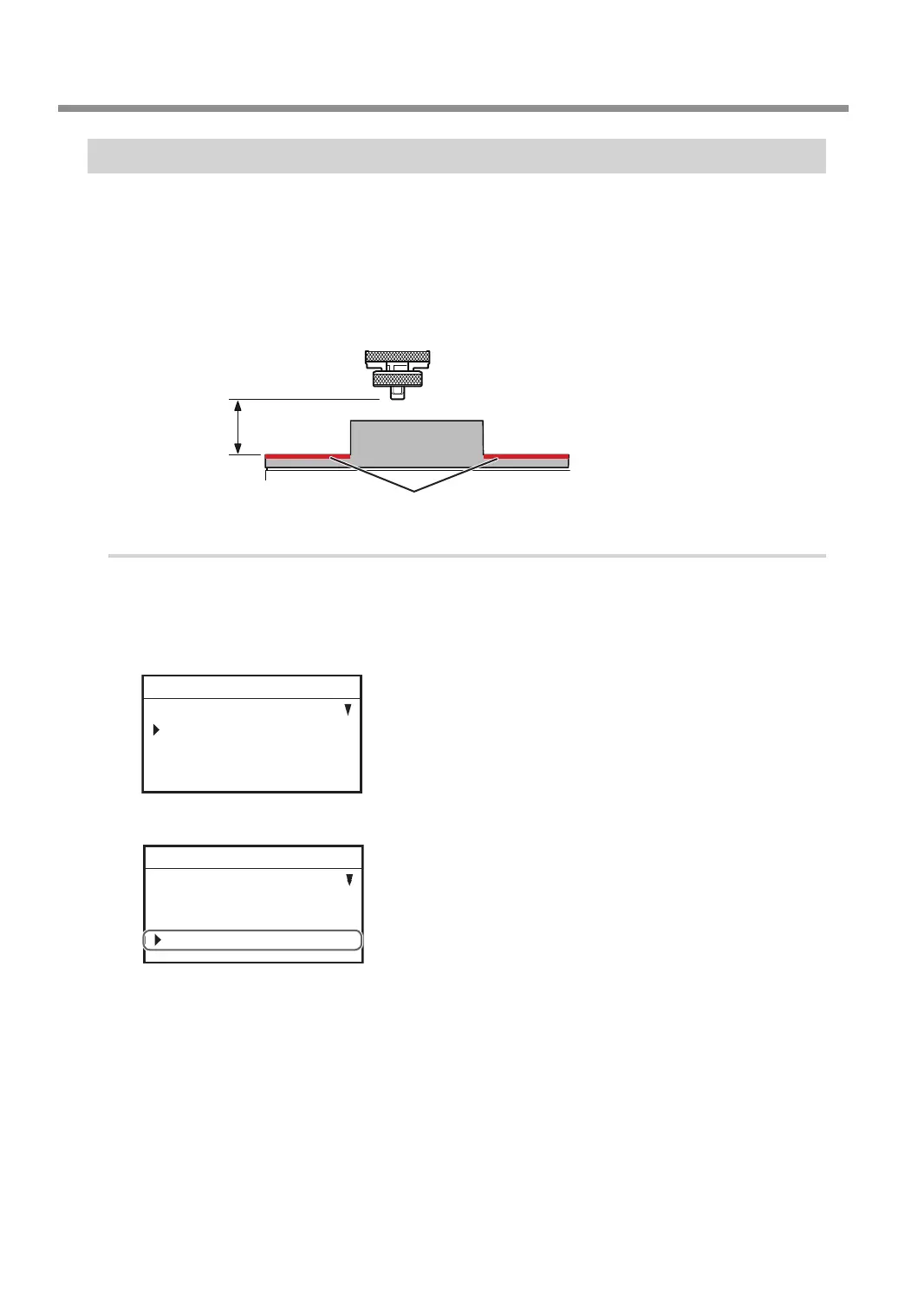
Setting the Avoidance Height of the Tool to Match the Workpiece Shape
When moving to another engraving area, the tool rst avoids the workpiece in the upward direction, and then
moves along the X and Y axes. Make the setting for this avoidance height.
* This setting is enabled when [AUTO Z CONTROL] is set to [ON].
* With the engraving data created using Dr. Engrave Plus, the setting for the [Tool-up Height] within the
software is ignored.
" P. 96 "Detailed Settings on the [Engraving Parameters] Screen"
Z user origin
The avoidance
height you have set
Surface to be engraved
Procedure
A
If the front cover is open, close it.
B
Press [ENTER/PAUSE].
C
Press [MENU] several times to display the following screen.
SETTINGS
OPERATING MODE
SPINDLE REVOLUTION ON
AUTO Z CONTROL ON
012345678901234567 READY
D
Turn the [Dial] and select [AUTO Z SETTING].
OVER AREA CONTINUE
START MESSAGE ON
AUTO Z SETTING
012345678901234567 READY
E
Press [ENTER/PAUSE] twice.
Other Basic Operations
64
Chapter 3 Basic Engraving Methods



 To Next Page